Participant
August 3, 2017
Answered

Photoshop scalling/resolution issues

  • August 3, 2017
  • 1 reply
  • 527 views

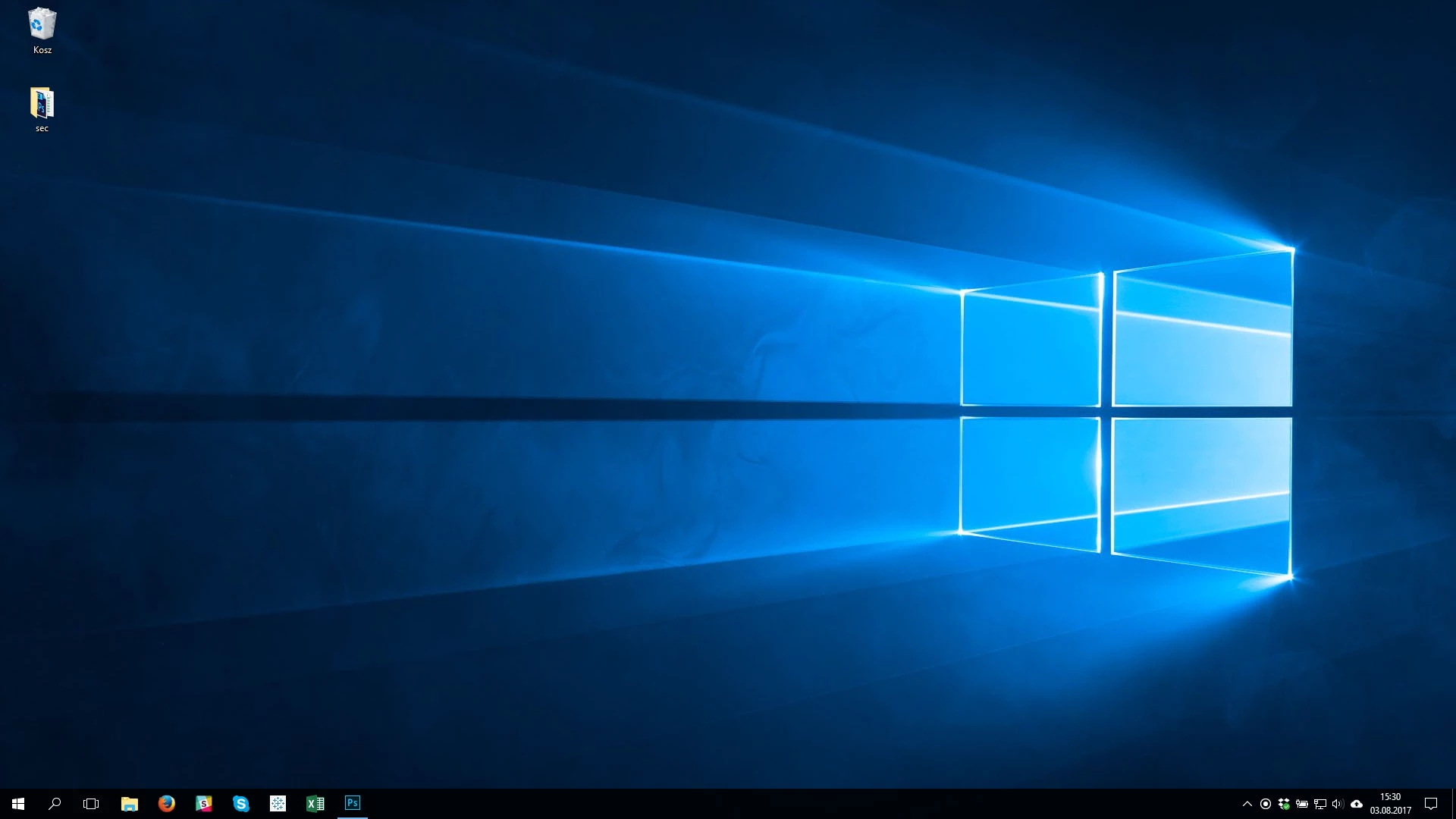
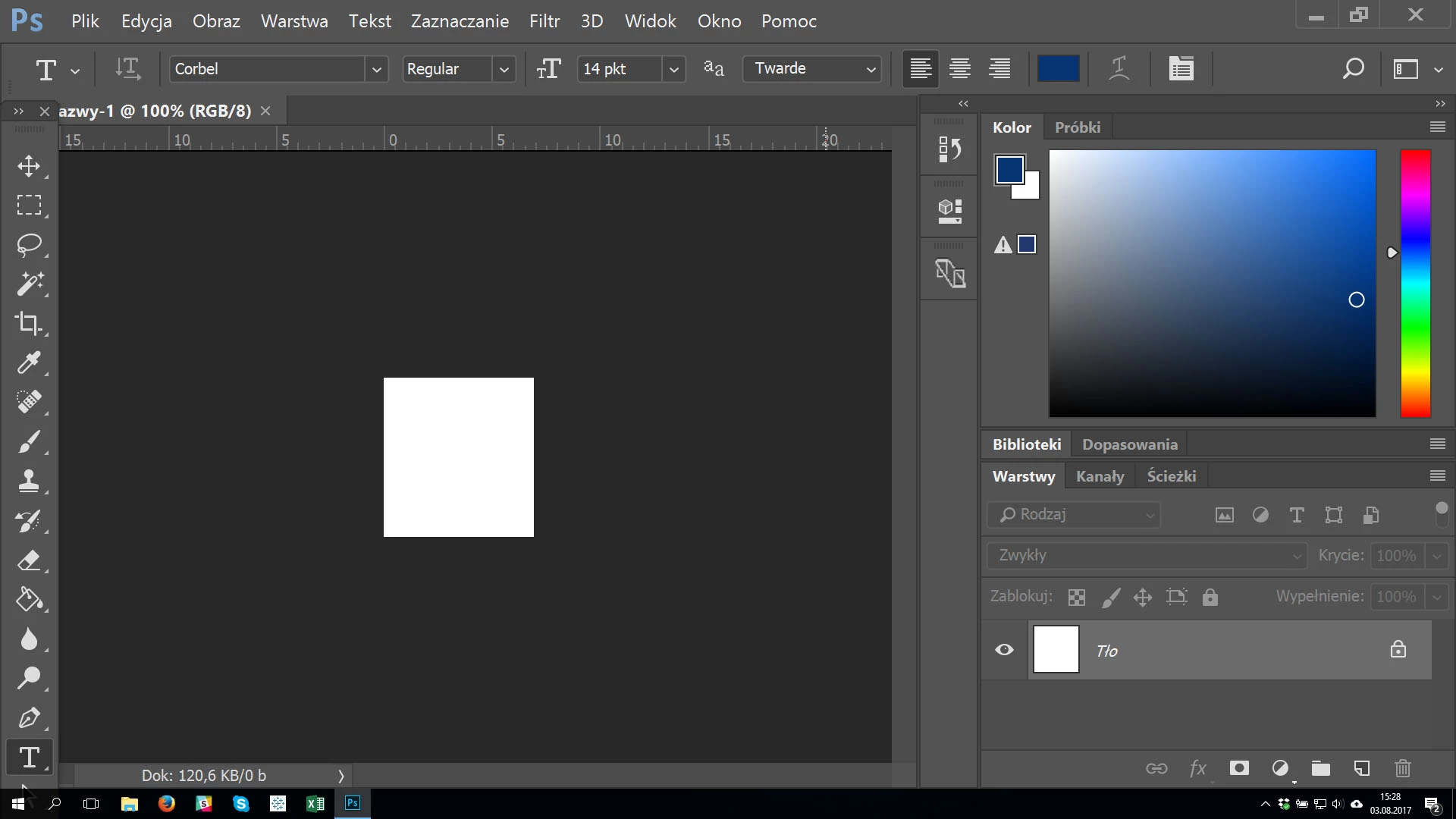
Hi, I have an issue with Photoshop cc 2017. I have installed the aplication and everything works well except of the resolution of fitting the photoshop windows on the screen. The system works in 1920p but the Photoshop window is like it was displayed in 800x600. Is there any way to fix that? Please find attached screens. If it is meaningfull - the laptop model HP ProBook 440 G4.

Thanks!
    This topic has been closed for replies.
    Correct answer davescm

    I've moved your question to the Photoshop Forum.

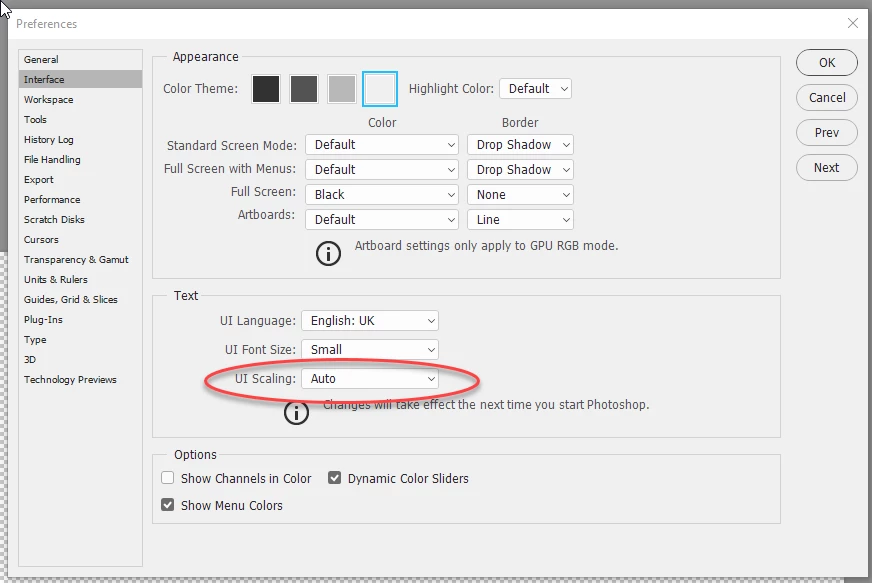
    Go to Preferences > Interface and look at UI scaling. It will be Auto or 200% - change it to 100%. You will need to close and  restart Photoshop after clicking OK in order to see the change

    Dave

    1 reply

    davescm
    Community Expert
    davescmCommunity ExpertCorrect answer
    Community Expert
    August 3, 2017

    I've moved your question to the Photoshop Forum.

    Go to Preferences > Interface and look at UI scaling. It will be Auto or 200% - change it to 100%. You will need to close and  restart Photoshop after clicking OK in order to see the change

    Dave

    Participant
    August 3, 2017

    Thank you Dave!

    Now it works perfect!

    Cheers

    davescm
    Community Expert
    Community Expert
    August 3, 2017

    You're welcome

    Dave