
Known Participant
January 17, 2025
Answered

Photoshop Script Not Displaying Line Breaks Correctly

  • January 17, 2025
  • 1 reply
  • 506 views


app.activeDocument.activeLayer.textItem.contents = "Photoshop\r2025";


The above code can break lines correctly.
 
The text below, read from 1.txt, does not break lines. Why is that? How can I make it break lines when reading from a txt file? I know paragraphs can break lines, but I don't want to use paragraph tags. Thank you, everyone.
1.txt=Photoshop\r2025


var AB1 = File("C:/Users/Administrator/Desktop/1.txt");
AB1.open("r");
var AB1sz1 = AB1.read();
app.activeDocument.activeLayer.textItem.contents = AB1sz1;


Correct answer pixxxelschubser
var AB1 = File("C:/Users/Administrator/Desktop/1.txt");
AB1.open("r");
var AB1sz1 = AB1.read();
app.activeDocument.activeLayer.textItem.contents = unescape(AB1sz1);

Sorry, it still doesn't work. Are there any other methods? Thank you.


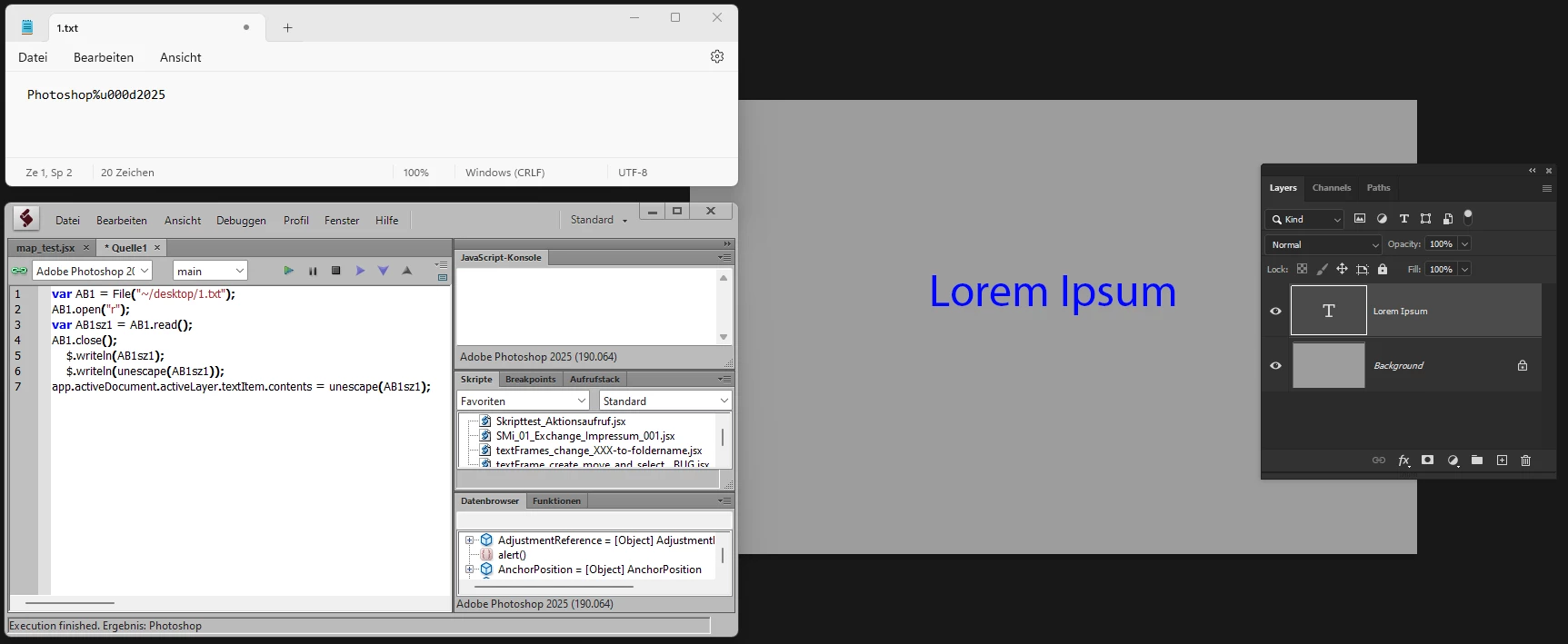
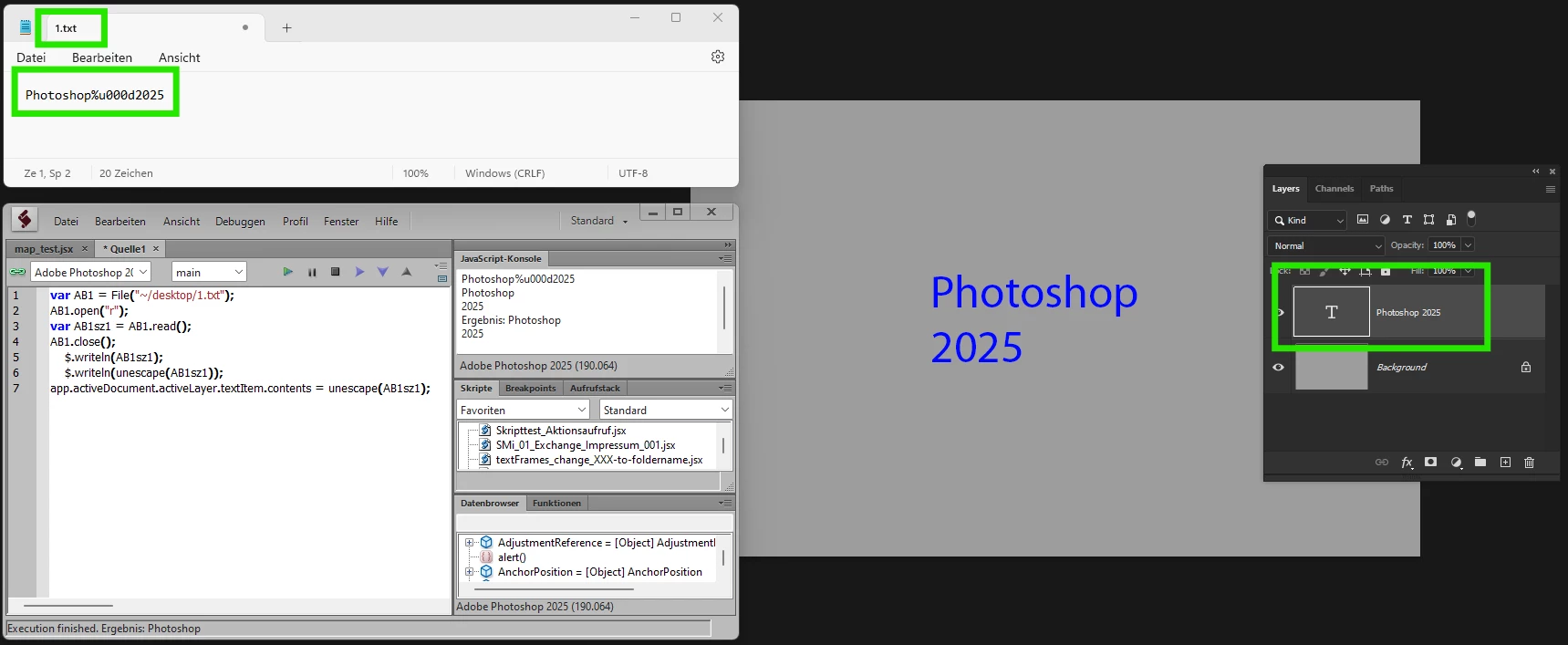
It works for me without any problems.

Before

After


1 reply

Known Participant
January 17, 2025

pixxxelschubser
Community Expert
Community Expert
January 17, 2025

Try


1.txt = Photoshop%u000d2025


and change the last line to:

app.activeDocument.activeLayer.textItem.contents = unescape(AB1sz1)


untested, sent from mobile phone

Known Participant
January 18, 2025
var AB1 = File("C:/Users/Administrator/Desktop/1.txt");
AB1.open("r");
var AB1sz1 = AB1.read();
app.activeDocument.activeLayer.textItem.contents = unescape(AB1sz1);

Sorry, it still doesn't work. Are there any other methods? Thank you.