Participant
June 14, 2017
Answered

Photoshop script to select a timeline frame and all following frames

  • June 14, 2017
  • 1 reply
  • 1459 views

Is there a Photoshop script to select a timeline frame and all following frames? I am placing an object into a GIF and it needs to follow an object in the GIF. It's so tedious to select a frame, move the object and then go to the next frame and make the same move plus a couple nudges more. Do you know what I mean? If I have all the frames selected, they all take the move and then as I move along to the next frame All I need to do is the subsequent nudges but its a pain doing all the clicks to select the relevent frames.

This topic has been closed for replies.
Correct answer JJMack

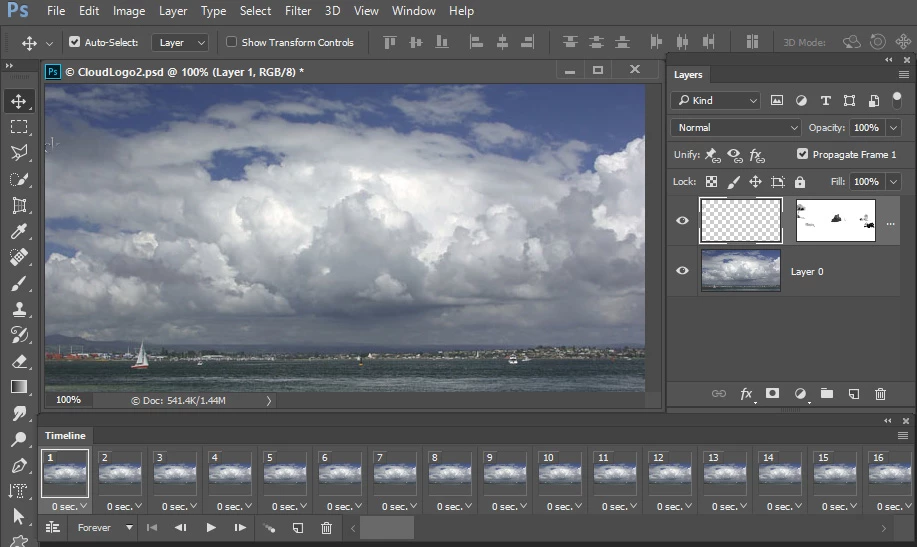
If you are creating your gif using a frame animation with 2D layers.  Photoshop  tween can create the nudged frames for you. Here Create Frame animation created the first frame.  I created the  last frame and Tween created the frames between.  No scripting is required.

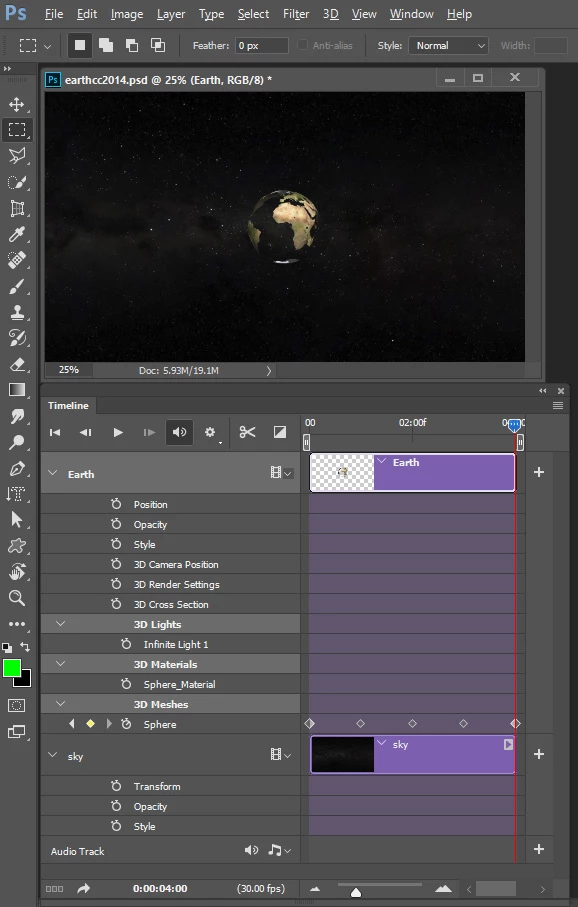
3D layer is a different matter you use a Video timeline not a frame animation timeline

1 reply

JJMack
Community Expert
JJMackCommunity ExpertCorrect answer
Community Expert
June 14, 2017

If you are creating your gif using a frame animation with 2D layers.  Photoshop  tween can create the nudged frames for you. Here Create Frame animation created the first frame.  I created the  last frame and Tween created the frames between.  No scripting is required.

3D layer is a different matter you use a Video timeline not a frame animation timeline

JJMack