
Participant
March 16, 2021
Answered

Photoshop sketch brush draws thin line instead of reacting like it used to?

  • March 16, 2021
  • 1 reply
  • 317 views

Hi everyone, I would appreciate any help I can get.


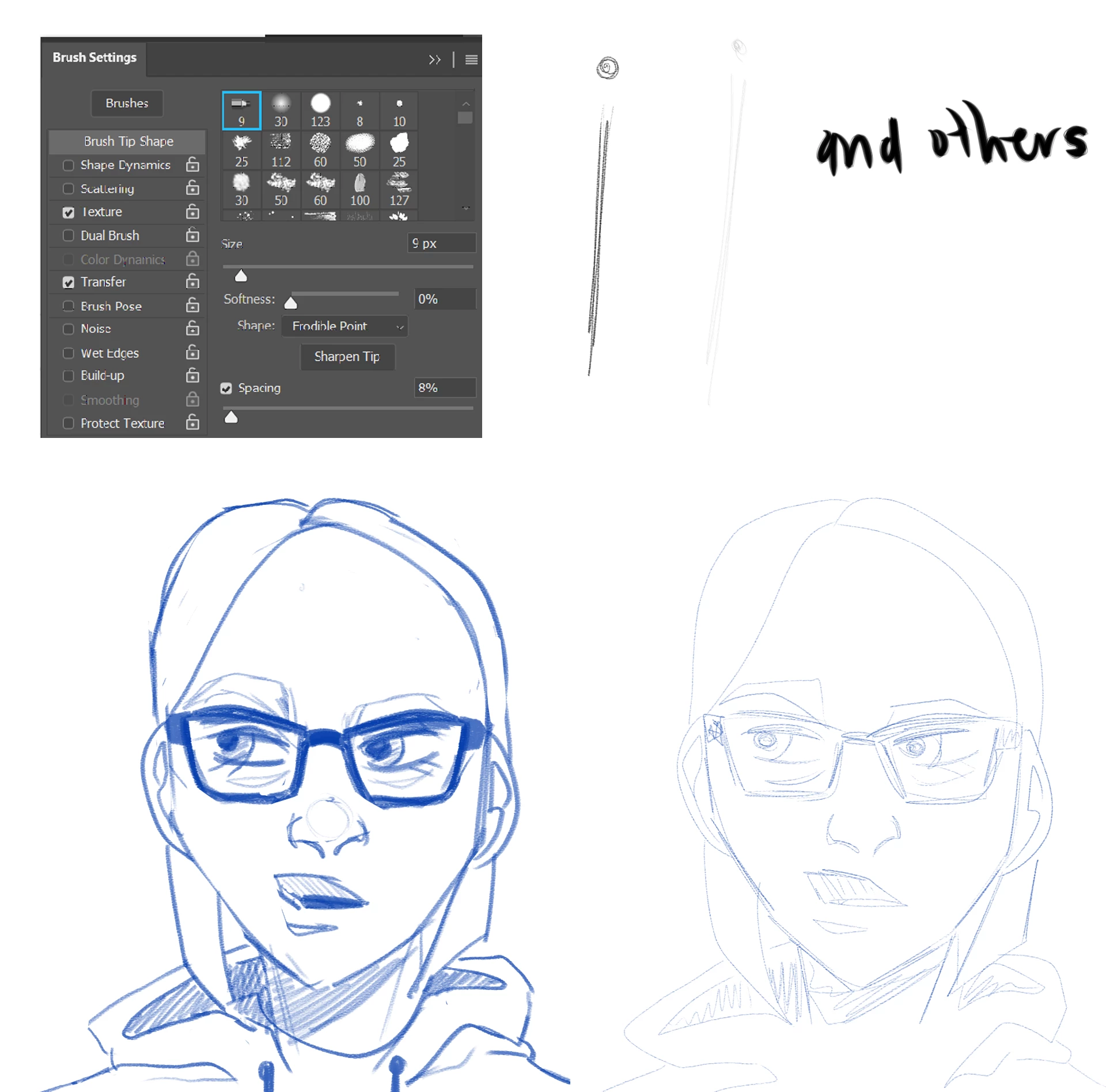
My sketch brush which usually works like the drawing to the left (previous artwork) is making marks and working like the sketch to the right (recreation from today). Changing the brush size doesn't make the stroke bigger. This issue seemingly happened overnight, and I think it might have to do with some sort of Live brush feature but I'm not sure how to fix this issue and I can't seem to find a solution. I also noticed that the cursor tip is a circle instead of the vague pencil shape it was before if that's helpful at all. I do not have this issue with all brushes, only some. I'm on the latest verion of Photoshop. I have the brush settings pictured below, let me know if more info is needed and I'll try to provide it.   
This topic has been closed for replies.
Correct answer defaultu32qdns4djhi

Hi everyone-- this was not a problem with Photoshop but my drawing tablet not registering my device. I used this thread to figure out my problem: https://www.partitionwizard.com/partitionmagic/wacom-no-device-connected.html 


I don't know how to edit the original or mark it as solved so I'll just comment the correct answer.

1 reply

defaultu32qdns4djhiAuthorCorrect answer
Participant
March 16, 2021

Hi everyone-- this was not a problem with Photoshop but my drawing tablet not registering my device. I used this thread to figure out my problem: https://www.partitionwizard.com/partitionmagic/wacom-no-device-connected.html 


I don't know how to edit the original or mark it as solved so I'll just comment the correct answer.