

Sandile M
Participant
November 21, 2021
Question

Photoshop Tilt Shift blur not working
  • November 21, 2021
  • 3 replies
  • 1671 views

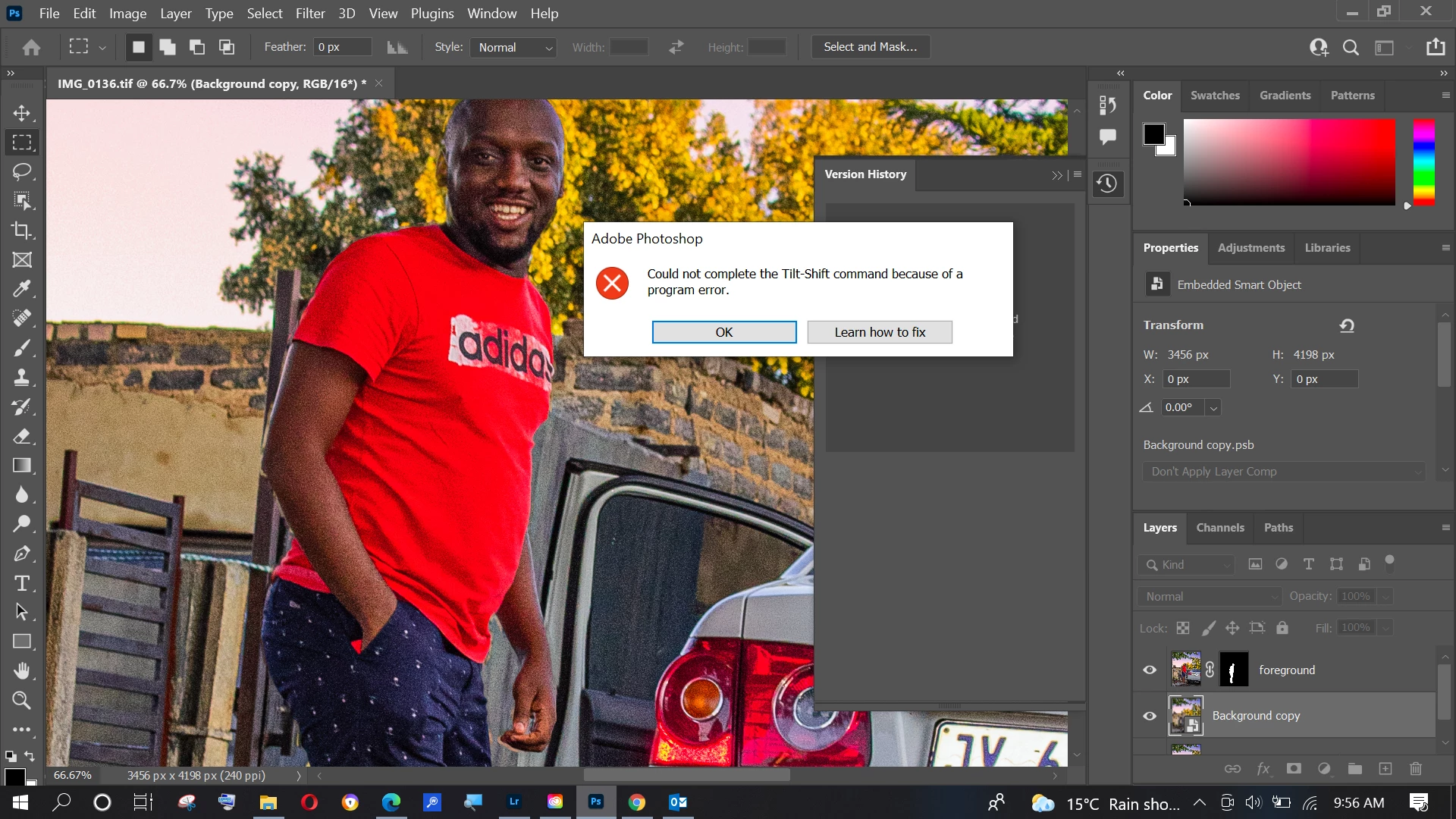
Hi team, please help, I am getting this error message when I try to use the "Tilt Shift blur" filter in my Photoshop 2021.

I have recently installed the new update in hopes of resolving my issue but the error still persist.

This topic has been closed for replies.

3 replies

Legend
November 25, 2021

It may help if we could see your Photoshop System Info. Launch Photoshop, and select Help >System Info...and copy/paste the text in a reply.

Sandile M
Sandile MAuthor
Participant
November 25, 2021

I have the tried the above mentioned methods to resolve the issue but it seems like nothing is working.

The error still persist

Legend
November 23, 2021

If you restore your preferences using this manual method does it work correctly?
https://helpx.adobe.com/photoshop/using/preferences.html#Manually
If that doesn't solve it, you can quit Photoshop and put the Settings folder back.


If preferences restore doesn't help, go to Preferences > Performance... and uncheck Use Graphics Processor. Restart Photoshop. Does the problem persist?