Participant
March 10, 2024
Question

Photoshop tools are hidden !!

  • March 10, 2024
  • 1 reply
  • 269 views

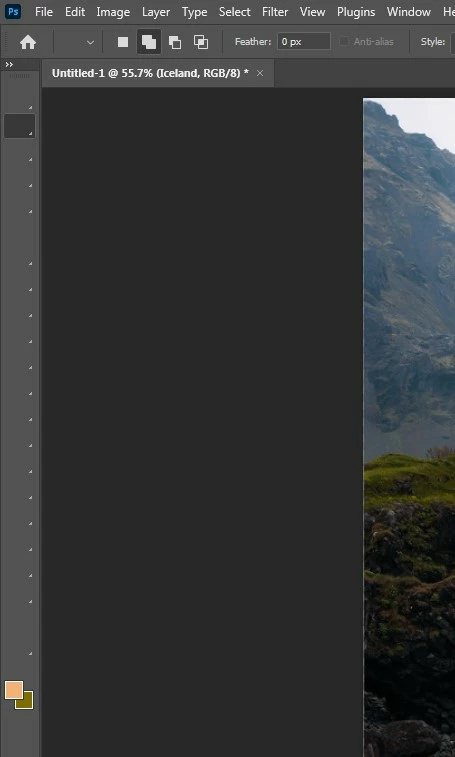
Photoshop tools are hidden, as in the attached image. What is the solution?

This topic has been closed for replies.

1 reply

Trevor.Dennis
Community Expert
Community Expert
March 10, 2024

It looks like the Screen Mode.  Pressing the F key toggles between the three modes.

Otherwise the Tab key will toggle the panels and toolbar on and off.

Trevor.Dennis
Community Expert
Community Expert
March 10, 2024

Oh no!  I looked at your screen shot and can see you are experiencing an issue that has affected some people for quite a while now.  


Try restarting Photoshop.  It is nearly always intermittent so there's a good chane that a restart will fix it.  If it doesn't work first time, then try again a couple of times.


If you are using the full release Photoshop, try the beta version.  It has fixed the issues that recent version have been suffering, and has some very nice new features.


Or try Deactivate Native Canvas in Preferences.


Your other option is to roll back to the previous version, and skip this latest update.