
Participant
October 19, 2023
Answered

Photoshop Type Stuck in Italics

  • October 19, 2023
  • 1 reply
  • 3439 views

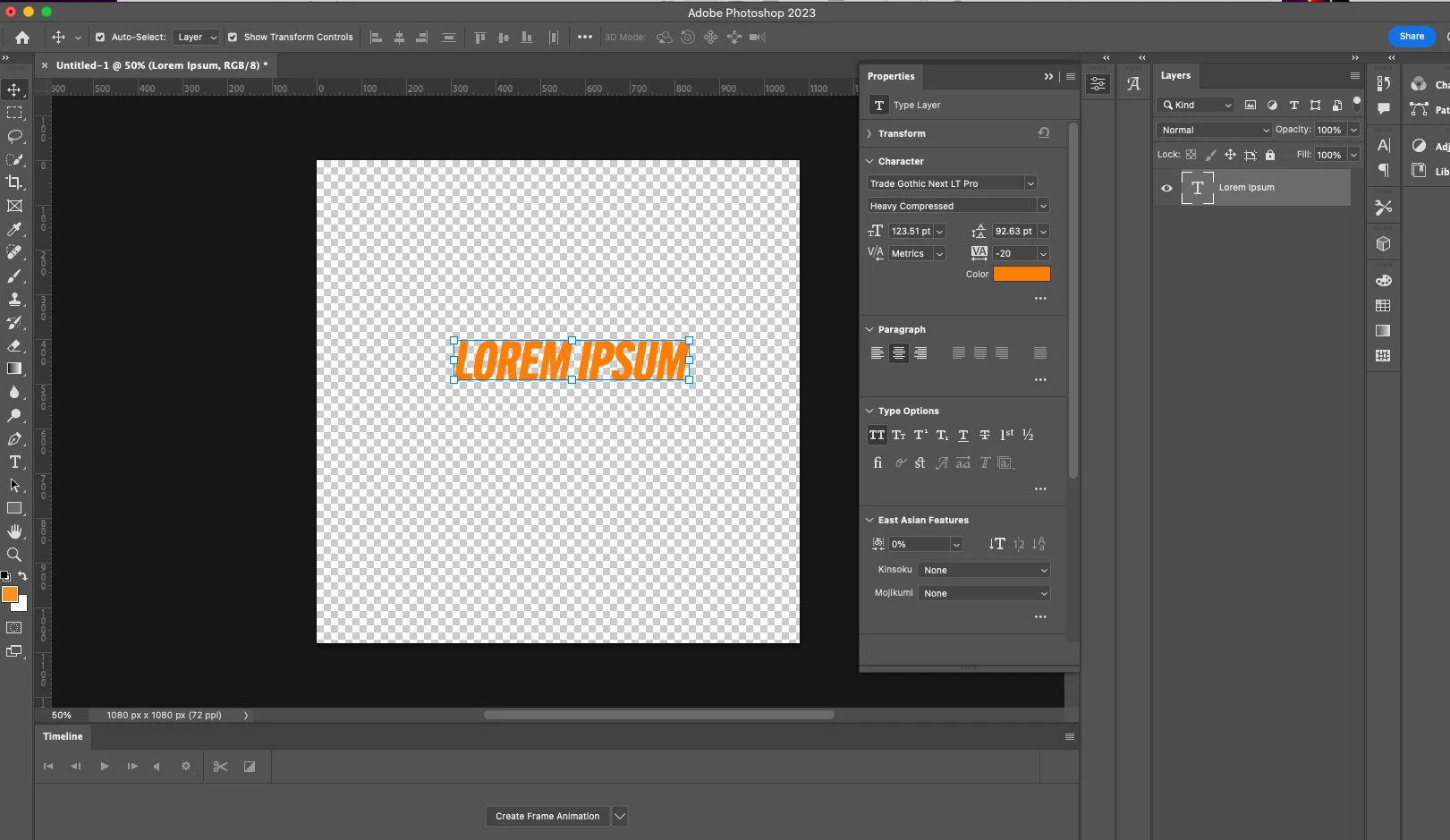
Hi! My photoshop type tool seems to be stuck in italics. I've seen some solutions saying that italics could be turned on in type options, but that's not the case for me. I restarted Photoshop and that didn't work either.


I really don't know what's wrong or how to fix it, it started outof nowhere.
 

This topic has been closed for replies.
Correct answer jane-e

@Alex30165091avfy 


Open the Character panel (Window menu) — the Faux Italic button will be in the buttons at the bottom of the panel. This is a character level setting, so select the text first with the Type tool.


Jane

1 reply

jane-e
Community Expert
jane-eCommunity ExpertCorrect answer
Community Expert
October 19, 2023

@Alex30165091avfy 


Open the Character panel (Window menu) — the Faux Italic button will be in the buttons at the bottom of the panel. This is a character level setting, so select the text first with the Type tool.


Jane

Participant
October 19, 2023

I was lookin in thw wrong pannel smh, thank you!

jane-e
Community Expert
Community Expert
October 19, 2023


You're welcome, @Alex30165091avfy 


The Character panel has more settings than the Properties panel, including the two legacy fake (faux) Bold and Italic styles.


The way it happened, btw, is by accidentally using the keyboard shortcut Cmd+Shift+I with a typeface that does not have a version of Italics installed, such as Trade Gothic Next Lt Pro.


Jane