Participant
November 16, 2018
Answered

Photoshop - unable to select layers by clicking on artwork after latest update - help!

  • November 16, 2018
  • 1 reply
  • 1070 views

Following update to latest software Im unable to select layers in Photoshop by clicking on/in the artwork - i keep getting box "Could not use the move tool because no layers are selected."

How do i make the layers clickable within artwork rather than looking for them in the layers panel and manually selecting each one?

Seems to have happened since the latest update along with a load of other annoying updates to shortcuts like 'scale proportionately' etc.

Please help!?
This topic has been closed for replies.
Correct answer

Hi

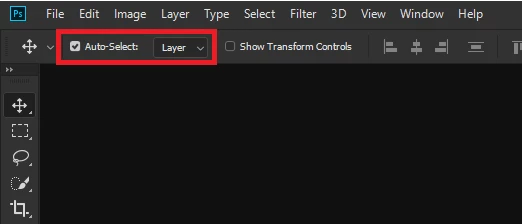
Have you got this option enabled

Adobe has changed the way the transform works, see here

New and enhanced features | Latest release of Photoshop CC

You can change it back see this section

How do I turn off the new proportional scaling by default behavior while transforming layers?

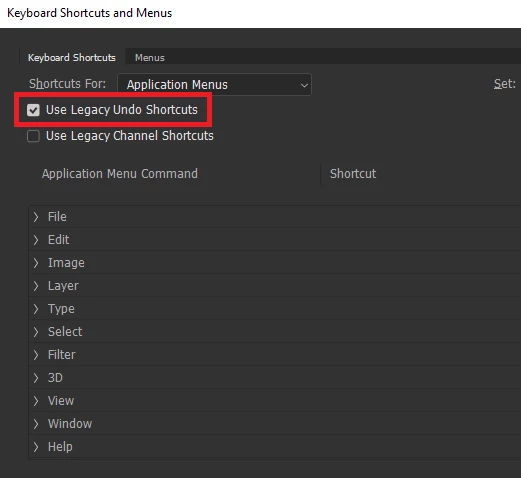
To revert to the legacy undo enable this option

1 reply

Correct answer
November 16, 2018

Hi

Have you got this option enabled

Adobe has changed the way the transform works, see here

New and enhanced features | Latest release of Photoshop CC

You can change it back see this section

How do I turn off the new proportional scaling by default behavior while transforming layers?

To revert to the legacy undo enable this option