

LauraMacky
Inspiring
June 15, 2019
Answered

Photoshop Version Updates

  • June 15, 2019
  • 2 replies
  • 1693 views

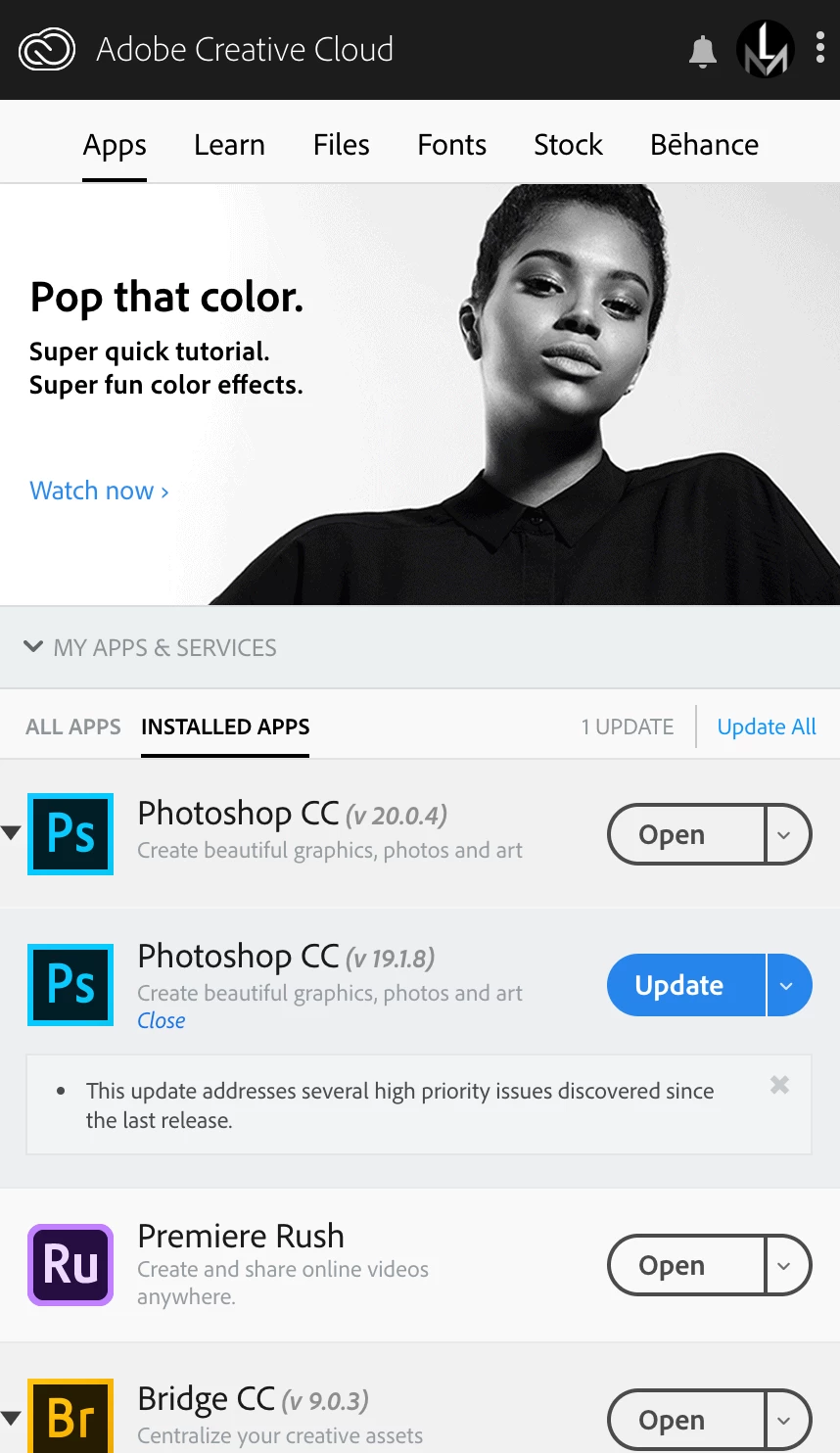
I don't know why something so basic has me confused.  Creative Cloud keeps giving me a message that Photoshop CC 19.1.8 needs to be updated.  But in the list I have (screenshot shown), Photoshop CC 20.0.4 is current and is in no need of updating and is the one I use.

Why does this other version, 19.1.8, say it needs to be updated?  Why are there two in my list?
This topic has been closed for replies.
Correct answer Test Screen Name

Clearly you have Photoshop CC 2018 and CC 2019 both installed. This is normal and recommended, and each one can have updates. Updates won't take you to the next release.

HOWEVER, 19.1.8 is the latest update to CC 2018 according to Fixed issues in Adobe Photoshop , so it's a bit of a mystery still !

2 replies

Legend
June 15, 2019

What if you have an important job to do and have a problem with the new version at a critical moment.... (a crash, can’t find a menu, a plugin doesn’t load...)? You can go back to the version you are used to.

LauraMacky
Inspiring
June 15, 2019

that’s true. 

Laura Macky
Test Screen NameCorrect answer
Legend
June 15, 2019

Clearly you have Photoshop CC 2018 and CC 2019 both installed. This is normal and recommended, and each one can have updates. Updates won't take you to the next release.

HOWEVER, 19.1.8 is the latest update to CC 2018 according to Fixed issues in Adobe Photoshop , so it's a bit of a mystery still !

JJMack
Community Expert
Community Expert
June 15, 2019

CC 2018 latest update is 19.1.8 perhaps his install is not at the current level. What Adobe Dosplaye in the Creative cloud desktop is a crap shoot. My CC 2014 on Windows 10 system infomation shows

Adobe Photoshop Version: 2014.2.2 20141204.r.310 2014/12/04:23:59:59 CL 994532  x64

Operating System: Windows 8.1 64-bit

Creative cloud desk top shows version 15.0

CC 2014 system info shows

Adobe Photoshop Version: 2014.2.2 20141204.r.310 2014/12/04:23:59:59 CL 994532  x64

Operating System: Windows 8.1 64-bit

Photoshop.exe properties shows versils 15.2.2.310

Bridge CS6 version 5 isnot even shown in creative cloud desktop

Creative Cloud Cloud shows CS6 Version 13.0

Windows 10 CS6 System info shows

Adobe Photoshop Version: 13.1.2 (13.1.2 20130105.r.224 2013/01/05:23:00:00) x64

Operating System: Windows 8 64-bit

About Photoshop and Photoshop properties also shoews 13.1.2 for both 32bit and 64 bit CS6 versions.  Perpetual CS6 on windows is version 13.0.1.3 and Mac CS6 perpetual is version 13.0.6

JJMack