
Known Participant
January 6, 2019
Question

Photoshop view size so small

  • January 6, 2019
  • 3 replies
  • 332 views

I just installed my CS4 Web Suite onto my new laptop. All programs look fine except Photoshop. It's the weirdest thing. It looks like the below. See how very small it is? I tried reopening it several times.

Can you tell me what to do to fix? I'm on a 13 inch laptop I believe. Again, all other programs in the suite look just fine.
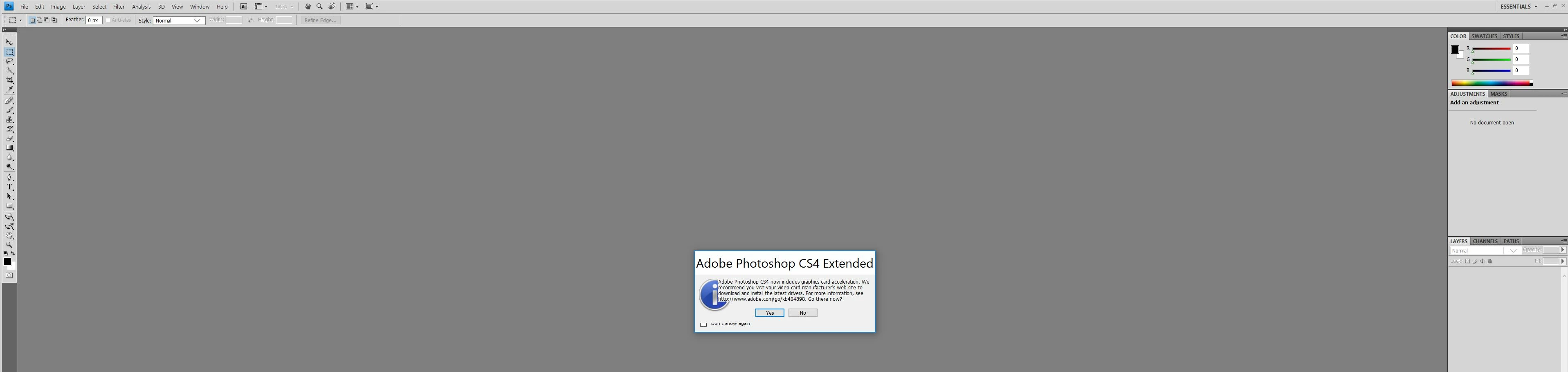
Thanks in advance!

    This topic has been closed for replies.

    3 replies

    January 7, 2019

    Hi

    If you have Windows 10, try this right click on the Photoshop.exe or shortcut and select properties > compatibility > Change high DPI settings

    Then enable this option and select System from the drop down menu

    Sebastian Bleak
    Community Expert
    Community Expert
    January 7, 2019

    Try changing out the resolution size on your preferences for your OS

    quality11Author
    Known Participant
    January 6, 2019

    I just tried the drop down menus and they are the correct size. It's just the shell (?) of the program. The top, sides, etc. like in the screenshot above. So weird.

    Silkrooster
    Legend
    January 7, 2019

    If I recall CS4 was before they added support for the higher resolution monitors. You can adjust the screen resolution in your operating systems preferences. Set to say 1080 x 1024 to see a larger user interface. Just beware editing photo's is at the same resolution.