Participant
August 1, 2020
Question

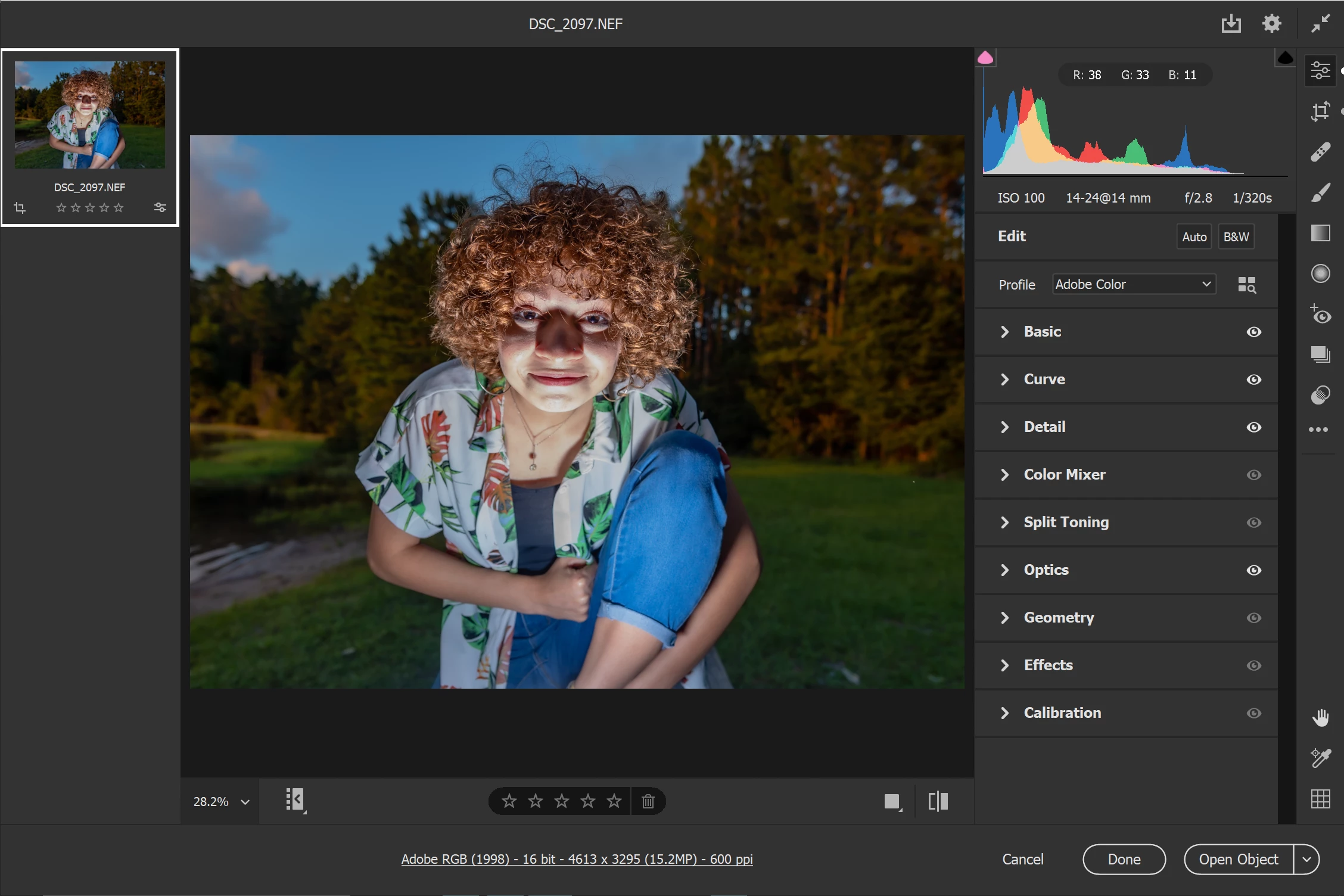
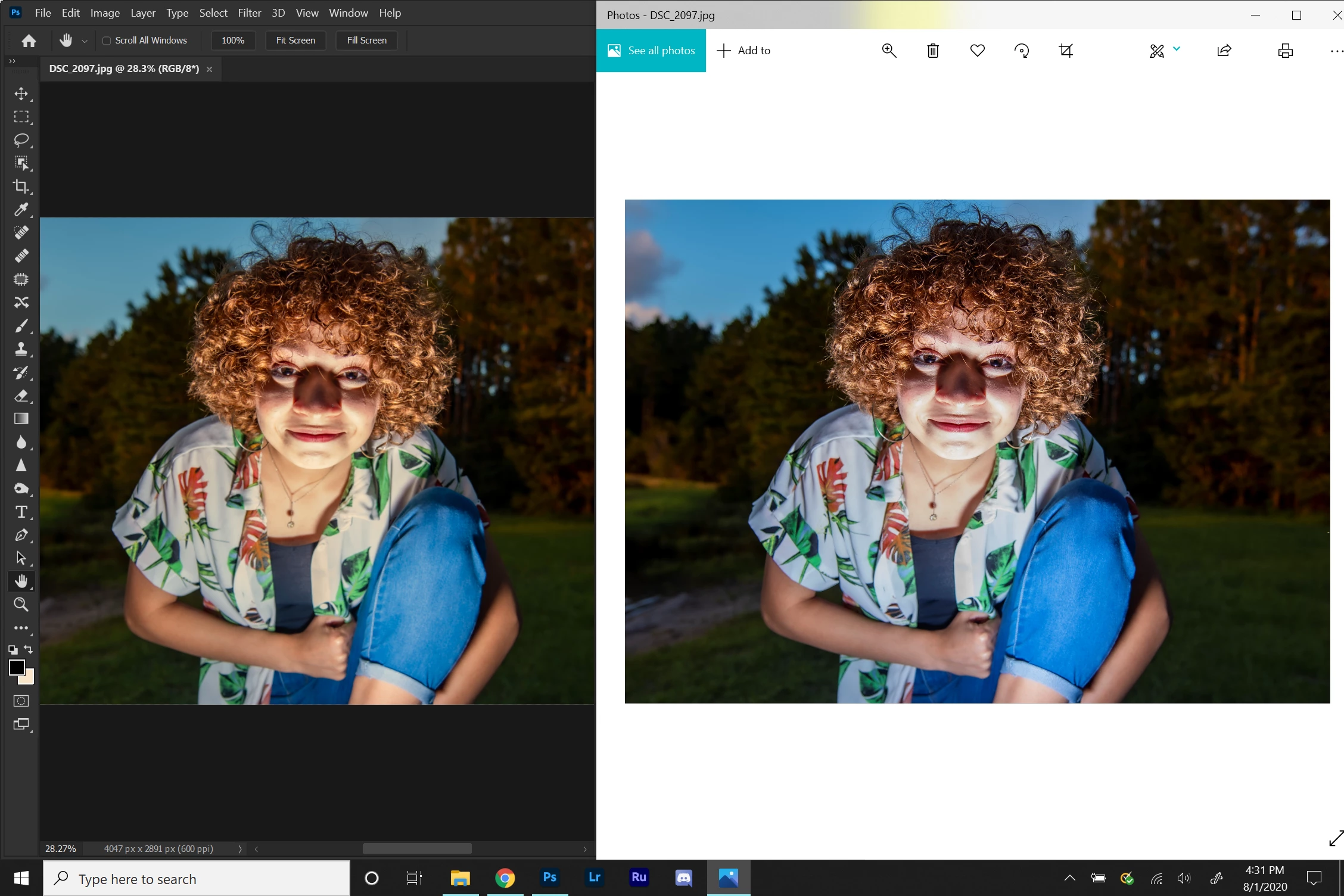
Photoshop view vs Windows Photos view vs Camera RAW view all different
  • August 1, 2020
  • 4 replies
  • 1894 views


I will definitely admit that I am still learning the ways of Photoshop as I try not to manipulate photos more than just basic editing using camera RAW, with some lighting and color corrections.  That being said, I was very surprised when I dragged one of my post edits of a photo (JPEG version) over to photoshop and the color was a lot different than it looked in both in the RAW version and the Windows Photos viewer.  Any help with figuring out why this is?  I'm worried going forward that if I ever shoot in JPEG and not RAW, my colors will not be correct in post edits, even though it might appear correct in photoshop.  Thank you for the help in advance. 

This topic has been closed for replies.

4 replies

Per Berntsen
Community Expert
Community Expert
August 2, 2020

Your color settings are fine.

Was the monitor profile set to sRGB all along, or did you change it just now?

D Fosse
Community Expert
Community Expert
August 2, 2020

If jamesc hasn't made any changes to Photoshop color settings - we'll have to trust him on that - then this is definitely a defective monitor profile. Follow Per's procedure above to replace it.


Christoph - even if it came from Export/Save For Web without an embedded profile, as Adobe RGB, it would then have displayed with less saturation in Photoshop at the default sRGB working RGB. Or equal. But not more. The same with color management "off".


jamesc - the fact that it's the same image is irrelevant. It's not the file, it's how the application displays it. Photoshop uses the monitor profile to correct the faults and irregularities in your monitor, and thereby displays the file correctly, as it really is.


But the profile has to be good! In this case it apparently isn't. And that can affect Photoshop and ACR differently. That's a smoking gun.


Windows Photos doesn't do any of this, it just sends the original numbers straight through without any monitor correction. But then it's not affected by a corrupt/bad profile either.

Per Berntsen
Community Expert
Community Expert
August 1, 2020

Photoshop and Lightroom are color managed, and use the monitor profile to display correct colors.

When they don't display identically, it's usually caused by a defective monitor profile.

The Photos app is not color managed (does not use the monitor profile), and can not be expected to display correct colors.

I suggest that you stop using it, and use a color managed image viewer like FastStone, which is free for personal use. You have to enable color management in Settings > CMS, both boxes must be checked.


To troubleshoot the monitor profile, try setting it to sRGB.

If this fixes the issue, it is recommended that you calibrate the monitor with a hardware calibrator.
This will also create and install a custom monitor profile, that accurately describes your monitor.

Close Photoshop and Lightroom, then press the Windows key + R, type colorcpl in the box and press Enter.

Add the sRGB profile, and set it as Default.


c.pfaffenbichler
Community Expert
Community Expert
August 1, 2020

»When they don't display identically, it's usually caused by a defective monitor profile.«

There is also the possibility of nonsensical Photoshop Color Settings, specifically setting the Color Managent Policies to »Off« which would disregard the image’s actual Color Space and apply the Working Space. 

Per Berntsen
Community Expert
Community Expert
August 1, 2020

Yes there is, but then there should be a # displayed after File name RGB/8.

I just checked to make sure, but it seems that in PS 21.2.1 the # no longer appears.

It always used to display before, so this must be a bug.


c.pfaffenbichler
Community Expert
Community Expert
August 1, 2020

Is Windows Photos Color Managed? 

If the answer is »no« or »I don’t know« then concerning yourself with its disaply is a waste of time. 


What are Photoshop’s Edit > Color Settings? 

Please set the Status Bar to »Document Profile« and post a meaningful screenshot of the image in Photoshop.