Participant
September 28, 2019
Answered

Photoshop, weiß ist nicht weiß

  • September 28, 2019
  • 2 replies
  • 2524 views

Hallo zusammen. 

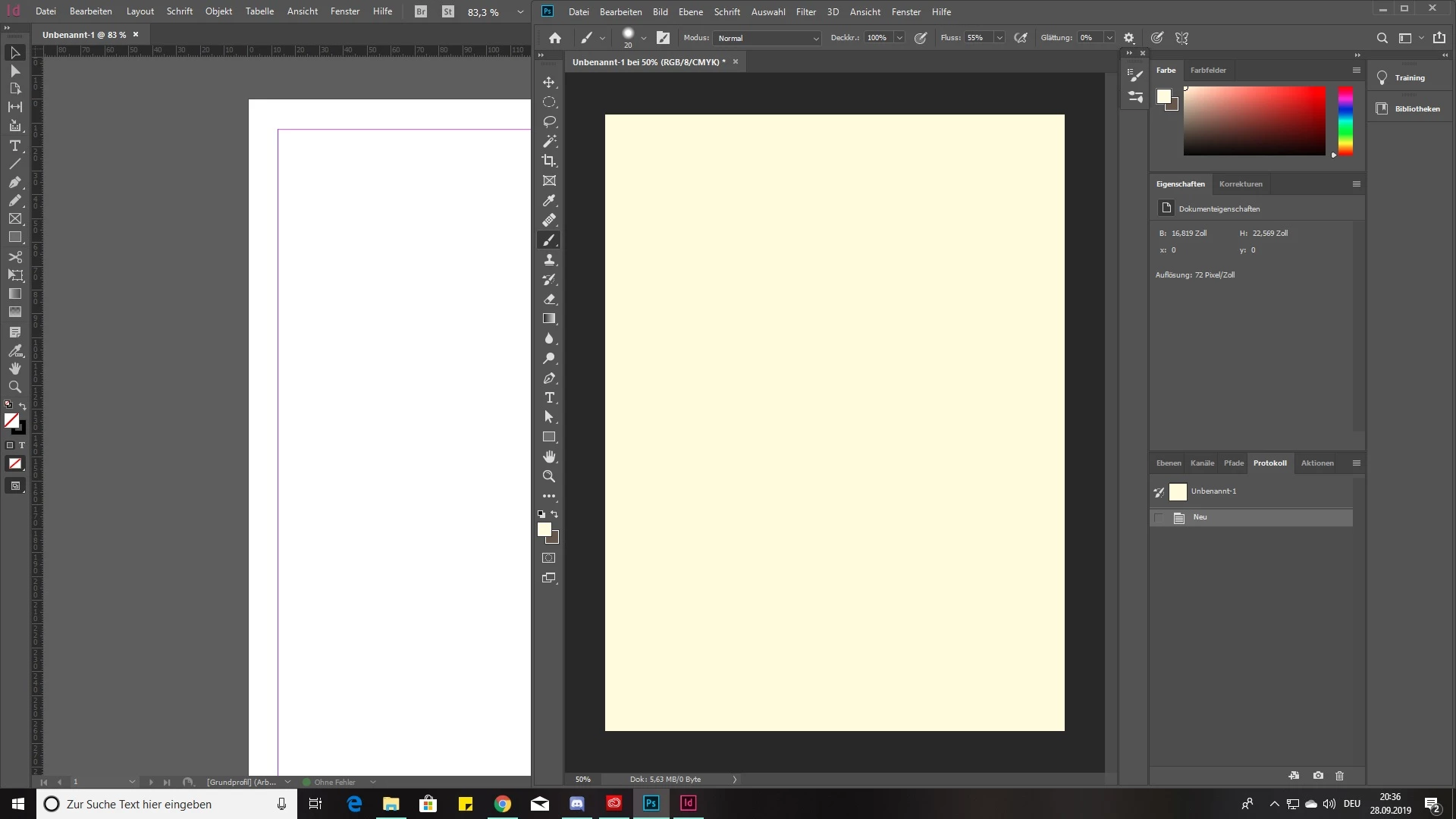
Ich arbeite in meiner Ausbildung u.a. mit Photoshop. Aber wenn ich Zuhause Photoshop öffne und ein neues Dokument anlege ist dieses nicht weiß sondern beige, obwohl weiß als Grundfarbe ausgewählt ist. Auch wenn ich Fotos auf Graustufen umstelle, sieht das eher beige aus. Ich habe schon einiges versucht: an meinem Monitor liegt es nicht da alle anderen Programme, Bilder, etc. weiß völlig normal darstellen. Ich habe keine Einstellungen verändert, das war direkt nach der Installation so. 

Ist aber auch nur bei Photoshop so. Illustrator und InDesign machen das nicht, da ist alles weiße auch wirklich weiß. 


Vielleicht hat von euch noch jemand eine Idee. 

Schonmal Danke im Voraus! 
 

This topic has been closed for replies.
Correct answer D Fosse

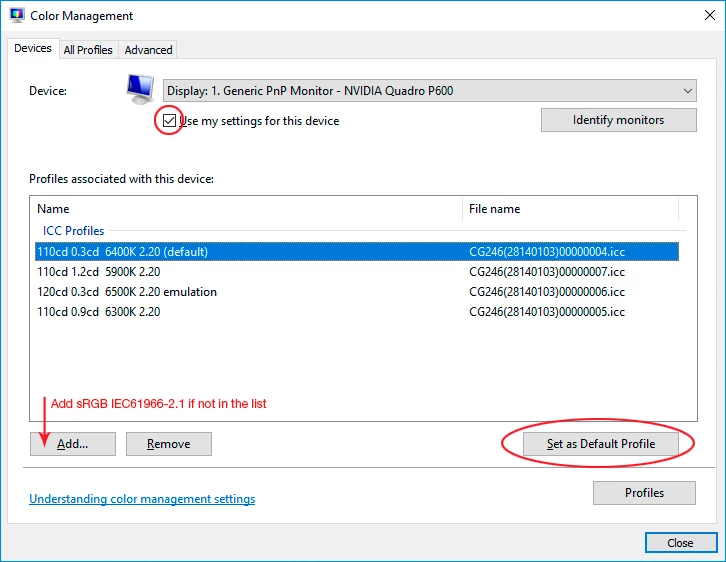
It's a defective monitor profile, probably distributed (from the manufacturer) through Windows Update.


Use a calibrator to make a new profile, or if you don't have one, use sRGB IEC61966-2.1 for now. Relaunch Photoshop when done, it needs to load the new profile at startup:

2 replies

D Fosse
Community Expert
Community Expert
September 28, 2019

Only color managed applications like Photoshop actually use the monitor profile. Most native Windows apps (like for instance "Photos") are not color managed, and they are entirely unaffected.


The monitor profile is a standard icc profile, used by Photoshop in a standard profile conversion, from the document profile and into the monitor profile. This conversion is performed on the fly, as you work.


Non-color managed applications don't do this, and just send the original numbers straight through, uncorrected for the monitor.

Participant
March 30, 2021

Thank you so much ! It worked also at my case. 

Participating Frequently
March 20, 2023

Thank you it also worked for me as well!! 🙂

D Fosse
Community Expert
D FosseCommunity ExpertCorrect answer
Community Expert
September 28, 2019

It's a defective monitor profile, probably distributed (from the manufacturer) through Windows Update.


Use a calibrator to make a new profile, or if you don't have one, use sRGB IEC61966-2.1 for now. Relaunch Photoshop when done, it needs to load the new profile at startup:

KisakiadeAuthor
Participant
September 28, 2019
Can you describe to me how it can be the monitor profile when it is just photoshop looking that weird and everything else works perfectly fine. Sounds strange to me that the color manager just pics only one specific programm to change the colors.