On your Mac, open System Settings, click Accessibility, and click Keyboard. Is Full Keyboard Access enabled? If it is, it can cause problems like this in multiple Adobe applications. It might be some kind of Adobe incompatibility. I thought I saw an Adobe help article about this somewhere, but I can’t find it at the moment.
If you don’t need Full Keyboard Access, disable it, and see if that resolves the problem.
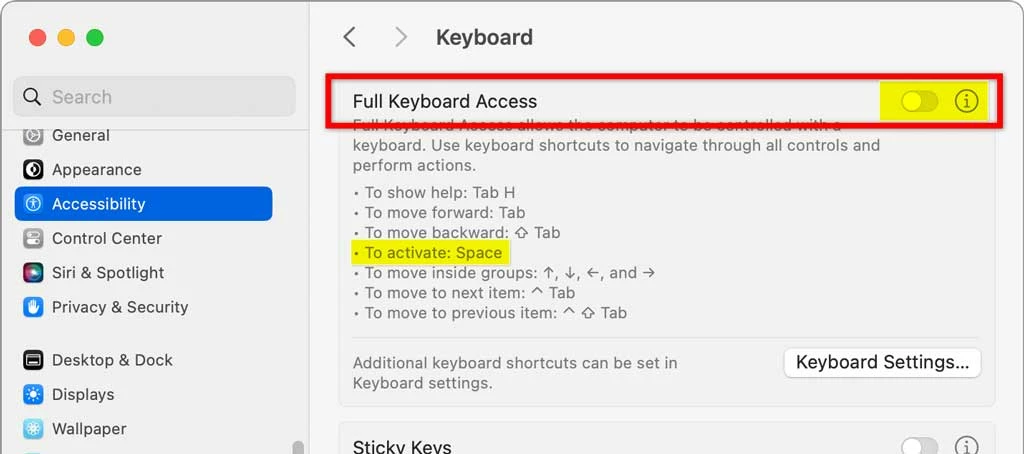
If you need to keep Full Keyboard Access enabled for accessibility reasons, then you can try these things:
- When you need to type, try to remember to glance at the Font menu on the options bar and see if it has keyboard focus. If it does, press the Esc key to escape that field. Keyboard focus should then return to the text you’re typing.
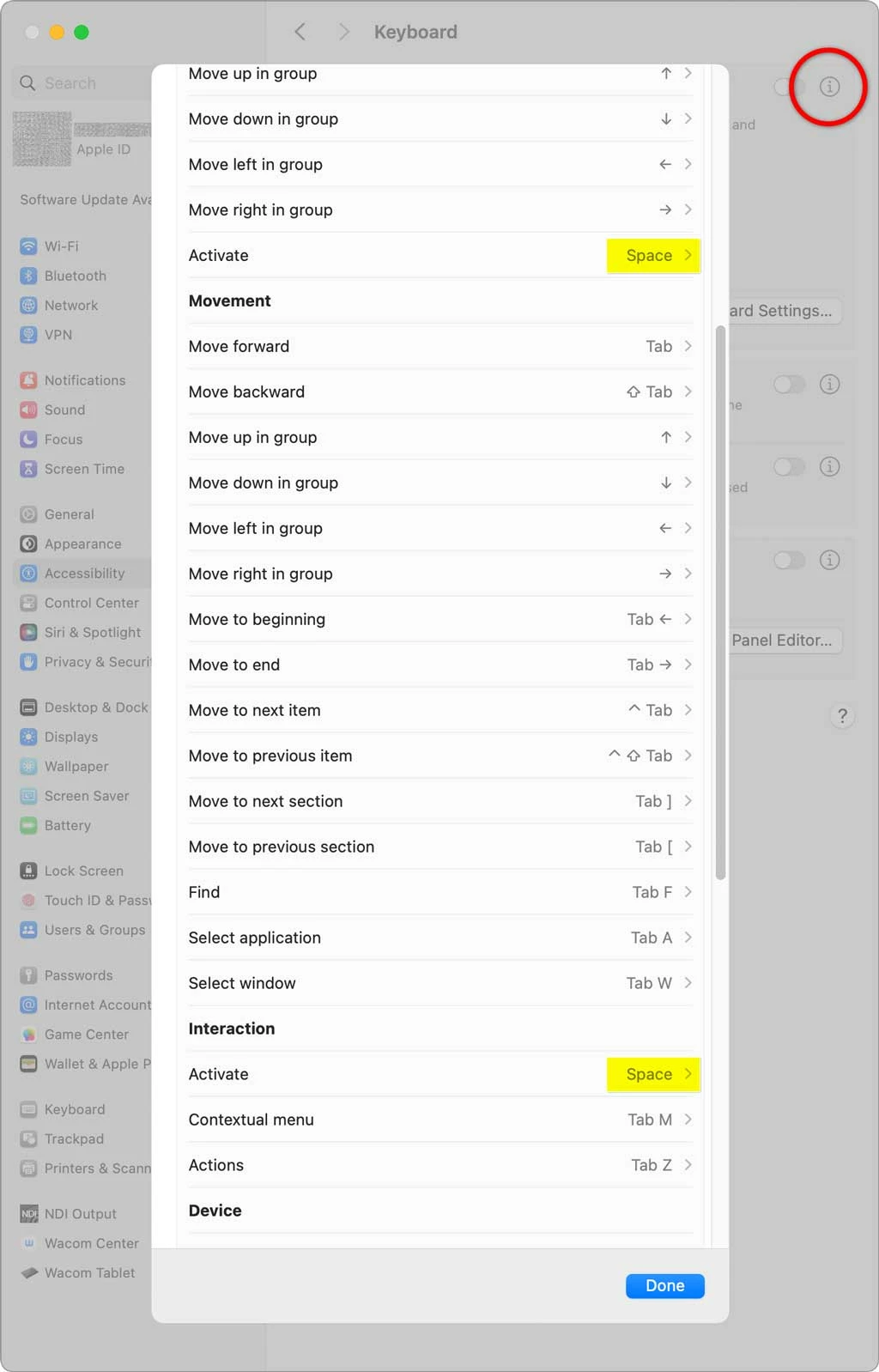
- Click the (i) button next to the Full Keyboard Access option, and try reassigning the single-key shortcuts assigned to the spacebar. One of the “Activate” shortcuts assigned to the spacebar might be what is causing keyboard focus to go to the first field in the options bar.


 AdChoices