
Participant
April 27, 2023
Answered

photoshop white space

  • April 27, 2023
  • 1 reply
  • 578 views

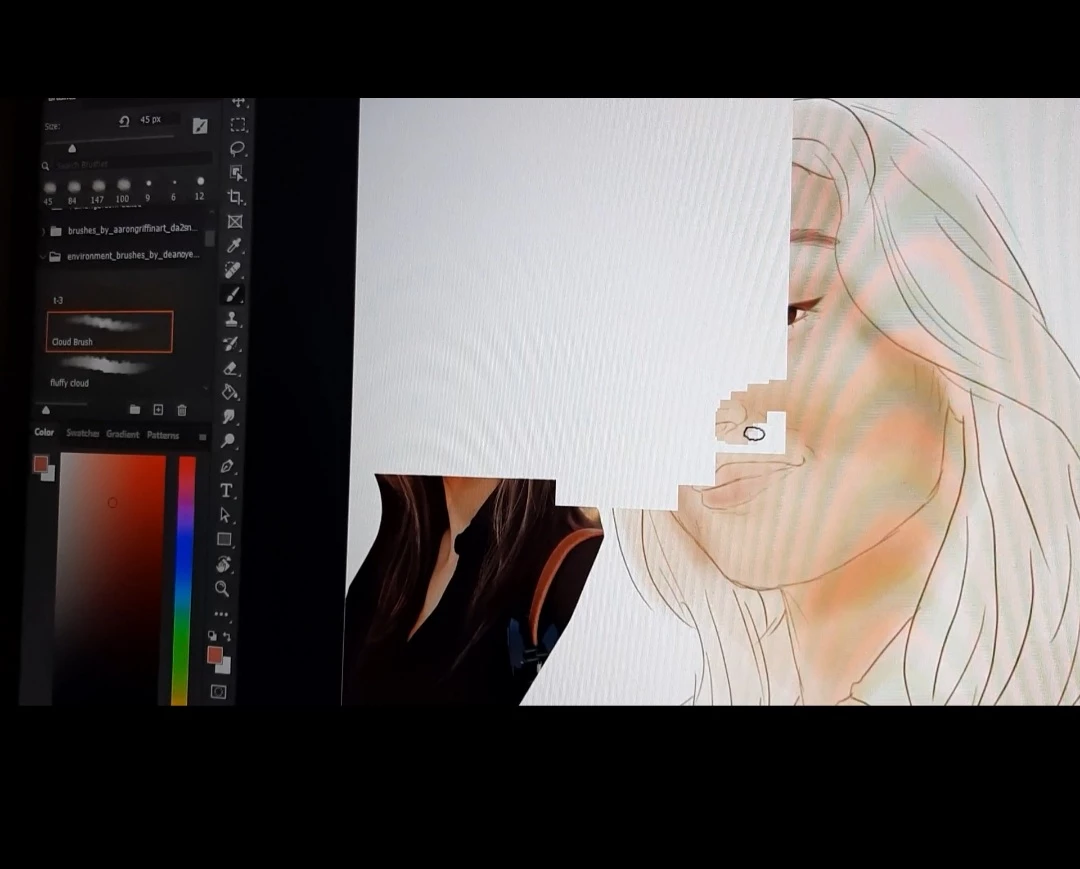
hello, I am painting with my brush while drawing and white areas appear on the screen from the moment and they continue to form and sometimes disappear as I paint. When I turn the layer's visibility off and on, it goes away, but when I start painting, the same thing happens again. I can't find the reason for this.
This topic has been closed for replies.
Correct answer Kevin Stohlmeyer

Hi @Ayşegül29619669b7wl first check for updated graphics card drivers and install them.

Next, go to Photoshop Preferences/Technology Preview and check “Disable Native Canvas”. Then check “Use Older GPU Mode (2016)”. Quit and relaunch PS.

1 reply

Kevin Stohlmeyer
Community Expert
Kevin StohlmeyerCommunity ExpertCorrect answer
Community Expert
April 27, 2023

Hi @Ayşegül29619669b7wl first check for updated graphics card drivers and install them.

Next, go to Photoshop Preferences/Technology Preview and check “Disable Native Canvas”. Then check “Use Older GPU Mode (2016)”. Quit and relaunch PS.