
Participating Frequently
July 11, 2023
Frage

photoshop will not resize to desired dimension

  • July 11, 2023
  • 2 Antworten
  • 629 Ansichten

MacOs 10.15.7

Photoshop 23.5.5


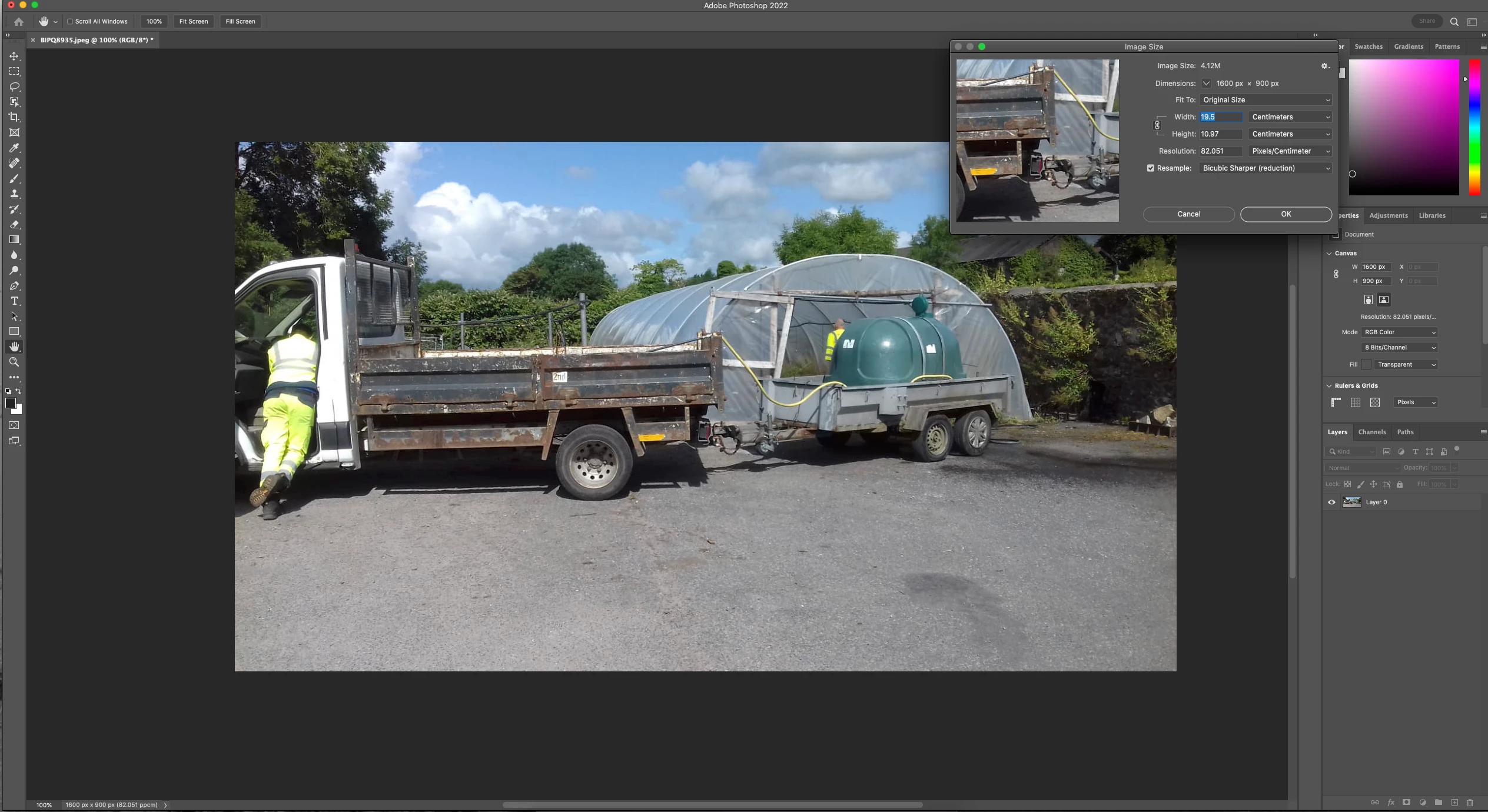
When I go into Image Size and select the dimensions I want in inches or in centimeters, the end result is never the desired dimension. The image size will either become larger or smaller than the typed in dimension.

I was on Screen Share help with adobe today. He updated my PS, did some Cache work, closed and rebooted and the problem is still not solved. 

I have not incountered this problem before. I have managed file sizing in the past but I was never looking for a specific dimension, usually using a provided dimension in the Fit To:

Image is at 100% and the document dimension 1600px x 900 px 82.051ppcm bar at bottom of screen

what am I doing wrong? thank you
Dieses Thema wurde für Antworten geschlossen.

2 Antworten

D Fosse
Community Expert
Community Expert
July 11, 2023

The numbers check out. I'm not at my workstation right now - but I used a calculator:


1600 pixels divided by 19.5 centimeters = 82.05128205128205 pixels per centimeter.


This comes up very often. The answer is always that a pixel is a pixel. You cannot have fractional pixels.

Participating Frequently
July 11, 2023

thank you for your reply.

I do apologize if I am asking a simple question but this concept has me a bit confused.

so when I go to resize an image,  to a specific size,  I do this in pixels. i am not quite sure I understand. 


so here I have it set to this combination. and when I click ok I have a much larger image 

Participating Frequently
July 11, 2023

Hi @marielamartinimage when I set my image size to those dimensions I get the same results not a much larger size. What do you mean by that? Do you mean your image enlarges? What was the original image size before you resampled?


sorry, so when the image is viewed at 100% on the screen, should it be the dimension I am wanting? 

Kevin Stohlmeyer
Community Expert
Community Expert
July 11, 2023

Hi @marielamartinimage if I recall this is because when you do the math with your pixel dimensions and resolution you can't have fractional pixels so PS rounds up or down to the nearest whole pixel.

Participating Frequently
July 11, 2023

thank you for your reply.

I am not quite understanding this I apologize. measuring in pixels then corralating this to the image size edit.