KBlanch1121
Participant
January 1, 2017
Answered

Photoshop, windows 10, touchscreen

  • January 1, 2017
  • 2 replies
  • 22513 views

Why can't I use the touchscreen on my laptop with Photoshop and why hasnt Adobe fixed this issue yet? Photoshop is literally the reason I got a touchscreen computer.

    This topic has been closed for replies.
    Correct answer JJMack

    Adobe added touch support into Photoshop CC 2014 what version of Photoshop are you using?

    Touch gestures in Photoshop

    Photoshop Touch capabilities and customizable workspaces

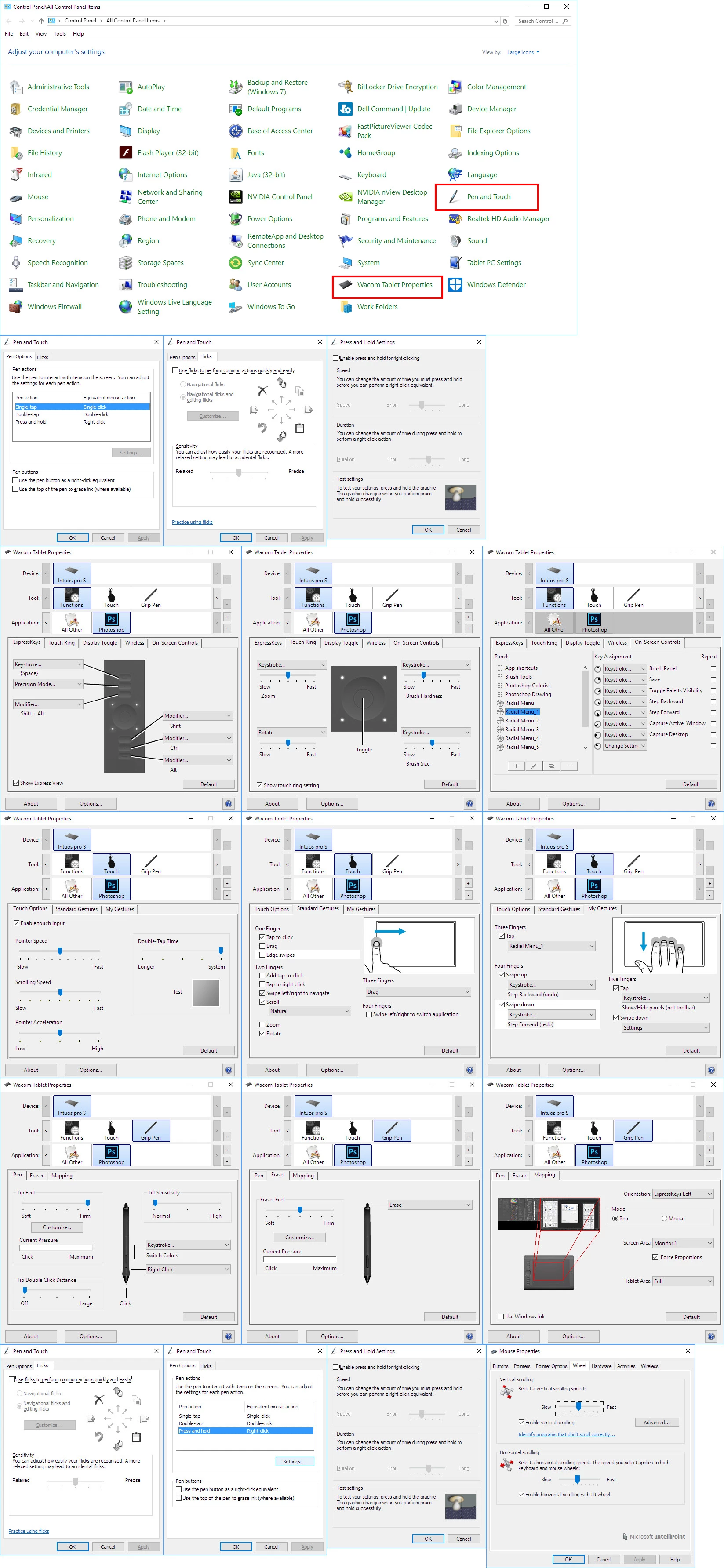
    Windows Touch Screen support is not suitable for many Photoshop tool like Paint Brush etc.   I do not know if Mac OSX even support Touch Screens. What OS are you using. I see Windows 10.  It does have Touch and Pen support get a surface pro type machine.  You should see the In Windows 10 Control Panel.

    If you want to use  Photoshop with a Pen you need to get a Machine that has pen support  or a Display with pen support like a Wacon Cintiq.

    Touch screen that support pens turn off Touch support when the Pen is close to the display. Pen support get control. How well palm rejection works can cause problems.

    I turn off some Windows 10 and Wacom touch feature to get the Touch and Pen support I want for Photoshop.
    2 replies

    Participant
    November 18, 2021

    Has this been fixed?


    If yet, link me to a fix please, if not, why?

    The previous conversation gives an explination as to why there are dificulties in implmenting it but not why it hadn't been fixed yet.

    Participant
    November 24, 2021

    Dyslexic + annoyed = yes* hasn't*

    JJMack
    Community Expert
    JJMackCommunity ExpertCorrect answer
    Community Expert
    January 2, 2017

    Adobe added touch support into Photoshop CC 2014 what version of Photoshop are you using?

    Touch gestures in Photoshop

    Photoshop Touch capabilities and customizable workspaces

    Windows Touch Screen support is not suitable for many Photoshop tool like Paint Brush etc.   I do not know if Mac OSX even support Touch Screens. What OS are you using. I see Windows 10.  It does have Touch and Pen support get a surface pro type machine.  You should see the In Windows 10 Control Panel.

    If you want to use  Photoshop with a Pen you need to get a Machine that has pen support  or a Display with pen support like a Wacon Cintiq.

    Touch screen that support pens turn off Touch support when the Pen is close to the display. Pen support get control. How well palm rejection works can cause problems.

    I turn off some Windows 10 and Wacom touch feature to get the Touch and Pen support I want for Photoshop.

    JJMack
    KBlanch1121
    Participant
    January 3, 2017

    I have the latest version, CC 2017. I don't have a Wacom tablet. Logically, I should be able to use the touch screen capabilities of my Windows 10 laptop to do the same functions as a mouse like use the brush tools. I shouldn't need more hardware.

    JJMack
    Community Expert
    Community Expert
    January 4, 2017

    KBlanch1121 wrote:

    I have the latest version, CC 2017. I don't have a Wacom tablet. Logically, I should be able to use the touch screen capabilities of my Windows 10 laptop to do the same functions as a mouse like use the brush tools. I shouldn't need more hardware.

    Photoshop supports touch devises that have mouse like buttons like mice.  While Touch Pad and Wacom Intuos touch tablets have buttons the can be use like mouse buttons and you can paint with your finger like you can with a mouse. I do not know of any Touch displays other than Wacom products that have button for mouse support.

    Some application support Finger painting with touch displays but you do not good brush control with these applications. There are no buttons to start and stop strokes paint flows whenever and wherever the screen is touched.  There no brush cursor and many touch displays support multi touch do all fingers paint the same color?

    You can submit feedback to Adobe on their Photoshop Family site. Submit  your idea like "you think adding a finger painting feature for touch display would be something users with touch screen would like to use".  IMO Adobe will not add finger painting feature for Touch Displays. They are not a good painting devices without buttons. I believe Adobe decided not to support finger painting with touch displays.  Here is the site you should use Photoshop Family Customer Community

    JJMack