Answered
Photoshop won't allow me to edit a text layer
When I select a text layer, select the text tool and click on the text, it does not allow me to edit that text. Instead it creates a new text layer. ??????

When I select a text layer, select the text tool and click on the text, it does not allow me to edit that text. Instead it creates a new text layer. ??????
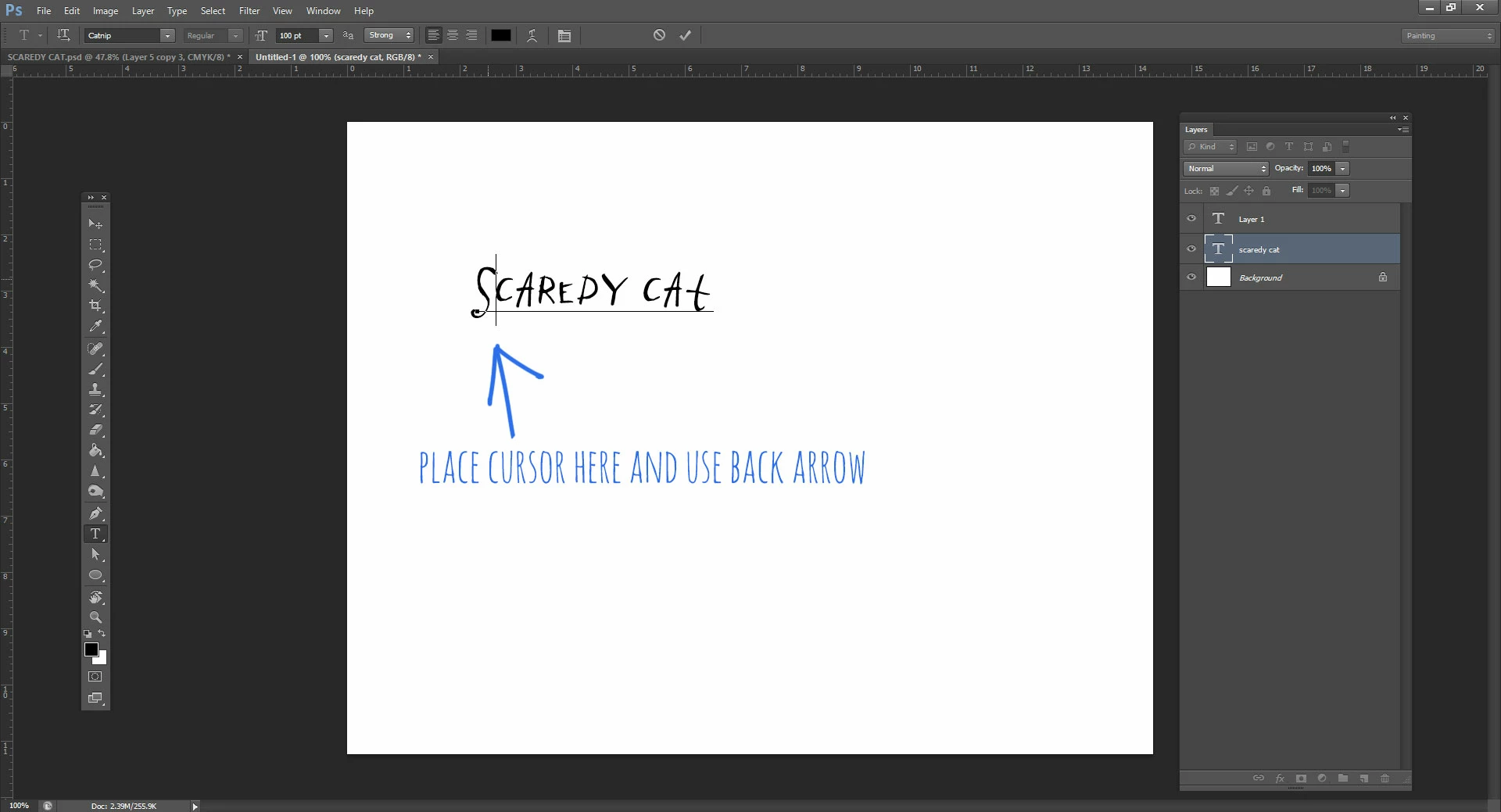
Try placing the cursor just after the first letter in your type layer and using the back arrow to get where you want to be (or the forward arrow, depending), and the type layer instead of a new layer will be the active area:
Already have an account? Login
Enter your E-mail address. We'll send you an e-mail with instructions to reset your password.
 AdChoices