Inspiring
May 28, 2021
Answered

Photoshop won't open DNG files from the NAS, while LightRoom can. Permissions bug?

  • May 28, 2021
  • 5 replies
  • 6156 views

Hello,


Dragging a DNG file from my NAS into Photoshop always results in one of these two errors:

  • "Could not complete your request because Photoshop does not recognize this type of file." (almost all the time)
  • "File could not be opened due to a disk error." (rare)


However, dragging a copy of the DNG from the Desktop instead works fine, by opening Camera Raw and the image in it.


This is odd because LightRoom (latest) opens all my Raw files from the same NAS without issues.


Specs

  • Computer: MacBook Pro (15-inch, 2019)
  • OS: macOS Big Sur 11.4 (latest)
  • Network: Synology NAS, formatted in SHR2, file system is btrfs
  • Photoshop version: latest (22.4.1)
  • Camera Raw version: latest (13.2)
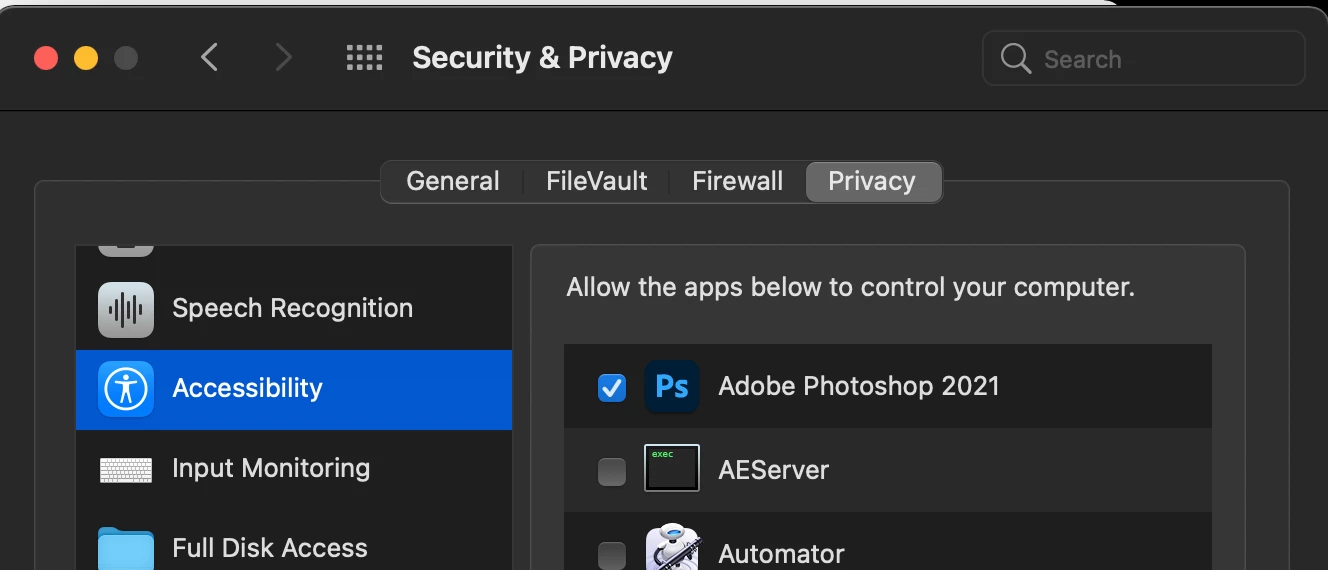
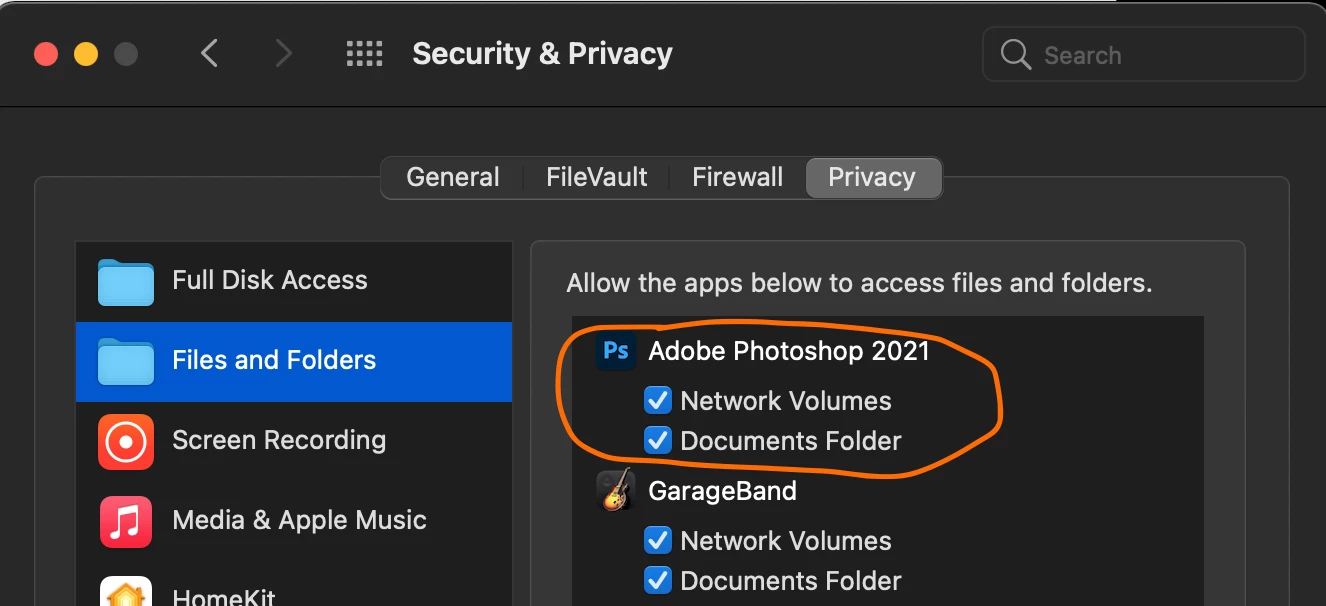
  • macOS System Preferences > Security & Privacy as follows (note how Photoshop doesn't have checkboxes for Removable Volumes nor Desktop, while being able to open photos from the Desktop...):
Note: Lightroom instead has all the privacy checkboxes and in fact it works fine with my Raw files on the same NAS:
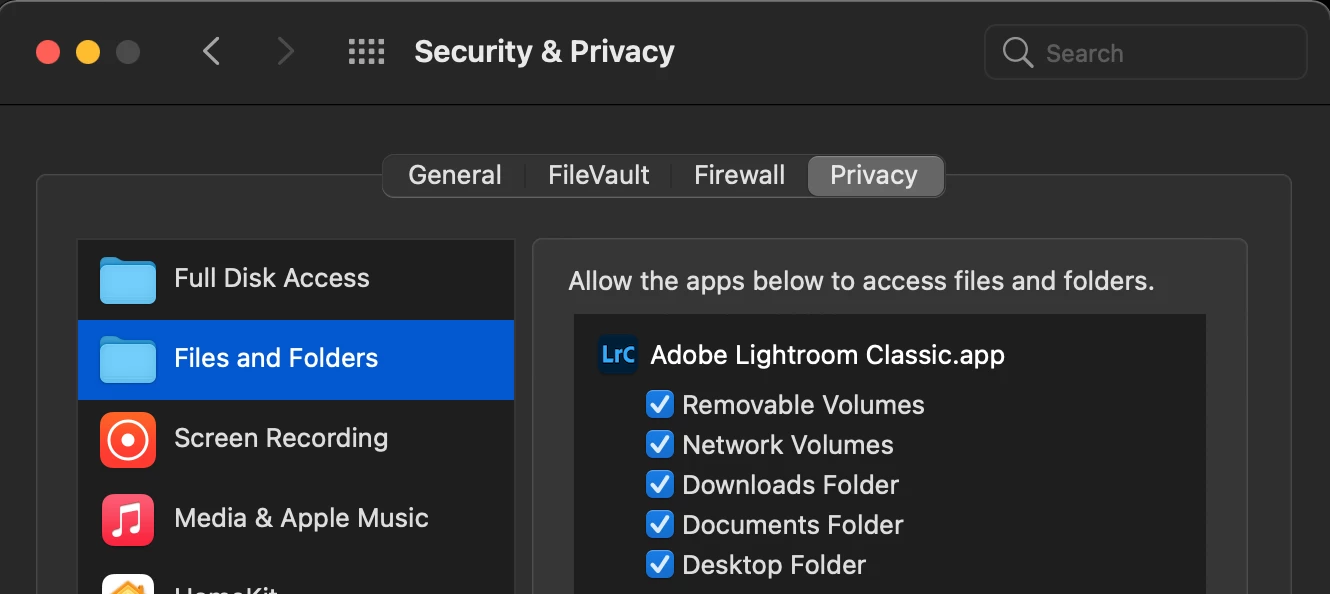
This makes me think that Photoshop failed to ask for all the same permissions that both Lightroom and Bridge ask for, which makes them work as intended.


Things I've already tried

  • Uninstalled/reinstalled Photoshop
  • Downloaded and reinstalled Camera Raw
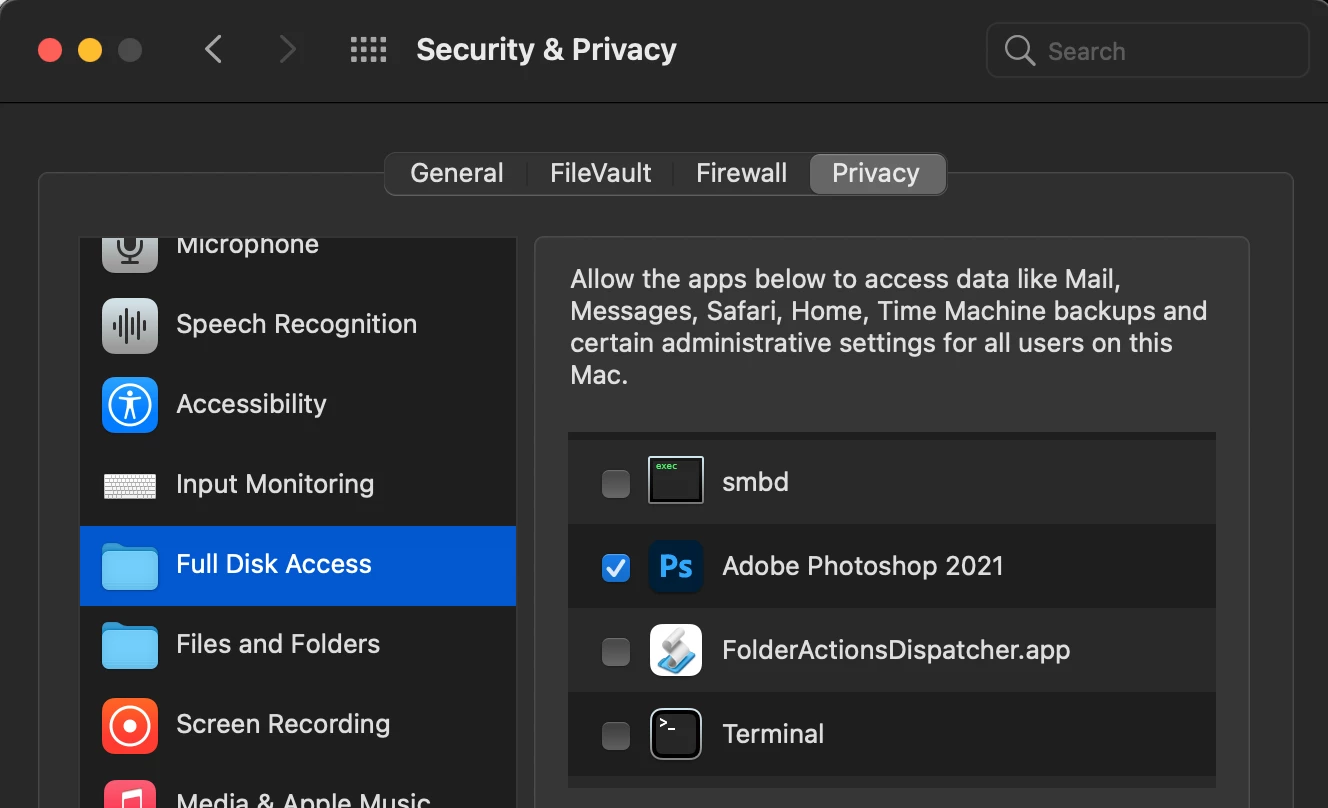
  • Added even more macOS System Preferences > Security & Privacy settings:
Thank you for your help.

This topic has been closed for replies.
Correct answer MeaningfulThoughts

Leaving a reply as after 2 weeks of testing various things out, Photoshop has suddenly decided to work as intended for no apparent reason. Sorry for not being able to explain how I got it to work. I have no idea. And a big thank you to those who helped!

5 replies

iawood
Known Participant
January 21, 2022

I have the same problem. Latest versions (as of 1/20/22). Lightroom opens them fine as does every other app. Only PS has an issue. It reports a disk error. And even that is intermittent. Some DNGs it opens just fine. Others it gives an error. Sometimes it will have an issue with a file it opened just fine before. It is also inconsistent between Macs. A file will open on one while throwing an error on the other. 


Has nothing to do with how the NAS is formatted. I can browse the NAS from PS. I can open JPEGs and other files in PS.


SMB share attributes as follows: 


                              SMB_NEGOTIATE                 SMBV_NEG_SMB1_ENABLED

                              SMB_NEGOTIATE                 SMBV_NEG_SMB2_ENABLED

                              SMB_NEGOTIATE                 SMBV_NEG_SMB3_ENABLED

                              SMB_VERSION                   SMB_3.1.1

                              SMB_ENCRYPT_ALGORITHMS        AES_128_CCM_ENABLED

                              SMB_ENCRYPT_ALGORITHMS        AES_128_GCM_ENABLED

                              SMB_ENCRYPT_ALGORITHMS        AES_256_CCM_ENABLED

                              SMB_ENCRYPT_ALGORITHMS        AES_256_GCM_ENABLED

                              SMB_CURR_ENCRYPT_ALGORITHM    OFF

                              SMB_SHARE_TYPE                DISK

                              SIGNING_SUPPORTED             TRUE

                              EXTENDED_SECURITY_SUPPORTED   TRUE

                              UNIX_SUPPORT                  TRUE

                              LARGE_FILE_SUPPORTED          TRUE

                              OS_X_SERVER                   TRUE

                              FILE_IDS_SUPPORTED            TRUE

                              DFS_SUPPORTED                 TRUE

                              FILE_LEASING_SUPPORTED        TRUE

                              MULTI_CREDIT_SUPPORTED        TRUE

Abambo
Community Expert
Community Expert
January 21, 2022

What NAS and version, what network infrastructure, what macOS involved?


ABAMBO | Hard- and Software Engineer | Photographer
iawood
Known Participant
January 21, 2022

TrueNAS 12.0-U7. and Synology DSM-6.2.4. It is intermittent. Some DNGs open. Others don't. It might open on one mac and not the other. And then the one that had a problem opening it before, won't have an issue. Both Macs are on Moneterey 12.1. Windows machines have no issues. Only applies to DNG files. Only applies to Photoshop. All other files open and operate as expected. 

MeaningfulThoughtsAuthorCorrect answer
Inspiring
June 7, 2021

Leaving a reply as after 2 weeks of testing various things out, Photoshop has suddenly decided to work as intended for no apparent reason. Sorry for not being able to explain how I got it to work. I have no idea. And a big thank you to those who helped!

Community Expert
June 3, 2021

Can you share one of the files that doesn't work? I use the exact same setup (a synology NAS formatted the exact same way - I posted on the reddit forum too which is how I found this thread) and have no problems whatsoever with opening files (dng, NEF, tiff, psd, etc.) directly in Photoshop/camera raw from it on a fileshare mounted through SMB. There is absolutely no reason why this wouldn't work. The underlying filesystem on a NAS does not matter whatsoever. It's irrelevant since the filesystem is not exposed to the client operating system. It's just a filesharing mount. My experience shows this is clearly the case. 

Inspiring
June 7, 2021

For some reason now Photoshop opens them without issues. I couldn't get it to work for over 2 weeks. Now it works with all of them. I didn't change a thing, no idea why it's working! Thanks for the help anyway!

Inspiring
June 2, 2021

Anyone else who could help with this please?

As stated before, Lightroom works perfectly, it's just Photoshop which won't open the DNGs.

Thank you

Kevin Stohlmeyer
Community Expert
Community Expert
June 2, 2021

If its just specifically the DNGS, check your version of the Camera Raw Plugin - what version are you currently on?


Inspiring
June 2, 2021
Hey Kevin, it’s the latest version. I also reinstalled the same latest version from the Adobe website using the standalone installer, just to make sure, and it still won’t open the DNGs from the NAS. It does open them when local on my SSD however. LightRoom instead works with both. Any other idea? Thank you
Kevin Stohlmeyer
Community Expert
Community Expert
May 28, 2021

Your NAS is in the wrong format for newer Mac OS. Mac OS will throw errors all day due to not being compatibly formatted ExFat with new OS specifications. Macs use HFS+ or APFS format but ExFat can be read by both Win and Mac. 

iawood
Known Participant
January 21, 2022

This is wrong. If you are using SMB to access a NAS, it doesn't matter what the formatting on the NAS is. Now there may be SMB compatibility issues but if every other app including sme Adobe apps can open the file but PS cannot, it's not how the remote drive is formatted!

Abambo
Community Expert
Community Expert
January 21, 2022

That's correct. as SMB does abstraction from the source format, the native disk format should be of secondary interest. Indeed, most of the NAS will use their default Linux formatting. Speed is probably more important and the file size. DNG files tend to be huge. There is (my guess) somewhere a timer throwing an error if the operation needs to much time to complete. Lr is probably less critical here, as it is operating most of the time locally on a cached file. It may also be, that the i/o method used by those two products is different. 

ABAMBO | Hard- and Software Engineer | Photographer