
Known Participant
November 18, 2019
Answered

photoshop zooms out while trying to subtract from current selection

  • November 18, 2019
  • 4 replies
  • 870 views

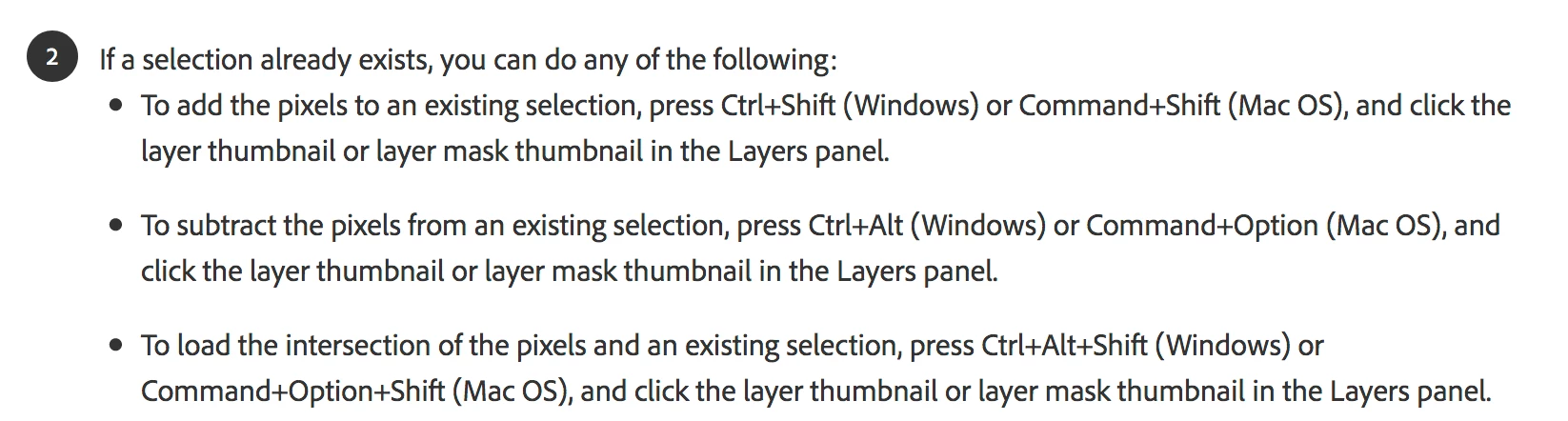
Hi! I have a selection in my image, and when I try to subtract pixels via option + command + clicking the thumbnail in the layers, it zooms out so the file fits to screen. It successfully subtracts that layer/pixels from my selection like I want, but not without zooming out so it fits the screen. This hasnt been a problem for me before - just updated CC last week. I looked through the keyboard shortcuts and didnt find anything amiss. It's kind of driving me crazy, any help or guidance is appreciated!
This topic has been closed for replies.
Correct answer jane-e

Hi

Photoshop added the shortcut of Option+Click the Layer to zoom to the layer, overriding older shortcuts and forgetting to update this help file:


https://helpx.adobe.com/photoshop/using/load-selections-layer-mask-boundaries.html


You can put in a bug report here: https://feedback.photoshop.com/photoshop_family


As you say, it does subtract, but the zooming is annoying.


~ Jane

4 replies

Jeff Arola
Community Expert
Community Expert
November 19, 2019

This also seems to occur with photoshop 2020 21.0.1 on windows 10 x64 1909.

jane-e
Community Expert
Community Expert
November 18, 2019
Marianne-Deiters
Participating Frequently
November 18, 2019

This is a new feature in Photoshop. The feature is located in the View Menu, but you can't change that behaviour. Here you can report a bug or feature request: https://feedback.photoshop.com/photoshop_family

liann4887Author
Known Participant
November 18, 2019

Thank you both! Glad to know I'm not missing a setting somewhere. I reported the bug!

Akash Sharma
Legend
February 20, 2020

Hi All, 


This issue should be fixed in Photoshop February 2020 (version 21.1.0) release.


Please update to the latest version from the Creative Cloud desktop app. See https://helpx.adobe.com/photoshop/kb/fixed-issues.html#photoshop-desktop-fixed-issues


Thanks,

Akash

jane-e
Community Expert
jane-eCommunity ExpertCorrect answer
Community Expert
November 18, 2019

Hi

Photoshop added the shortcut of Option+Click the Layer to zoom to the layer, overriding older shortcuts and forgetting to update this help file:


https://helpx.adobe.com/photoshop/using/load-selections-layer-mask-boundaries.html


You can put in a bug report here: https://feedback.photoshop.com/photoshop_family


As you say, it does subtract, but the zooming is annoying.


~ Jane