
Participant
November 29, 2018
Answered

PhotoshopCC 2019 Live Shape Properties gone, cannot restore from path selection tool

  • November 29, 2018
  • 1 reply
  • 2225 views

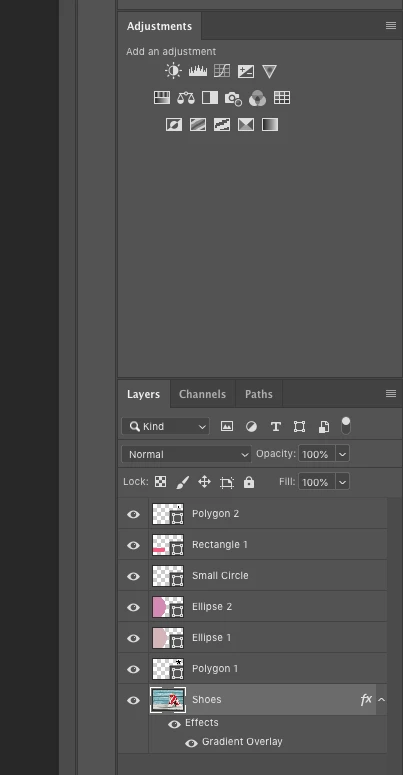
I've been working with shapes in PS CC and the live shape properties box is gone for all my shapes and the path selection tool is of no help either. This seems to be a problem with PS that has been going for a while but in all my searching I have not found a way to fix this.  Can anyone tell me how to get my masks, and more importantly, my live shape properties boxes back into PS?
    Correct answer Chuck Uebele

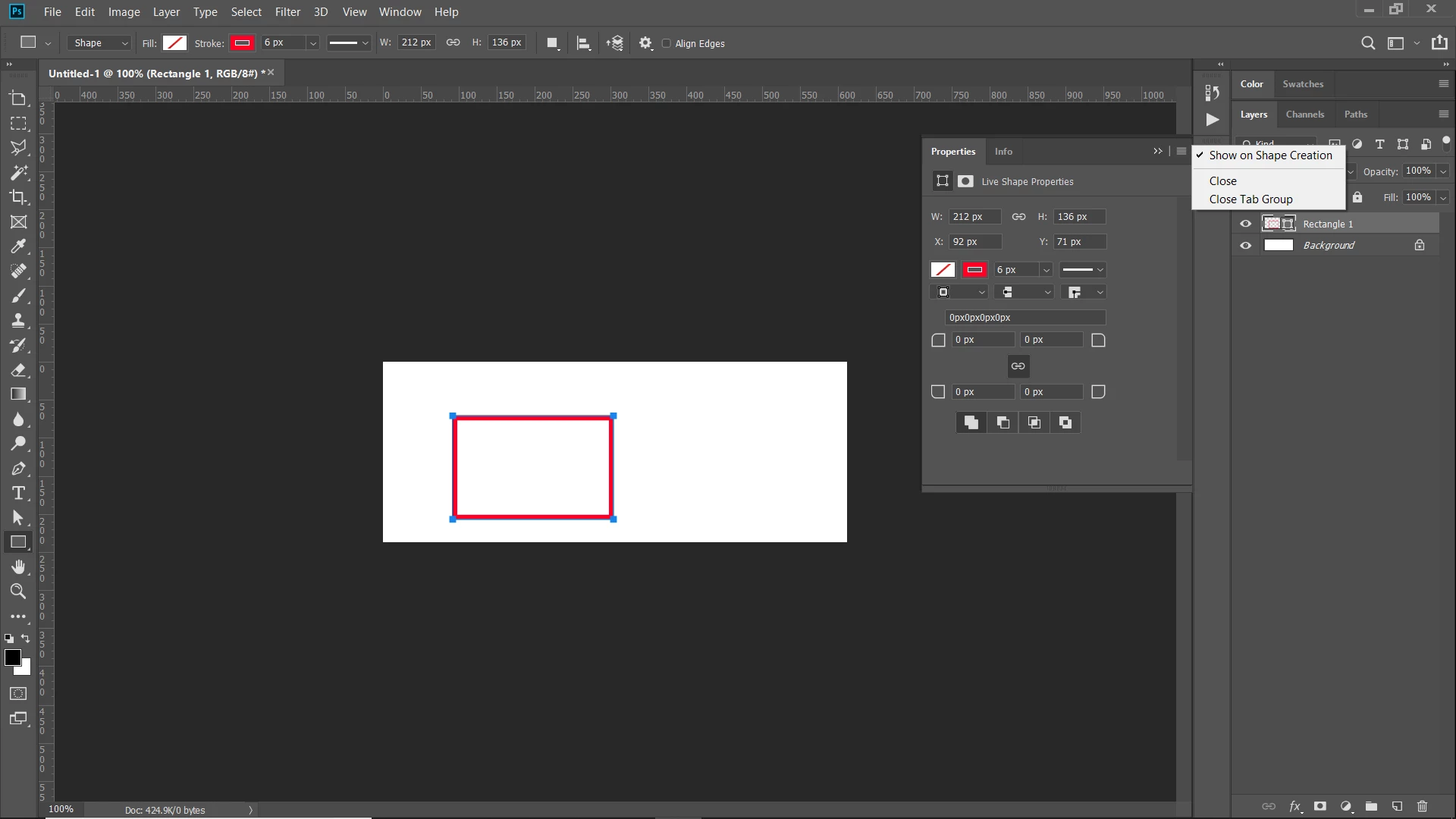
    In your screen shot, you're not on a shape layer, so it's hard to tell what the issue is. But go to Window>Properties to bring up the property panel, then make sure it is enabled when a shape is created:

    1 reply

    Chuck Uebele
    Community Expert
    Chuck UebeleCommunity ExpertCorrect answer
    Community Expert
    November 30, 2018

    In your screen shot, you're not on a shape layer, so it's hard to tell what the issue is. But go to Window>Properties to bring up the property panel, then make sure it is enabled when a shape is created:

    Dale194Author
    Participant
    November 30, 2018

    Now I have been able to get it for my shapes but it does not transfer to the polygon.  Is this normal?  I can work around this since I don't use them often but it would be nice to have them uniformly across the shapes.

    Chuck Uebele
    Community Expert
    Community Expert
    November 30, 2018

    Yes, that is normal. Live shapes only apply to certain shapes.