
Participant
August 29, 2023
Answered

Pink outline when using Selection Tool

  • August 29, 2023
  • 1 reply
  • 4056 views

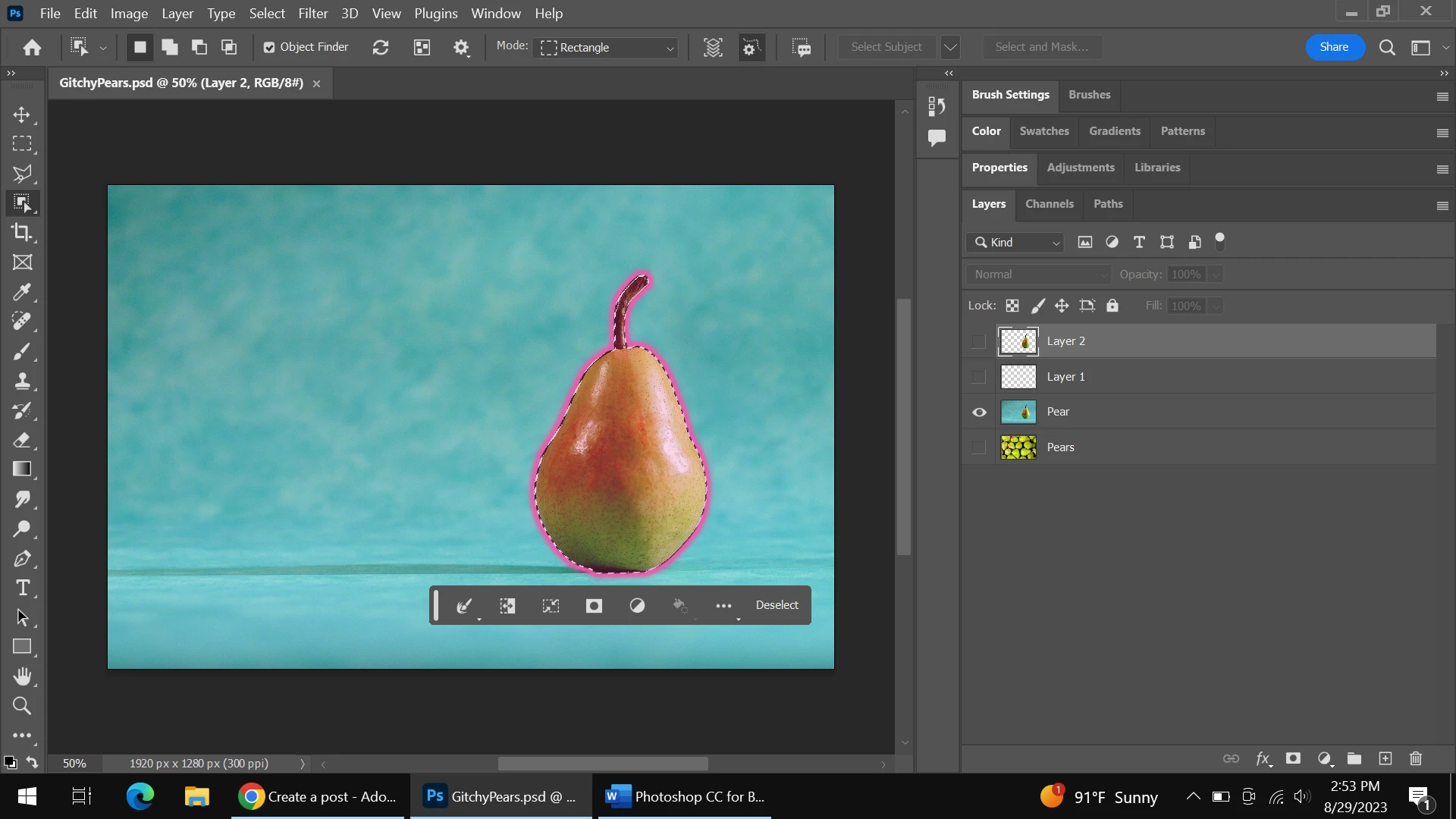
Hello. I'm new to Photoshop. In the past the Objection Selection Tool would show the marching ants. But today, I have this pink outline along with the matching ants. I just can't get rid of it. Any help will be appreciated. Thanks. 
 

This topic has been closed for replies.
Correct answer RobertRob

Thanks Jeff. I don't know if I accidently clicked on something to make it start happening, but using Photoshop's labyrinth of tools sometimes questions my patience.

1 reply

Jeff Arola
Community Expert
Community Expert
August 30, 2023

In the Additional Options (Gear Wheel) you can turn off the Overlay.


RobertRobAuthorCorrect answer
Participant
August 30, 2023

Thanks Jeff. I don't know if I accidently clicked on something to make it start happening, but using Photoshop's labyrinth of tools sometimes questions my patience.

jane-e
Community Expert
Community Expert
August 30, 2023

@RobertRob 


Try resetting the Object Selection tool. Right-click the tool in the options bar (not Tools panel) and choose Reset Tool (or Tools). The tools keep their options across time and across documents until they are changed again or reset. Resetting puts the options for the tools back to their defaults.


Jane