
Inspiring
April 15, 2019
Question

Pixel art - weird edges along some pixels

  • April 15, 2019
  • 2 replies
  • 1502 views

Whilst doing some pixel art zoomed in, I've noticed some weird edges along some pixels. They either show vertically or horizontally but disappear if I zoom in further. It always looks as though a very thin part isn't filled in. Is this normal or is there a setting I need to adjust.
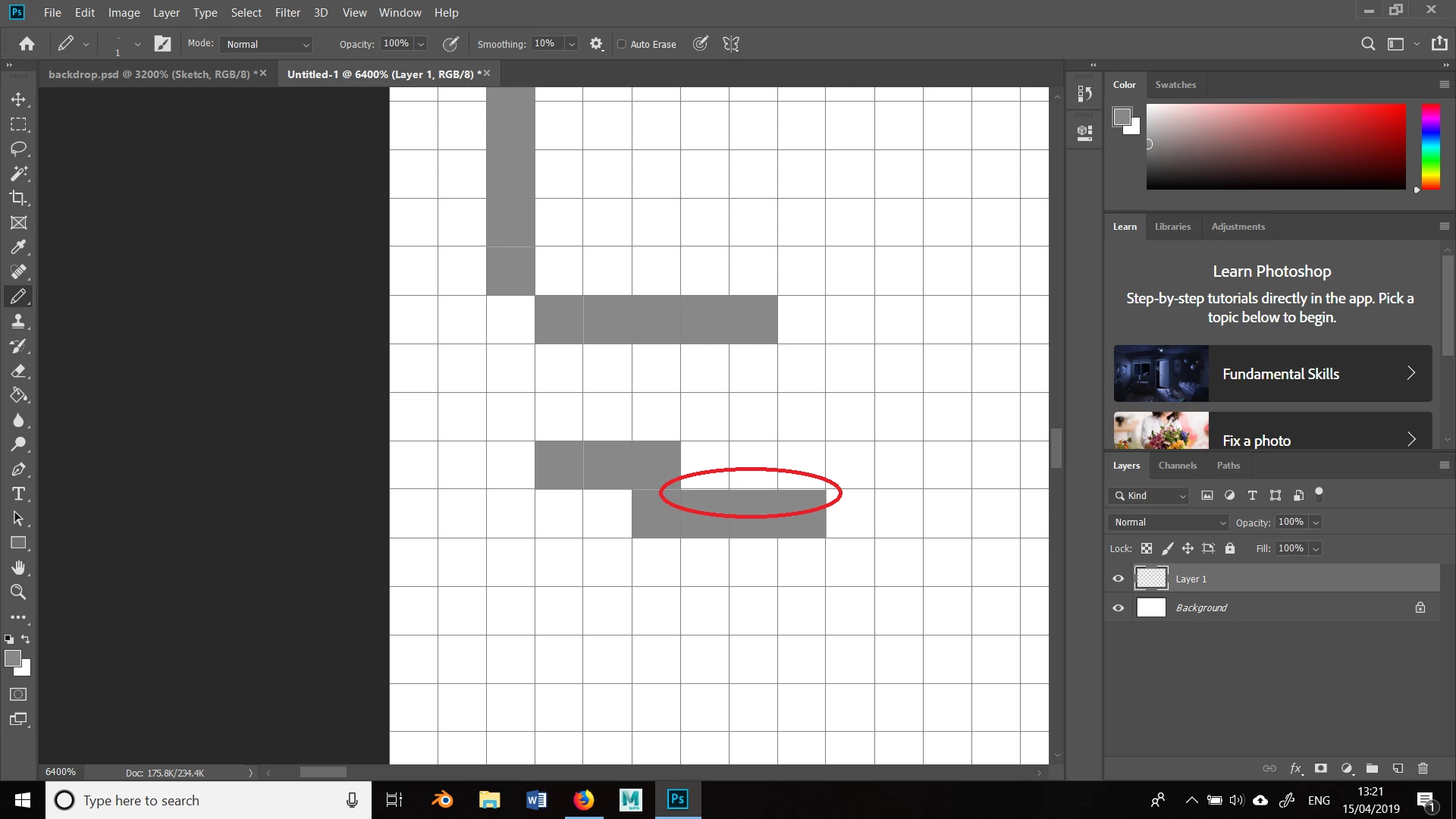
This topic has been closed for replies.

2 replies

rayek.elfin
Legend
April 15, 2019

It might be due to an OpenGL driver issue, or a rounding error in that driver causing the seam. What is your laptop's GPU? Intel on-board graphics?

Inspiring
April 15, 2019

It's an NVIDIA GTX 1060

Akash Sharma
Legend
April 15, 2019

Hi DustyShinigami,

Which version of Photoshop are you using? I see that you're working in 6400% zoom where one can expect to see some level of

pixelation or jagged lines down to the pixel level.

To troubleshoot, please set the GPU drawing mode to "basic" in the Preferences> Performance> Advanced settings menu and let us know if that helps.

Image result for Photoshop basic GPU advanced set t akash

Thanks,

Akash

Inspiring
April 15, 2019

I'm using CC 2019. It doesn't appear to be an issue on my PC; just my laptop. I'll give that a try the next time I'm on it. Thanks.