
Participating Frequently
October 20, 2023
Question

pixel dimensions don't match displayed dimensions when cropping

  • October 20, 2023
  • 1 reply
  • 392 views

This is weird, or maybe I'm just brain farting- but I've never noticed it before and I use Photoshop 2000 hrs/yr for 10 years. Photo is 8217 px wide
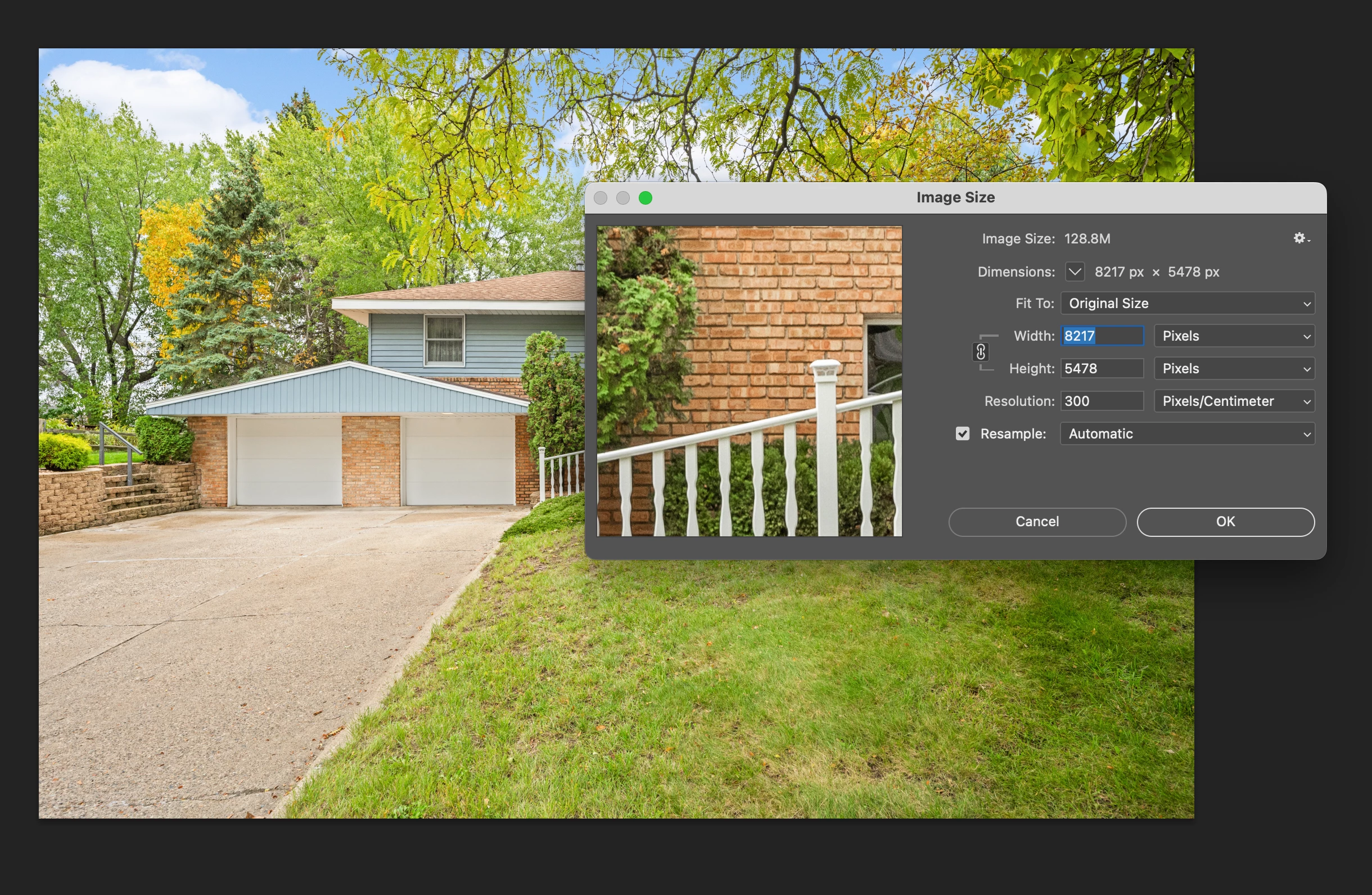

but when I crop it the number of inches doesn't match that
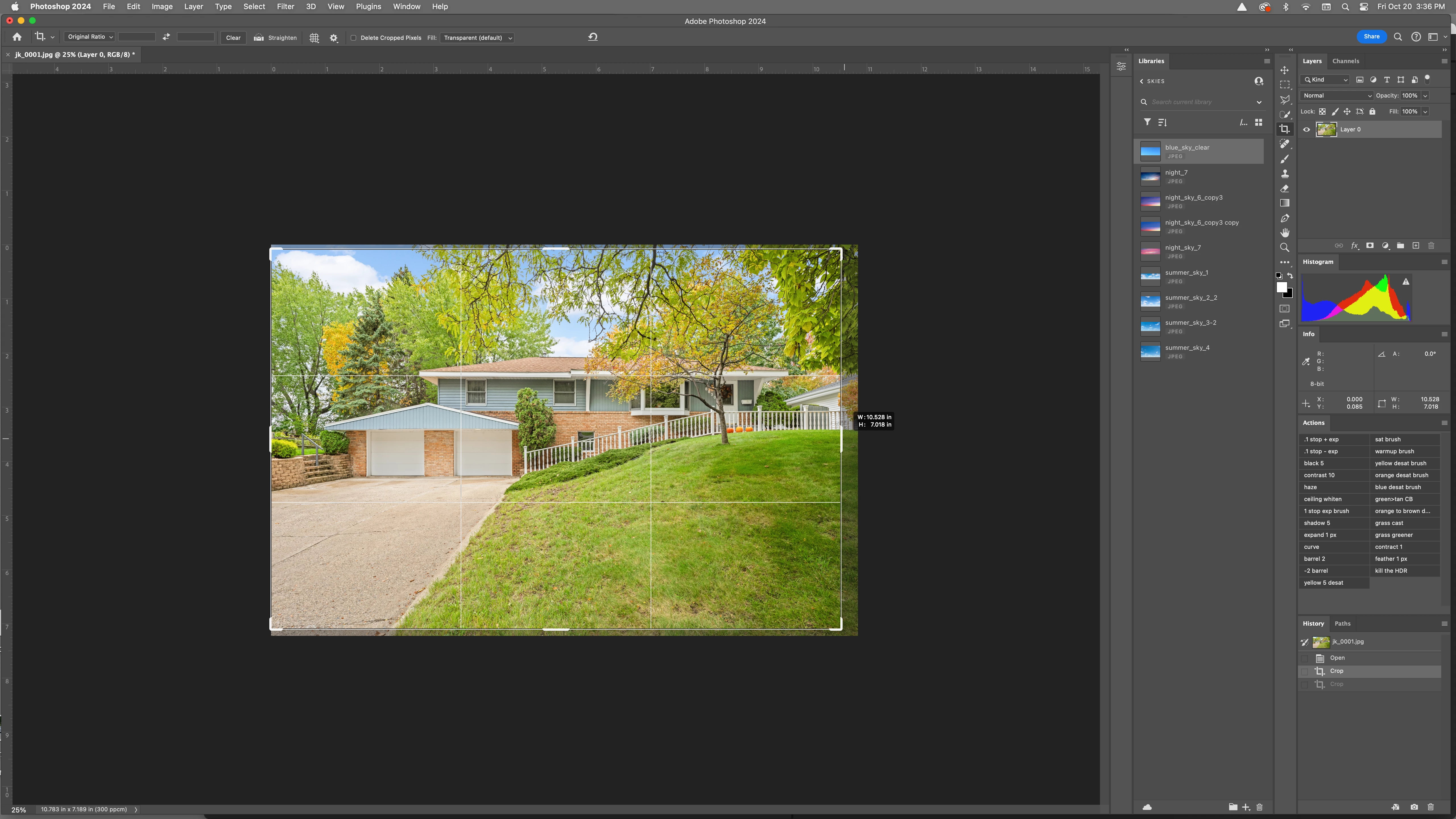


and the ruler doesnt match 8200+ px either. When I complete the crop its correct- 6300 px or whatever I cropped it to.

Does any of this make sense?


Thanks!

This topic has been closed for replies.

1 reply

Rob_Cullen
Community Expert
Community Expert
October 20, 2023

I don't see a problem!  Your original image is w8217 pixels @300pixels per CENTIMETER (ppc) 

ie. Your original image is 10.78... inches wide.   (8217px / 300ppc  / 2.54 conversion cm>in  = 10.78 )

Your slightly smaller crop is 10.528 inches- not much of a difference!


Regards. My System: Windows-11, Lightroom-Classic 15.1.1, Photoshop 27.3.1, ACR 18.1.1, Lightroom 9.0, Lr-iOS 10.4.0, Bridge 16.0.2 .
Participating Frequently
October 20, 2023

Ah, I see. This is a photo I got back from someone in another country, other than the US. I didnt realize it was dpc. I was assuming dpi. But wouldnt it still be way bigger? Just based on the pixel dimensions of 8217 wide wouldnt it be 27.39" wide at 300 dpi?

Participating Frequently
October 20, 2023


ok, i see if I dont resample it and change the cm to inch then change dpi to 300 from whatever it auto changed it to it does equal that. Did not notice it was in dpc, Im sure you can see how if I thought it was being measured in dpi it would look pretty crazy!