Exit
  • Global community
    • Language:
      • Deutsch
      • English
      • Español
      • Français
      • Português
  • 日本語コミュニティ
  • 한국 커뮤니티
0

Pixelated Image

New Here ,
Jul 20, 2020 Jul 20, 2020

Hi. My name is Vinicius and I'm an illustrator and I use Photoshop to create.

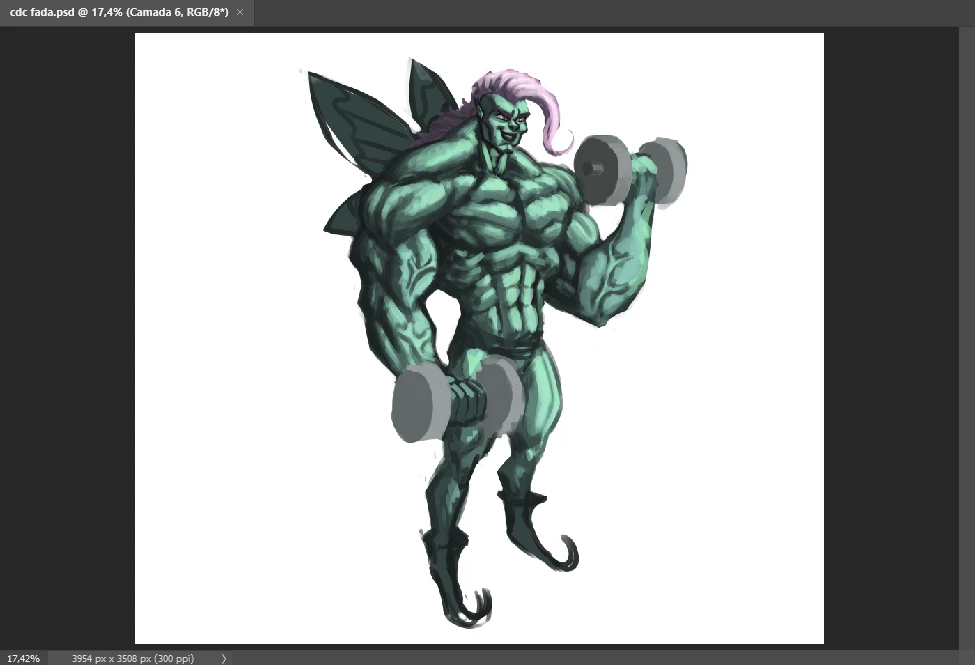
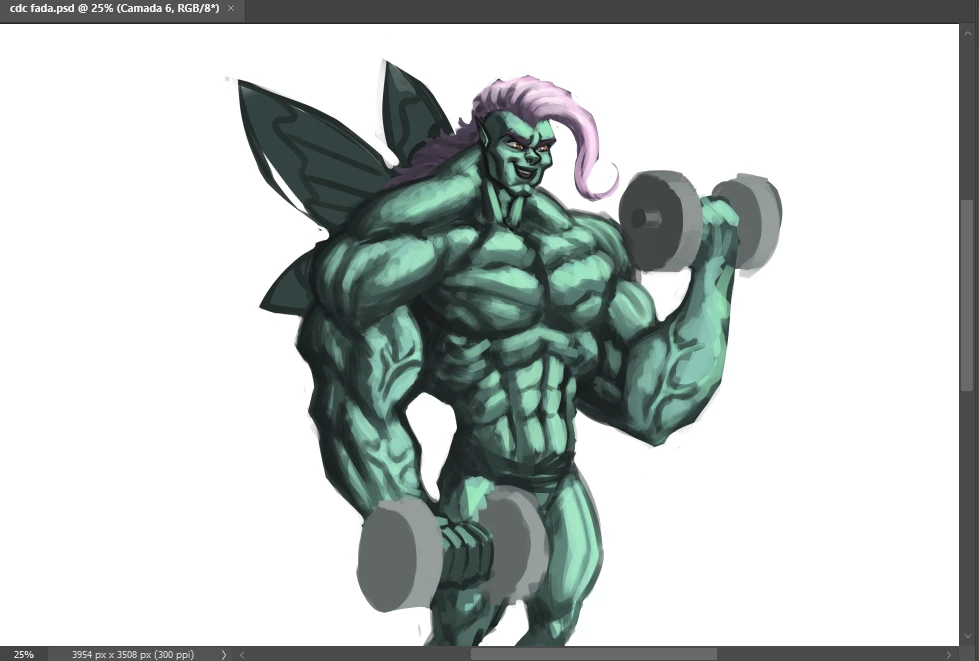
My problem is: Image in photoshop are pixelated when "Zoom Out". There is no problemm with the resolution and when I zoom in the image it gets normal.

Please someone help me because this problem hinders my work.

Follows the prints with the zoom out and in images with zoom (no pixelated)with zoom (no pixelated)zoom out (pixelated)zoom out (pixelated)
TOPICS
Windows
186
Translate
Report
Community guidelines
Be kind and respectful, give credit to the original source of content, and search for duplicates before posting. Learn more
community guidelines
Adobe
Community Expert ,
Jul 20, 2020 Jul 20, 2020

I can't see what you are talking about. The only thing that matters is what it looks like at 100%. Neither screenshot is set to 100%. Double click on your zoom tool and see how it looks. Look in the lower left corner to make sure it's 100%. How does it look? If it still looks off, post another screenshot.

Melissa Piccone | Adobe Trainer | Online Courses Author | Fine Artist
Translate
Report
Community guidelines
Be kind and respectful, give credit to the original source of content, and search for duplicates before posting. Learn more
community guidelines
New Here ,
Jul 20, 2020 Jul 20, 2020
LATEST

I work with digital painting, so I need images in high resolution without zoom to work. after I install photoshop again this wasn't happening. now the quality of the image without zoom is pixelated and it's really hindering my work. 

(I usually work with 2000x2000 size and 300ppi resoluction)

Translate
Report
Community guidelines
Be kind and respectful, give credit to the original source of content, and search for duplicates before posting. Learn more
community guidelines