
Participating Frequently
October 21, 2022
Answered

Pixelated jagged edges in Photoshop

  • October 21, 2022
  • 1 reply
  • 2676 views

Hi! 

I have no idea why is it happening - brush and gradient is getting pixelated. I've been trying everything:

1. The layer blend is normal

2. The blending mode for brush is normal

3. It doesn't depend on the zoom

4. Everything was working fine on my other laptop but after opening a file from the first laptop - it started to do the same

5. I tried to change colour settings

6. I restated settings and preferences

7. I uninstalled all adobe programs from my laptop and install it again
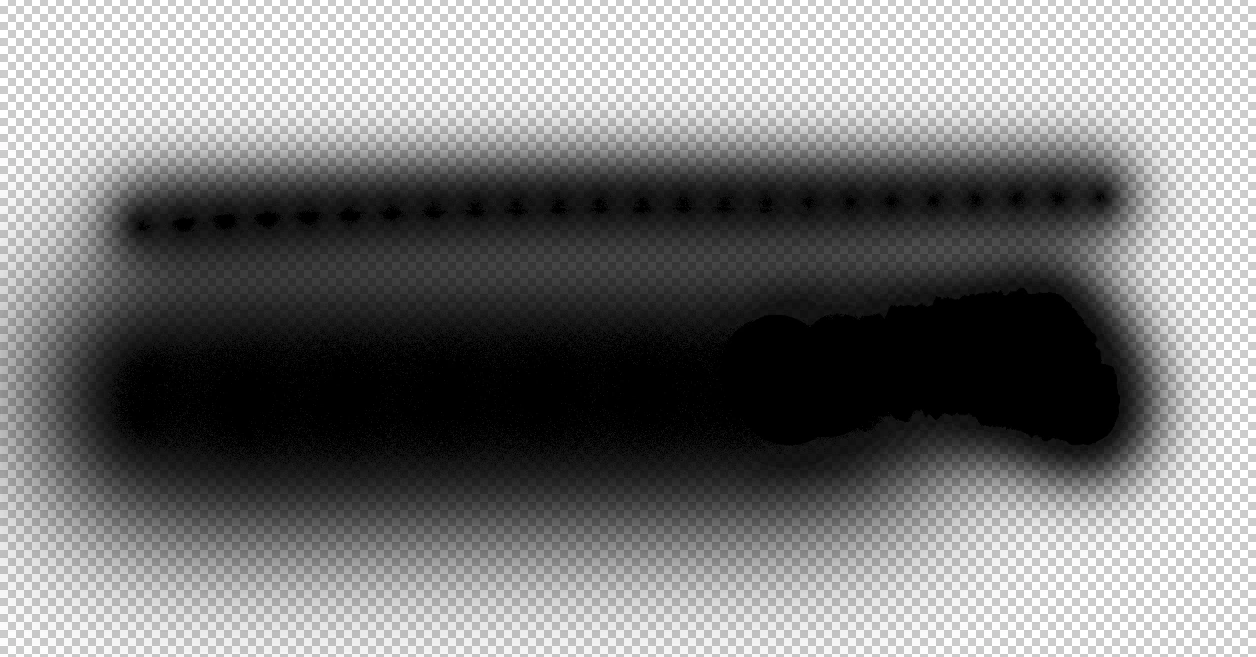
Nothing helps. Does somebody have the same issue?


This topic has been closed for replies.
Correct answer davescm

I know it's a display problem but I wonder what exactly casauses that and how can I make it normal again. I'm not doing anything different these days but I guess I need to learn how to live with it 😉


You can't fix it. It is a display artifact when using the pixel transparency grid. Put a temporary white layer at the bottom of your layer stack and the effect disappears. It has been like that as long as I remember.


Dave

1 reply

J E L
Community Expert
Community Expert
October 21, 2022

Hi @Kinga5ECE, I'm sorry to hear about the trouble with your brushes. It's a bit hard to tell exactly what's going on. Can you show us your brush settings and tell us your document size? For example, this is a transparent PSD layer in an 8.5 x 11-inch 300 dpi document showing my default Brush Settings (starting from tool reset) at 100 percent. If we know what you are staring with, maybe we can guide you better.


Kinga5ECEAuthor
Participating Frequently
October 21, 2022

Hi! 

I've found it's the same problem as here: https://community.adobe.com/t5/photoshop-ecosystem-discussions/why-is-my-brush-looking-pixelated-amp-dithered-over-transparent-background/m-p/13285205#M679761
but no solution yet


It seems it's a problem only for computers. On my iPad everything looks normal (files created on laptop look normal on iPad and files created on iPad look pixelated on my laptop). But after saving they are still pixelated. I don't think it's my computers' settings because the same problem appeared on another laptop after opening a file from the first one. On both I cannot find a solution.

I did reset my brush settings and photoshop settings multiple times. 

J E L
Community Expert
Community Expert
October 21, 2022

Okay, thanks for that extra information. I'll see if I can find anyone with new suggestions or fixes and report back. Are you now running Photoshop version 24.0.0?