
Participating Frequently
November 3, 2023
Question

Pixelating objects (text, photos)

  • November 3, 2023
  • 1 reply
  • 438 views

Hi,

I have a problem with pixelating objects after export...

Version 1:
I have a PSD file with a background. I'm adding text. I export to png / jpg (doesn't matter).
I add it to the presentation and download the PDF. The text is ok.

Version 2:
I have a PSD file with a background. I add text and a photo. I export, add to presentation
and download PDF. This is where the problem arises. All objects are pixel matte.

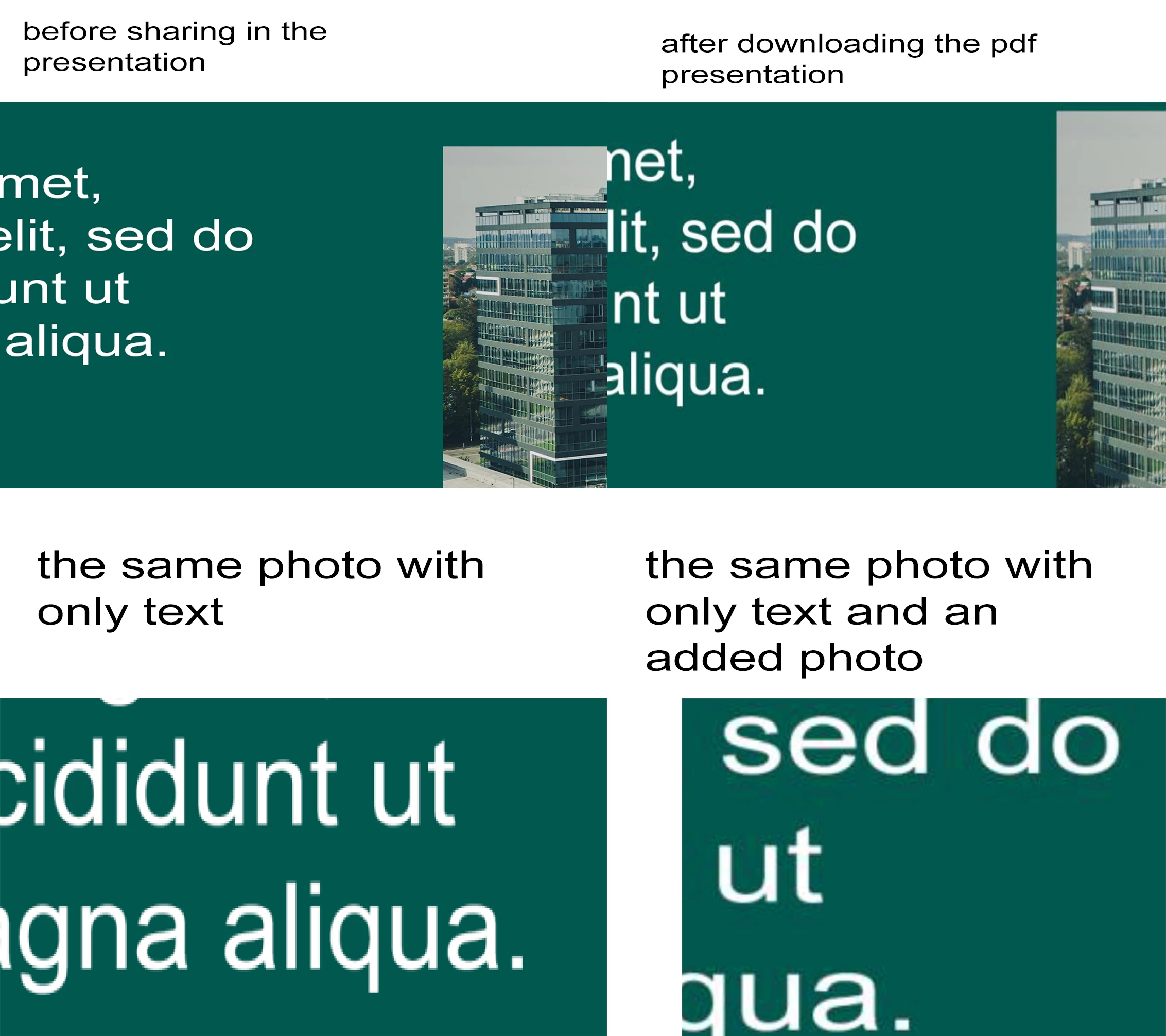
I've tried many things and given up. Can someone help me? The photo shows my problem.

I will add that the file after export from Photoshop does not have these pixels. Only
after downloading the PDF presentation does this happen. And this is only when
there are more layers in addition to the text.
This topic has been closed for replies.

1 reply

Kevin Stohlmeyer
Community Expert
Community Expert
November 3, 2023

What is happening after you export from PS? How are you creating the PDF or adding this to it?

Sounds like the external actions are compressing/damaging the resolution.

Participating Frequently
November 3, 2023


This is the photo that comes out of PS.
Then I import them into a powerpoint presentation (I tried: google presentation, microsoft powerpoint on cloud, microsoft powerpoint on PC.
then I generate PDF.

But whenever there is graphics in addition to text in a photo, pixelation occurs. Without graphics, the text itself comes out without a problem.

Participating Frequently
November 3, 2023

I also tried changing the size of the slides, even to high resolution, the same thing happens.

and here below is my photo with text, and below is the text that I generate for example in Powerpoint.


and this is what the text looks like after enlarging the photo from PS.