Answered
Pixels Disappeared in Image Size Options
I have no idea how I did this, but now when I open any image in Photoshop I cannot view the image size in Pixels or re-size in pixels.
It's driving me crazy - how do I fix this!
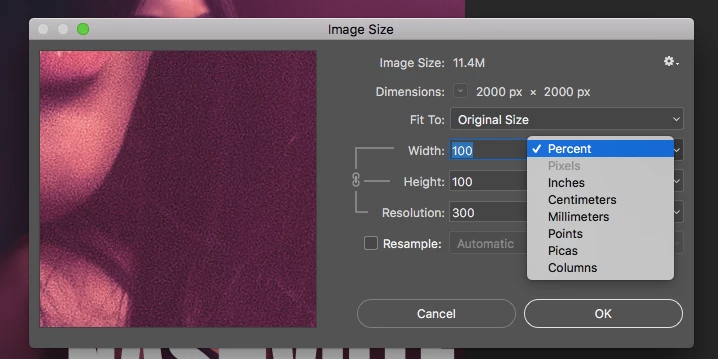

I have no idea how I did this, but now when I open any image in Photoshop I cannot view the image size in Pixels or re-size in pixels.
It's driving me crazy - how do I fix this!
Hi there,
As resample is unchecked, pixels is suppose to be grayed out. Unchecking resample locks the pixel dimensions so it can not be altered.
Regards,
Sahil
Already have an account? Login
Enter your E-mail address. We'll send you an e-mail with instructions to reset your password.
 AdChoices