
Participant
May 1, 2023
Answered

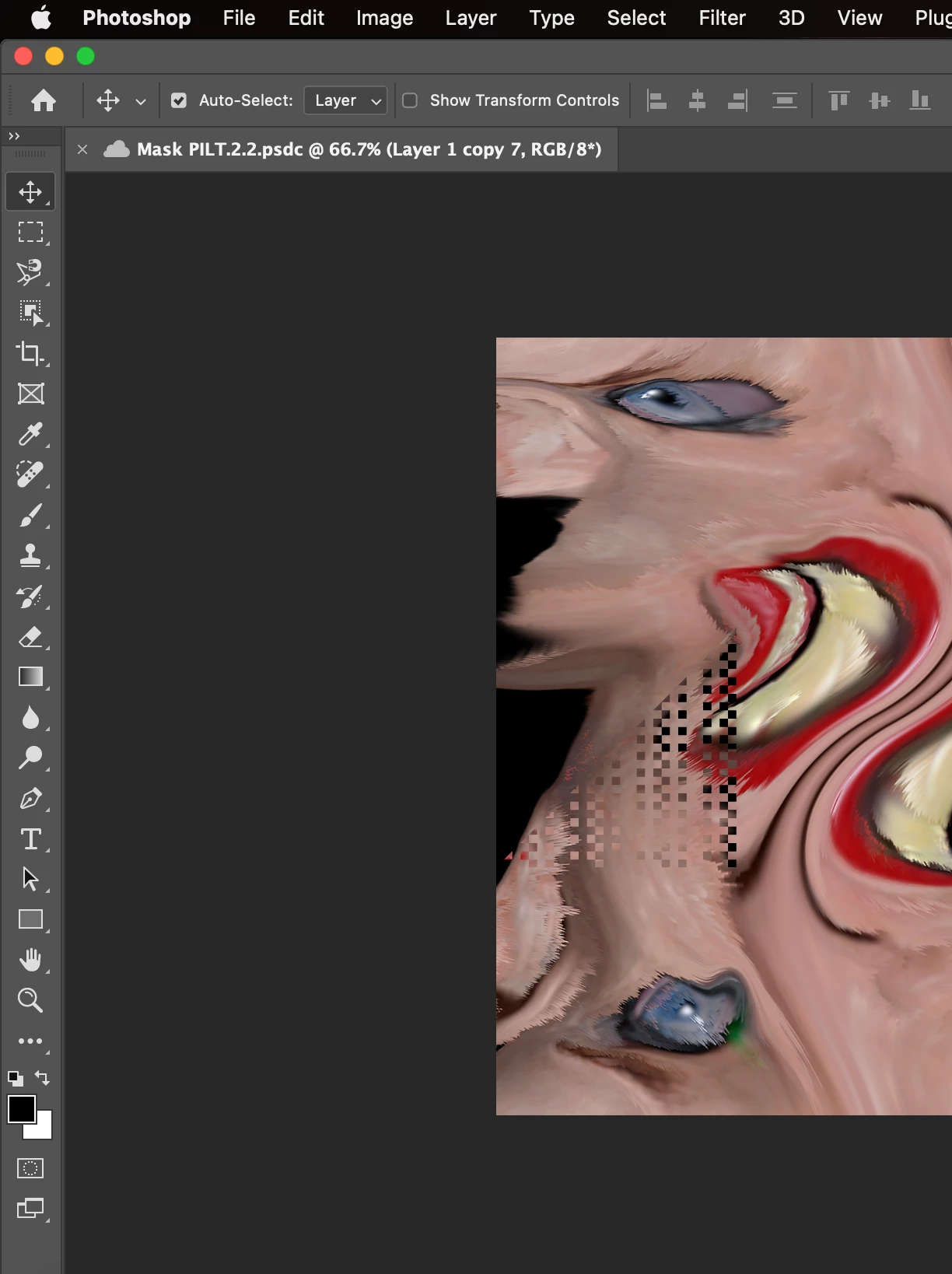
Pixels glitch

  • May 1, 2023
  • 2 replies
  • 264 views

Hello everyone!


When I use Photoshop's Liquified tool (this only happens on my MacBook Pro 2020), I have some problems. When I use this tool to edit anything, some kind of glitch appears out of nowhere. I have already uninstalled photoshop and reinstalled it, reset preferences, and turned on the "disable native canvas" option.
This topic has been closed for replies.
Correct answer CShubert

Hi @andressavella 


Curious if you did the manual reset of prefs?

Let's make sure we're in a default state and there are no stale settings somewhere: 

Restore your preferences using this manual method:  

https://helpx.adobe.com/photoshop/using/preferences.html#Manually 

Does it work correctly? 

If that doesn't solve it, you can quit Photoshop and put the Settings folder back. 


It may help if we could see your Photoshop System Info. Launch Photoshop, and select Help >System Info...and copy/paste the text in a reply.  

2 replies

Participant
May 3, 2023

Thank you Cory! the manual method worked perfectly. 

CShubert
Community Manager
CShubertCommunity ManagerCorrect answer
Community Manager
May 2, 2023

Hi @andressavella 


Curious if you did the manual reset of prefs?

Let's make sure we're in a default state and there are no stale settings somewhere: 

Restore your preferences using this manual method:  

https://helpx.adobe.com/photoshop/using/preferences.html#Manually 

Does it work correctly? 

If that doesn't solve it, you can quit Photoshop and put the Settings folder back. 


It may help if we could see your Photoshop System Info. Launch Photoshop, and select Help >System Info...and copy/paste the text in a reply.