Answered
Pixels preference for Image Size
Hi,
I'am using Photoshop 2022.
With no image opened, I have set Pixels in the rulers preference:
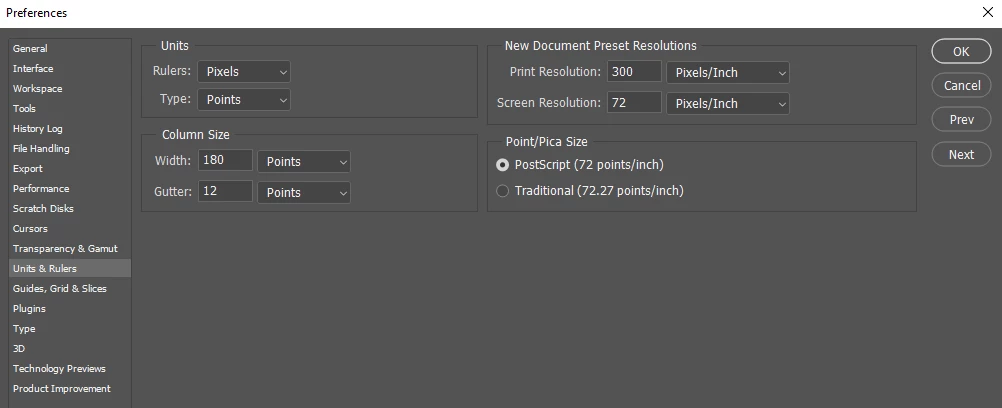
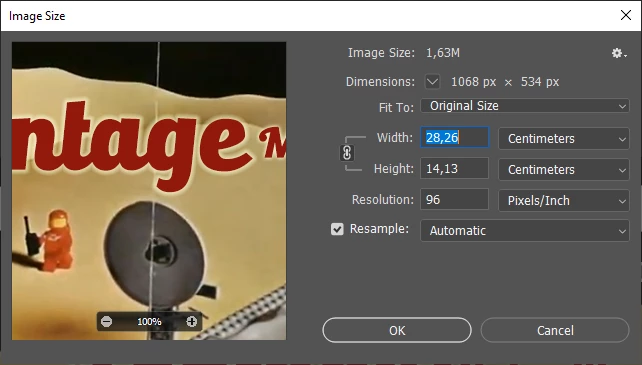
Now I open an image > Image Size. How come the Width and Height is still measured in Centimeters?

Hi,
I'am using Photoshop 2022.
With no image opened, I have set Pixels in the rulers preference:
Now I open an image > Image Size. How come the Width and Height is still measured in Centimeters?
It's just the default. Change it to pixels and it will stick.
Note that pixels is not an option in Image Size if you uncheck "Resample" - for the obvious reason: no pixels will change anyway.
Already have an account? Login
Enter your E-mail address. We'll send you an e-mail with instructions to reset your password.
 AdChoices