
MahaB82A
July 5, 2024
Question

Placing image on uneven surface

  • July 5, 2024
  • 2 replies
  • 2333 views

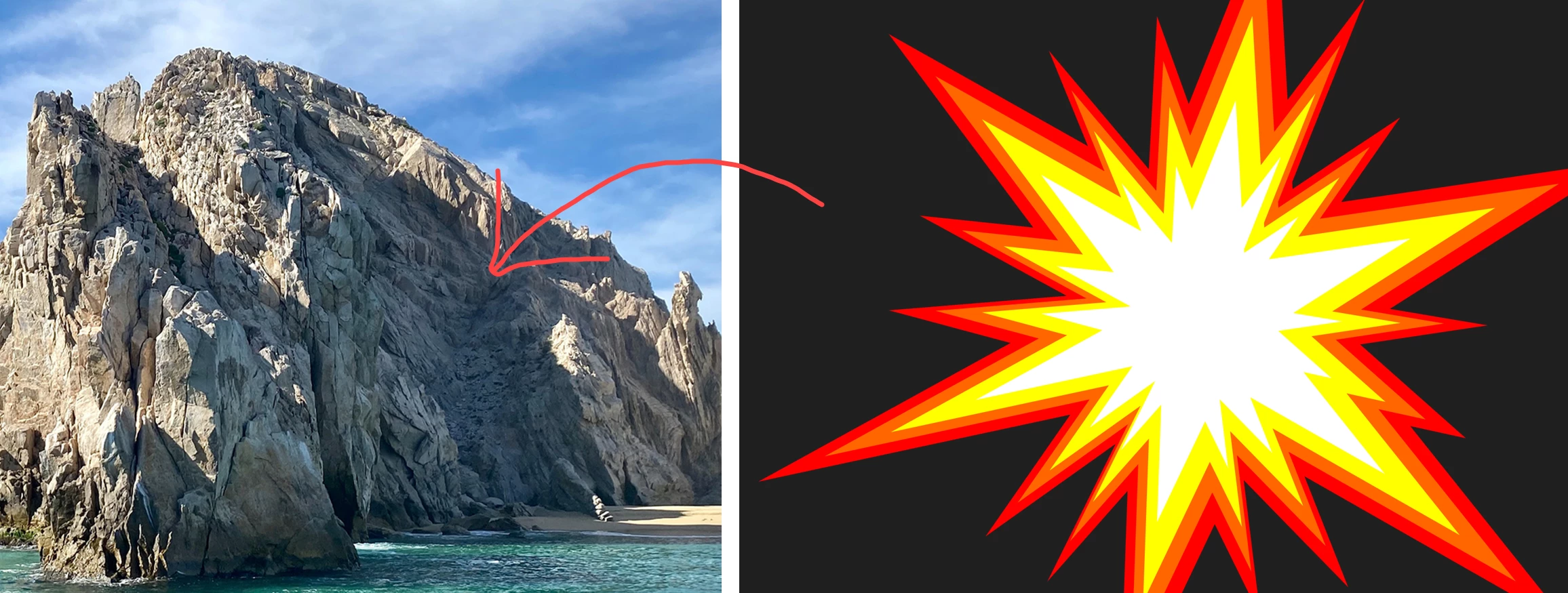
This a mountain with uneven surface. Is it possible to place the image on this uneven surface so that image also will take the shpe of the uneven surface? image also attached. if it is a flat surface I can use vanishing point.


This topic has been closed for replies.

2 replies

Bojan Živković11378569
Community Expert
Community Expert
July 6, 2024

Copy the logo, create a new layer, and access the Vanishing Point filter. Define the perspective, paste the logo, and position it accordingly. Confirm the changes, and your logo will now be on a separate layer. Proceed to apply the Displace filter to the layer containing the logo as previously instructed.

MahaB82A
MahaB82AAuthor
July 6, 2024

Do you mean this one by Displace filter? because it does not come.


Trevor.Dennis
Community Expert
Community Expert
July 6, 2024

Thanks for the reply. I couldn't understand following.


"Note: It is uber important that backward compatability is set to Always in Preeferences > Files (I think).  It won't work otherwise." 


quote

Thanks for the reply. I couldn't understand following.


"Note: It is uber important that backward compatability is set to Always in Preeferences > Files (I think).  It won't work otherwise." 


By @MahaB82A

Stephen Marsh
Community Expert
Community Expert
July 6, 2024

Apart from the perspective/angle, you are looking for the Displace Filter, with a "displacement map" (Google it).


https://helpx.adobe.com/au/photoshop/using/applying-specific-filters.html