
phicarly
Participant
July 21, 2020
Answered

Placing image (page content) in a photo of a blank book

  • July 21, 2020
  • 5 replies
  • 3289 views

I have photographed a actual blank book.
And I have traced a 10x10 grid on both sides of the spread.
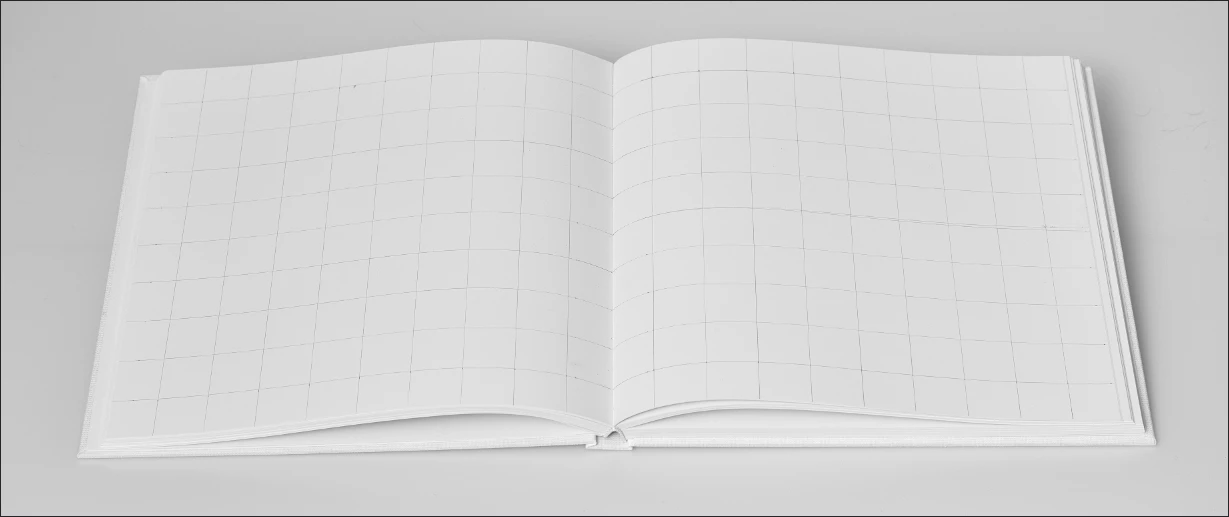
I would like to know how I can "place" PDFs of each page in this photo, so that the result will look like a book that doesn't yet exist. Of course if the book were flat, it would be easy to achieve. But here, the open book page bulges or "waves"...
When I try the warp feature with a 10x10 custrom grid, I end up with control handles that always remain perpendicular and depite my best efforts result looks like s***t, especially the page with columns of text (see below).
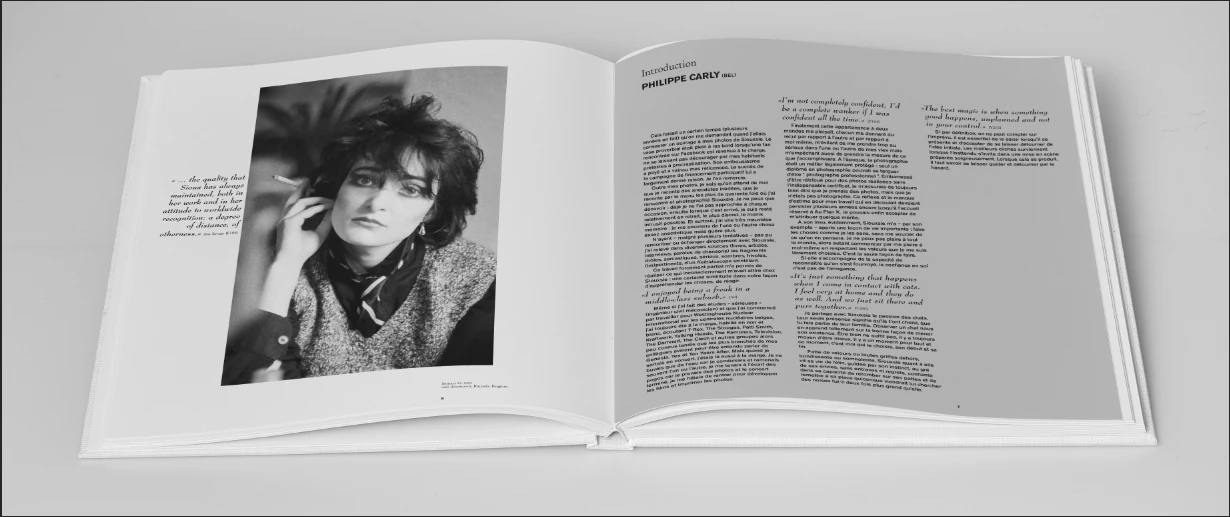

Thanks for your help.

This topic has been closed for replies.
Correct answer JJMack

Found a Free one for you.

square psd hardcover book mockup 2 

5 replies

JJMack
Community Expert
JJMackCommunity ExpertCorrect answer
Community Expert
July 22, 2020

Found a Free one for you.

square psd hardcover book mockup 2 

JJMack
JJMack
Community Expert
Community Expert
July 21, 2020

How about two smart object and four warps. 

JJMack
phicarly
phicarlyAuthor
Participant
July 22, 2020

This seat mockup looks great ! However my pages have more straight lines and edges and thus show "abnormalities" a lot more.

JJMack
Community Expert
Community Expert
July 22, 2020

Post a high resolution image of your book and some square pages.  You should be able to create a good template.  If you can not there are many good ones for sale on the Web.

Book Mockup Templates 


I did not create the template for the Car seats that was free on the Web.  I just created an interactive batch process for creating driver and passenger seat covers and an Automated Batch process to populater all the mockup templates with the created seat covers.

JJMack
JJMack
Community Expert
Community Expert
July 21, 2020

Do you have any square page Images to test with.  The get a good idea of how well the warping is work you need line of text to judge with.  Image look good. The don't have straight lines of text....  I found a manual that had near square pages.  So I saved 8 pages as jpg files. If you start with a high resolution book images and take your tine warping the smart object  you should get better results than this.


JJMack
JJMack
Community Expert
Community Expert
July 21, 2020

I do not use PDF files with mockup for there seems to be variations of PDF file formats.  Photoshop seems to open some PDF files as Photoshop images  with layers and others PDF Files Photoshop can not open it can only import pages  and images as single layer document.  I leave PDF for others to use.   


Your book image looks like it has 1:1 aspect ratio pages.  So you pages and pages images should have a 1:1 Aspect Ratio.  Then when you add warping to the smart object transform the results should look good.  All replacement Pages must have the 1:1 aspect ration and should be exactly the same size as the object in the Mockup. If you want to use different size 1:1 pages you need to open the smart object and edit the object  place in the 1:1 image a transform it to the smart object canvas size.   


My "BatchMockupTemplates.jsx" can populate the mockup using either Replace Content or Edit and  fit the page to the smart object.  However if the Page Image does not have a 1:1 aspect ratio page content will be masked off the smart object canvas size will clip the resized page image.

JJMack
phicarly
phicarlyAuthor
Participant
July 22, 2020

Thank you for your answer.
Yes, both the physical book and my design pages have a strict 1:1 ratio.
I use PDF from InDesign which I then convert in PhotoShop.
I can't find the "BatchMockupTemplates.jsx" you mention. 


JJMack
Community Expert
Community Expert
July 22, 2020
c.pfaffenbichler
Community Expert
Community Expert
July 21, 2020

»When I try the warp feature with a 10x10 custrom grid, I end up with control handles that always remain perpendicular and depite my best efforts result looks like s***t«

Indeed, indeed, … the »improvements« of the Warp feature are rendered useless by this nonsensical angle-locking in my opinion. 

It seems disappointing how the Photoshop team has performed on some feature request impementations recently. 


But you might be able to get a decent result nonetheless, have you tried with less grid-lines, even a plain Warp?


phicarly
phicarlyAuthor
Participant
July 21, 2020

Thank you for your suggestion.
I have tried that... the "problem" is that when you pull on the handle, not only does it move the border, but it also streches the content. And to match the top & bottom page borders the curve would need at leat one or two additional control points and then these also stretch the content and not just the curve.


c.pfaffenbichler
Community Expert
Community Expert
July 21, 2020

You can click-and-drag within the content, too.