
Participating Frequently
February 27, 2018
Question

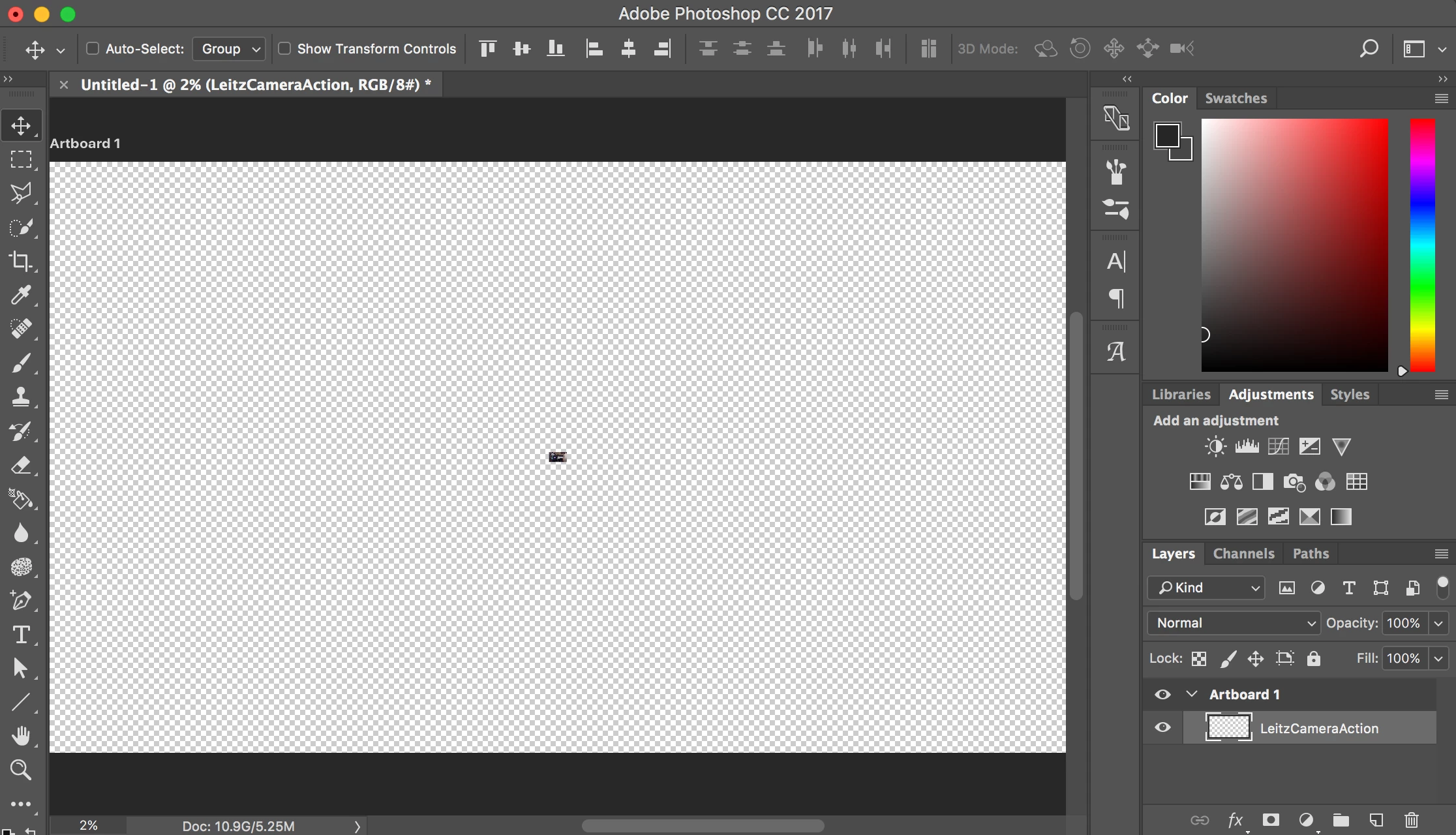
Placing Image Shows Up As Tiny Square (Not the actual size of the Image) HELP!!!

  • February 27, 2018
  • 5 replies
  • 3216 views

My canvas is 1200x628 @ 72ppi. When I try placing an image on the canvas (I have tried mutliple sizes of images) and the image shows up as this tiny little square (see screenshot). The image I placed below is 1366x768.... why is it showing up so small? And when I'm trying to transform the image, it is lagging so bad. Someone please help me figure this out. How do I fix the image placing problem and optimize photoshop to not lag so much?
This topic has been closed for replies.

5 replies

Norman Sanders
Legend
February 27, 2018

This is odd. What has changed from image #1 at 2% to image #2 at 100% assuming the same res?

And what are the readings for Scratch Size and Efficiency?

erika1027Author
Participating Frequently
February 27, 2018

I changed the image size. When I opened the image size box before, the image was way bigger which doesn't make any sense because I paced the image from my desktop and that image was 1366x768... I feel so confused.

Norman Sanders
Legend
February 27, 2018

Use Cmd+ and Cmd- to view it at various sizes

Norman Sanders
Legend
February 27, 2018

Double click on the Magnifier to bring it to 100% of size

JJMack
Community Expert
Community Expert
February 27, 2018

Try resetting Your Photoshop preferences.  Photoshop's resize  placed images to fit canvas does not seem to be scaling the object  corrrectly on your machine.  And Transform should not thake that much time.

JJMack
erika1027Author
Participating Frequently
February 27, 2018

I have tried checking and unchecking the "resize image during place" box and it doesn't change anything. Are my preferences wrong?

JJMack
Community Expert
Community Expert
February 27, 2018

Editing yout preference like that will not fix corrupt Preference files. Try resetting your preferencs

JJMack
c.pfaffenbichler
Community Expert
Community Expert
February 27, 2018

What are the resolutions of other images? Please post screenshots of the Image Size dialog for both.

erika1027Author
Participating Frequently
February 27, 2018

I tried doing that and this happened...

And then I got this.... How do I fix this?

c.pfaffenbichler
Community Expert
Community Expert
February 27, 2018

What have you done for trouble-shooting so far?

Restoring Preferences after making sure all customized presets like Actions, Patterns, Brushes etc. have been saved might be a good starting point:

https://helpx.adobe.com/photoshop/kb/basic-trouble-shooting-steps.html

What is your primary scratch disk?

https://helpx.adobe.com/photoshop/kb/optimize-photoshop-cc-performance.html