

jaredjohnston
Participating Frequently
January 18, 2019
Question

Placing multiple Images/Symbols in a set order hundreds of times

  • January 18, 2019
  • 6 replies
  • 7148 views

I have objects that I've created that have multiple colors that I want to lay on my background quickly. My current workflow is grab 10-20 layers of these objects at a time, reseize, and then move them to each location, control + clicking each one on the way to deselect it once it's in the correct spot. I do this Hundreds of times on each project.

What I'm looking for is the ability to lay these multicolored objects like brush clicks. I have explored the Mixer Brush which does exactly what I want aside from using the same image/symbol over and over. I'd like it to cycle through different images. Sort of an image brush that cycles through images in a set library.

I appreciate all suggestions. Thank you.

Below is an example gif of my current process that I'd like to streamline. (not actual project)
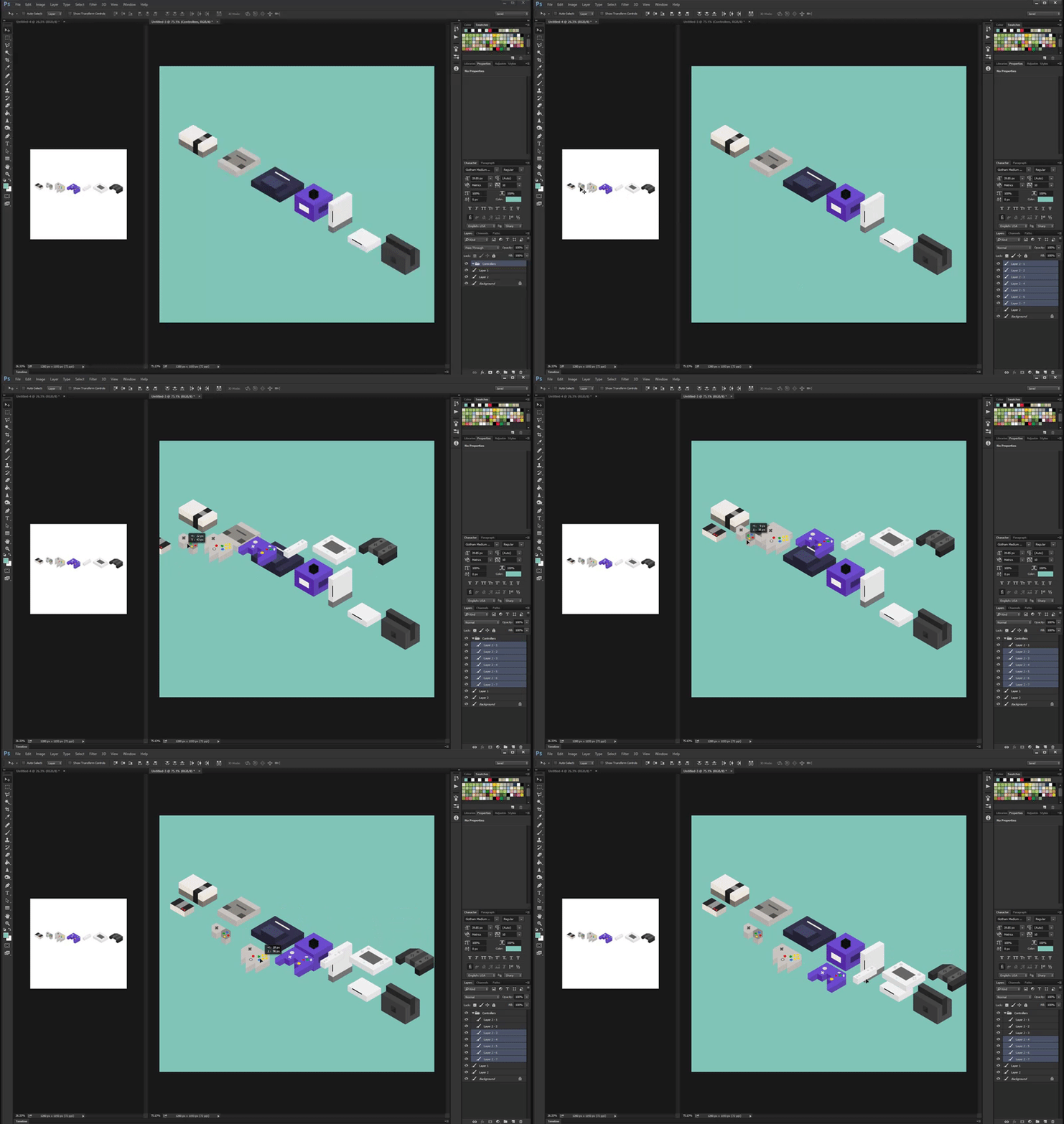
https://i.gyazo.com/0a3569312cc059ce60d770aef3429779.gif

    This topic has been closed for replies.

    6 replies

    jaredjohnston
    Participating Frequently
    October 23, 2020

    PS 2021 is here and still no Image hose. C'mon Adobe. Hook us up!

    jaredjohnston
    Participating Frequently
    February 28, 2019

    Here's another post describing exactly what I'm looking for.

    Photoshop: Image Hose - Extend Clone Stamp tool | Photoshop Family Customer Community

    JJMack
    Community Expert
    Community Expert
    February 28, 2019

    Yes that suggestion was give to Adobe 8 years ago and in 8 years Adobe had not added such a feature or showcased a future feature like that.  I suggested to you  to search and see if the is any Plug-in the add a feature like that to Photoshop.   A compile plug-in can  provide what you want.  Plug-in like Adobe Liquify have brush like tools.  There are commercial plug-in like ParticleShop that has paint brushes for Photoshop.  I'm not a Painter have you search for any painter plug-ins for Photoshop.

    By now I think you should see the painting on the wall Adode is not  going to hose Photoshop that way they have other ways to hose Photoshop.

    JJMack
    jaredjohnston
    Participating Frequently
    February 28, 2019

    That's a real downer way to look at it. Yeah, they haven't done anything in 8 years so we should just give up and not post about any changes we'd like?

    I don't agree with that at all. If enough people want it, they'll add it.

    Considering almost every major competitor of theirs has a feature like this, they should see the writing on the wall.

    And I did contact ParticleShop. Their tool would work perfectly if you could customize it. Which you can't. And they won't allow.

    Michael Bullo
    Community Expert
    Community Expert
    February 27, 2019

    Hi Jared,

    While this is less than optimal, could it help?

    1. Have a folder full of images (perhaps .png files with transparency).
    2. Select the images and drag them into an open document in Photoshop.
    3. Photoshop will Place these one at time. Resize and move each one and press Enter (or double click) to advance to the next image.

    I realise that this is pretty similar to what you are already doing. However, the upside is that the next element is already in a state of Free Transform after placing the previous image.

    You will end up with a series of placed images contained within Smart Objects. If this is not preferable you could select them all in the Layers panel, right mouse click and choose Rasterize Layers.

    jaredjohnston
    Participating Frequently
    February 27, 2019

    I tried this and it would be similar to how I place them now except with the png method, each tree pops in at the center of the document. Some of my documents are over 30,000 x 30,000 pixels in size which is why I use PSB files.


    So going back to the center to get the next tree is less than optimal.

    Another workaround I've experimented with is creating libraries of trees. And this works to the same extentt as pulling from another Ps file. I can have a library object of 8 trees and when I pull them in they are on separate layers but that still isn't a faster way of placing multiple different trees organically with a brush.

    JJMack
    Community Expert
    Community Expert
    February 27, 2019

    The only Brush type tool  I know of that can brush multi color object is the Clone stamp tool with align not not checked with a click you could stamp lay down multi color objects.  Brush controls like size hardness, blending etc may be useable.  However,  I sure many brush dynamics would not be operational because of the sampling nature of the clone stamp brush tip while stroking.  Strokes will only repeat the original source point with a fresh click. 

    Scripts can not find out the cursor position so  scripting a brush like tools is not possible.

    JJMack
    jaredjohnston
    Participating Frequently
    February 26, 2019

    I just did a test with ArtRage and the Sticker Sheets and Sticker Spray work almost perfectly. Very similar to Coral Paint and quite a bit cheaper. I just wish there were a way to get this tool into photoshop.

    jaredjohnston
    Participating Frequently
    February 26, 2019

    After doing more research, the tool I am looking for exists in Coral Painter. It's called Image Hose. The brushes you create for the tool are called Nozels.

    With image hose, you can create a document that has multiple images inside of it on different layers and Image hose tool will place them similar to a paintbrush in photoshop.

    Is there any way of creating custom tools in photoshop as people have in illustrator? Similar to how Astute Graphics makes tools.

    JJMack
    Community Expert
    Community Expert
    February 26, 2019

    If all the projects are different  and all your image you want place in are the same you can assist population the images but they would need to be sized and positioned for each project.  That can not be automated for each project is unique.  On the other hand if you have sets of images that need to be populated into different projects you could create Projects Mockups  and automate the population of projects mockups.  The number of image in each set need to be the same to populate a mock.  

    Recently there was a thread here where a user had one set of images 41 labels that needed to be populated into 84 Projects. To create 3,444 populated mockups jpg files.  If there were also back side labels there would have have to be 2 set of 41 labels.  Mockup Templates would be populated with two images in each.  

    All your appends seems to want something to help you do things manually.   Is that want you want or do you want an automated Process. A process you do repeatedly.  Not all unique processes.

    Re: Running a script within an action

    Transformation of smart object

    JJMack
    c.pfaffenbichler
    Community Expert
    Community Expert
    February 27, 2019

    There is no set place for Trees A through C. Locations X-Z are just where trees actually are on the map. Any trees can be placed in any location essentially. They just need to be able to be placed where trees are. and placing trees in larger clumps can take time. 

    This is how trees are placed now.

    747c117500005cd8dc4b08df29287dce.gif

    This is how I'd like to be able to do it. Cycling through the trees randomly would work. But the tool below also allows you to change your brush size which then changes the tree size.

    ba6015bd5c24999e1302b4db2b4b769b.gif

    With this you can drag for multiple trees or single click for just one.


    With this you can drag for multiple trees or single click for just one.

    Have you tested the Script mentioned in the link I posted previously?

    It only allows for placing through clicking and without pressure sensitivity, though.

    Legend
    January 18, 2019

    You probably want to either record an action or write a script to place these images. You may need to do some housekeeping if you use a script, for example, sequential filenames are easy to handle (image_001A, image_001B, image_002A, etc.)

    jaredjohnston
    Participating Frequently
    January 18, 2019

    I've thought about scripts but every project is different. Like placing trees at different locations. Same tree library, different tree locations. Each tree needs to be placed accurately. I'm not sure a script work in that way. Unless you're thinking of a different use for a script that might change the mixer brush each time you use it?

    JJMack
    Community Expert
    Community Expert
    January 18, 2019

    If each object is an image file a script could place them into a large canvas size document.  In the process it would Size and position them  using logic to implement  a process you design to layout your image they way you want them. 

    A simple example of a script like that is My PlasteImageRoll script the will tile any number in image onto a canvas.  Image can be and size. Each image will be scaled toe fill the tile size. Excess image area will be masked off.  Tiles images will look like centered aspect ration image crops.

    Paste Image Roll Info

    Paste Image Roll Script

    JJMack