Exit
  • Global community
    • Language:
      • Deutsch
      • English
      • Español
      • Français
      • Português
  • 日本語コミュニティ
  • 한국 커뮤니티
0

Placing psd into another psd's artboard sizing incorrectly

Explorer ,
Feb 06, 2019 Feb 06, 2019

It looks like it's sizing to include extra contents outside of the artboard's bounds, but there's nothing there in the file (as far as I can tell). why?!

This is the file I'm placing.
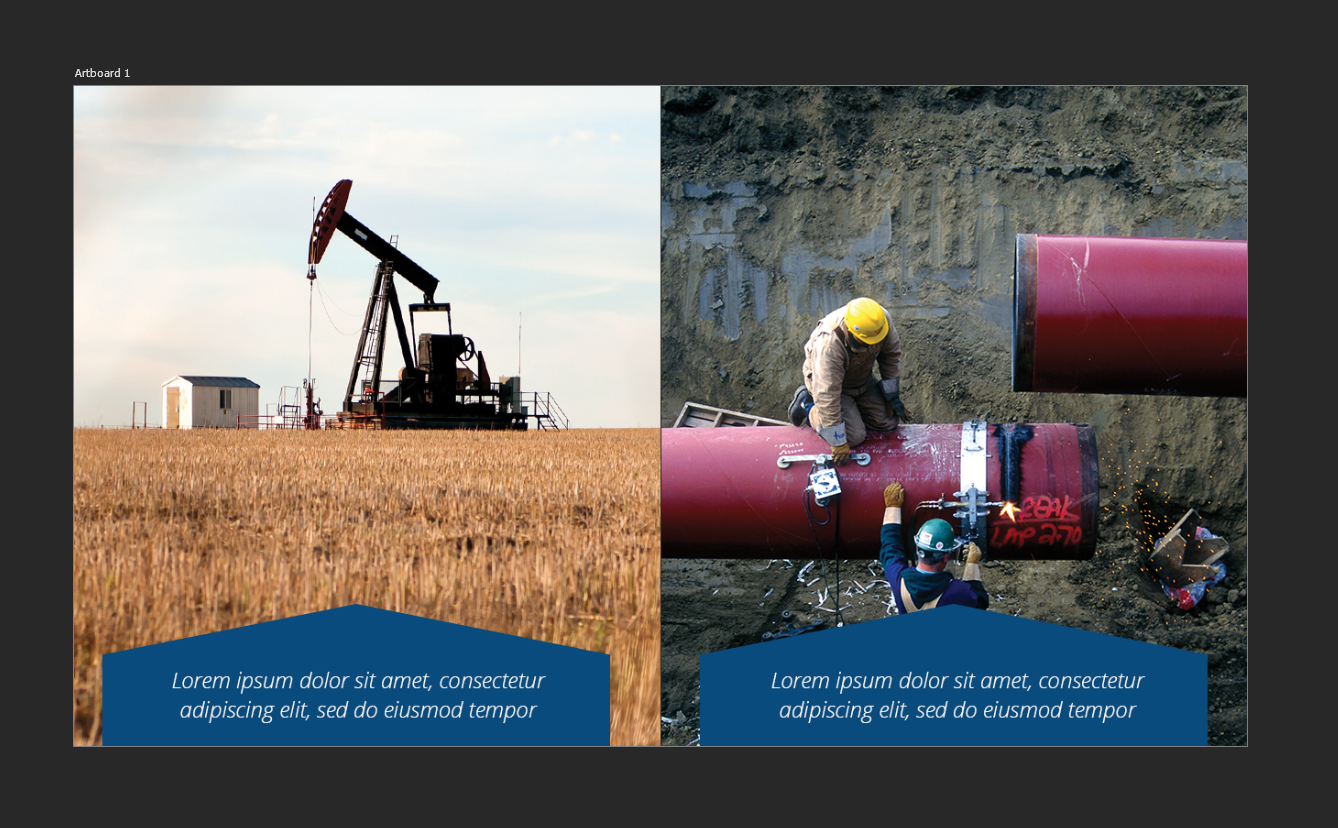
This is a master document where I keep the entire series:

this is how it places. Both artboards are identically sized.
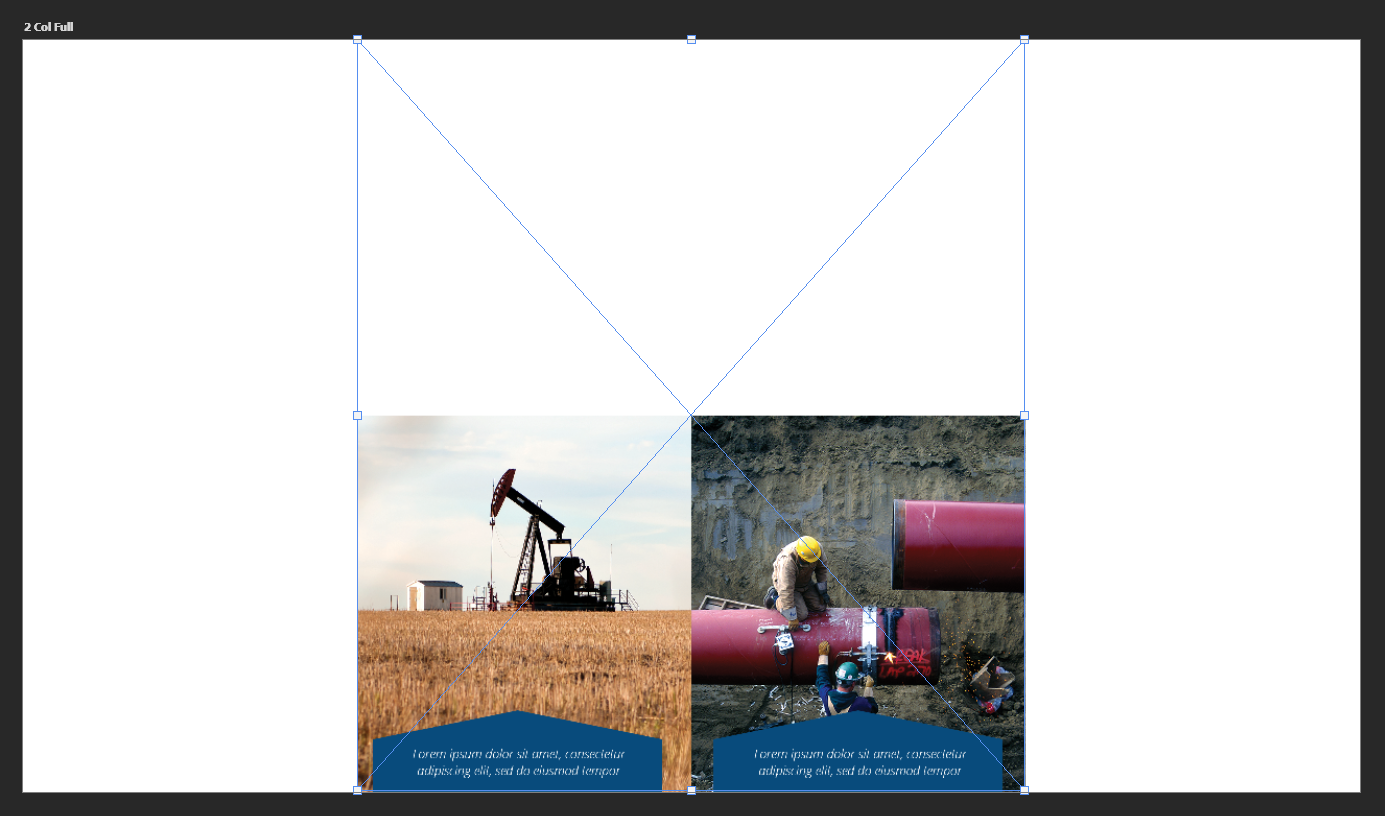
1) there's nothing up there in the psd.
2) it should constrain to artboard bounds anyways.

295
Translate
Report
Community guidelines
Be kind and respectful, give credit to the original source of content, and search for duplicates before posting. Learn more
community guidelines
Adobe
Enthusiast ,
Feb 06, 2019 Feb 06, 2019

That is odd- I would try re-cropping that one with "delete cropped pixels" ticked and see if that helps.

Translate
Report
Community guidelines
Be kind and respectful, give credit to the original source of content, and search for duplicates before posting. Learn more
community guidelines
Community Expert ,
Feb 06, 2019 Feb 06, 2019
LATEST

Thats really odd.  There's no elements left of the image that was somehow left off the artboard, right? 

Translate
Report
Community guidelines
Be kind and respectful, give credit to the original source of content, and search for duplicates before posting. Learn more
community guidelines
