
Participant
April 11, 2018
Answered

Please Help! Can't Convert Frame Animation Timeline to Video Timline!

  • April 11, 2018
  • 1 reply
  • 3713 views

This is probably really easy to answer, but I've been stuck for an hour with this question and everything on the internet is useless to my question.
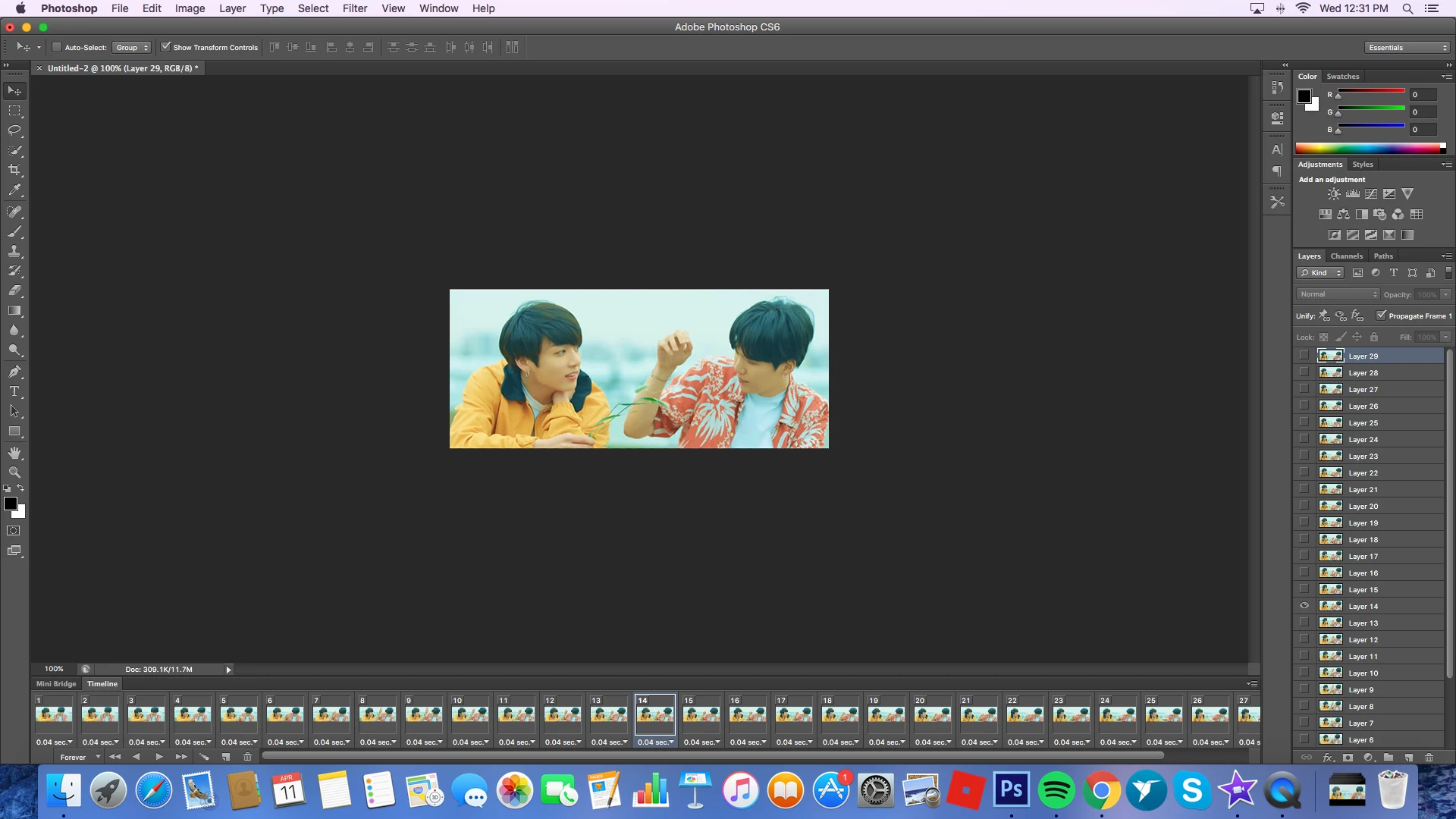
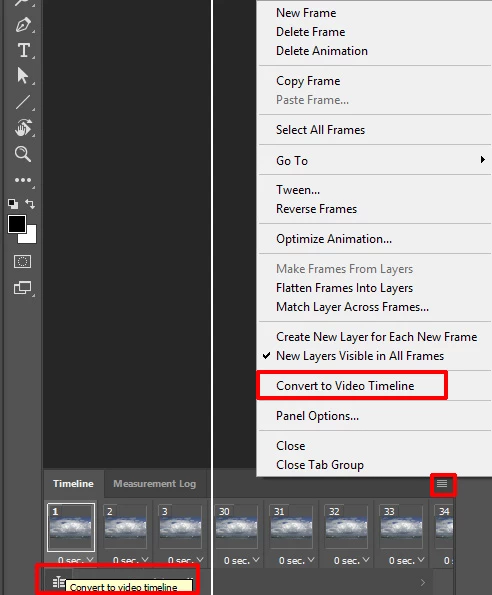
I'm for some reason missing the button that everyone on the internet seems to have in their Photoshop that looks like this in the bottom left corner:tumblr_inline_nnj5x5nADN1s84hzj_400.png

Please help!! I can't convert it for smart filters without it.
This topic has been closed for replies.
Correct answer JJMack

If convert to video timeline does not work have you tried resettin photoshop tools and if it sill doe not work try resetting your Photoshop Preferences. You can also export a frame animation as a video menu File>Export>Render Video without sound without converting to a video timeline..  If you need to add sound you need to convert to a video timeline add then audio the export..

1 reply

JJMack
Community Expert
JJMackCommunity ExpertCorrect answer
Community Expert
April 11, 2018

If convert to video timeline does not work have you tried resettin photoshop tools and if it sill doe not work try resetting your Photoshop Preferences. You can also export a frame animation as a video menu File>Export>Render Video without sound without converting to a video timeline..  If you need to add sound you need to convert to a video timeline add then audio the export..

JJMack