

Please save a work of art with advice on removing an object from a complex background.
This is a small portion of a huge crowd watching the recent solar eclipse from the deck of a cruise ship off of Mazatlan. Unfortunately, this man disrupts the flow of a beautiful negative space flowing through the image.
What procedure would you recommend for removing the man in this photo, which I'll call "Photo A"?
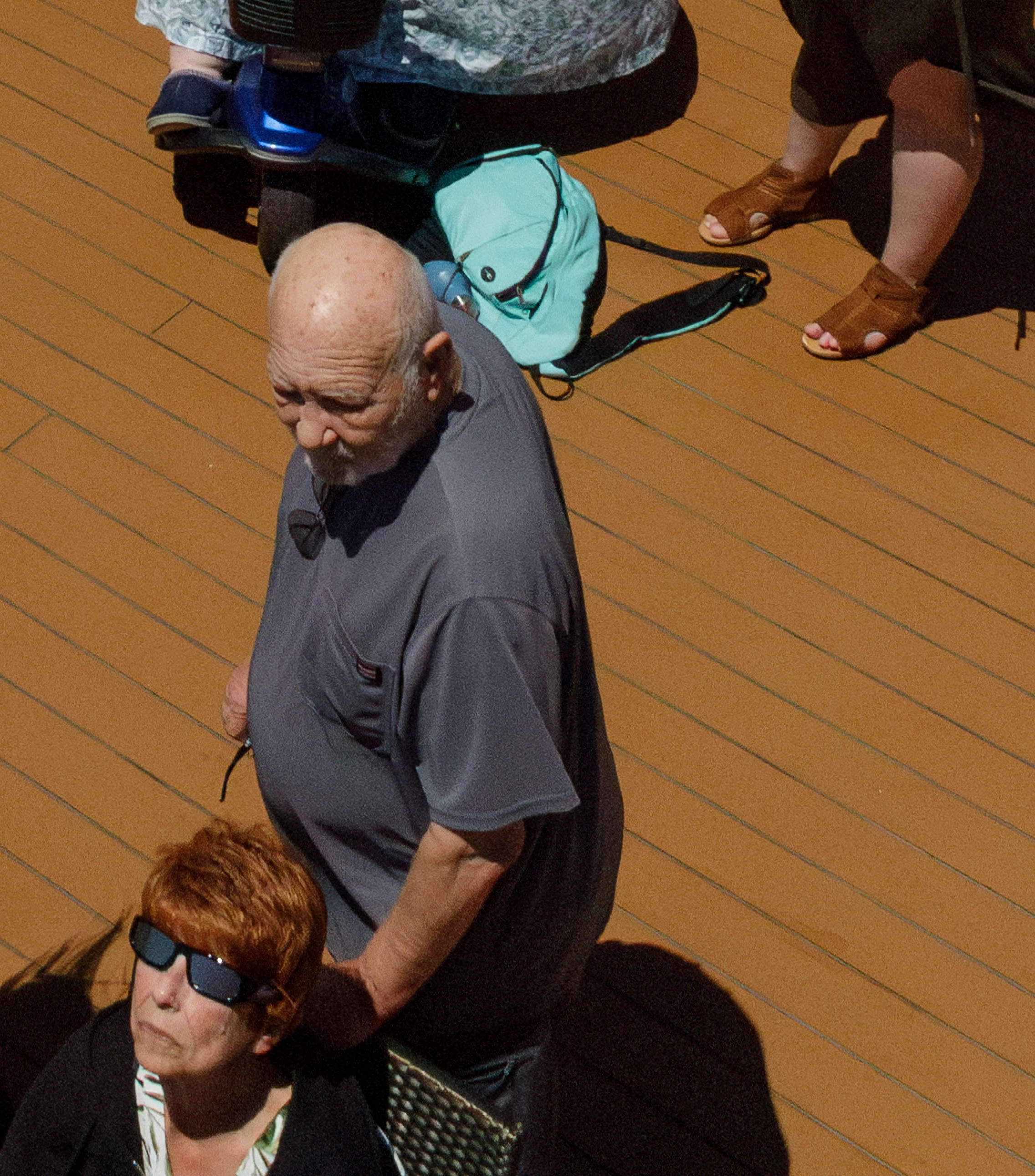
I have a similar image, "Photo B," without the man, that I think will be useful, though the camera wasn't pointed as far downward. Both images are at the bottom of their camera frames:
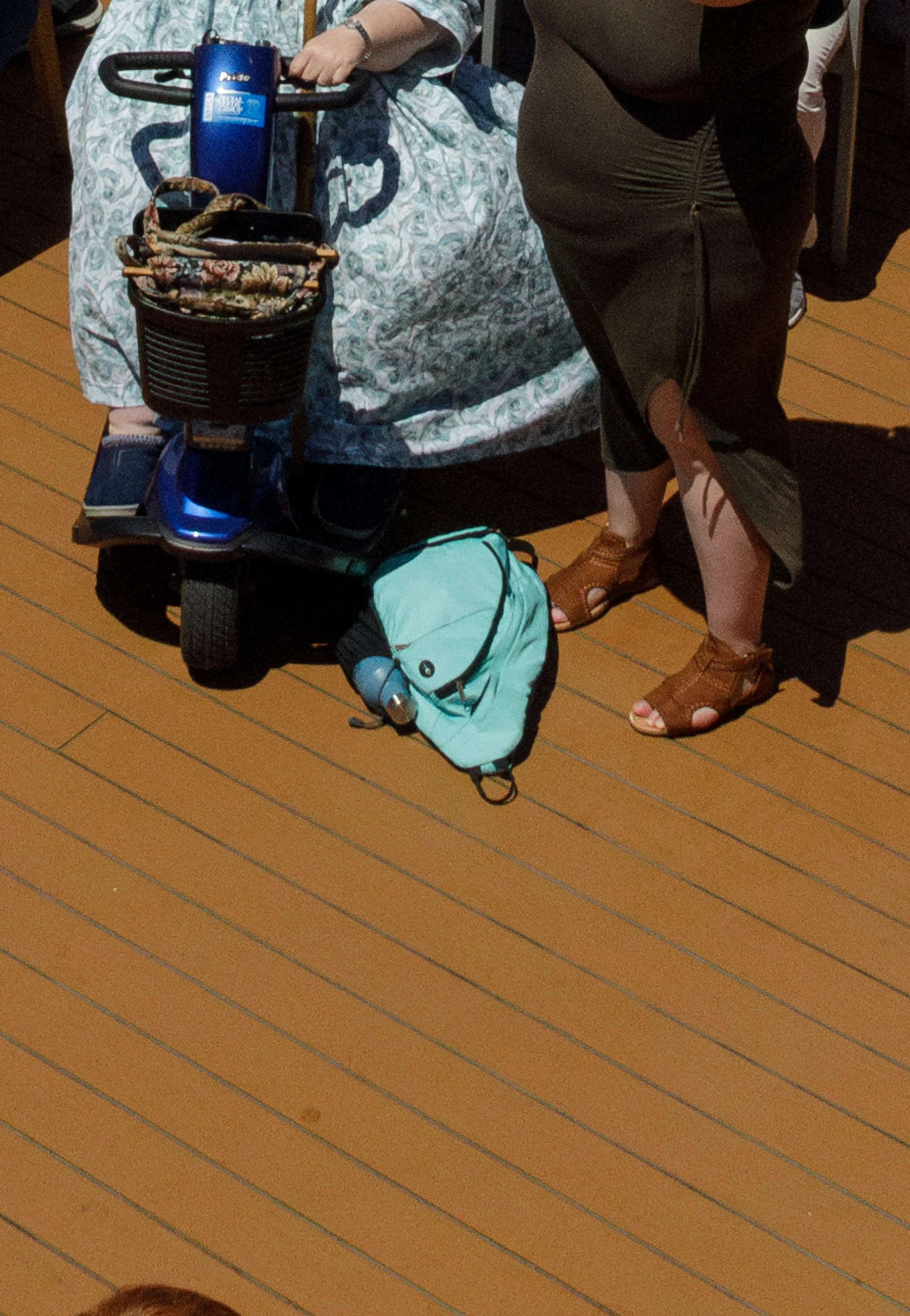
I've tried duplicating the floor from Photo B to a layer in Photo A, but the lines don't align precisely. I suspect this is because it was shot with a 24 mm lens and there was a little distortion at the edges.
Should I use Transform on this layer from Photo B? I think it would need a little rotation, plus some skew or distort adjustments.
I would also have to be very careful to match the illuminance, color and grain, since the images were shot at different exposures and or different enough that a hard edge might show on the smooth areas. Perhaps I could feather the layer from Photo B.
Or would it be better to just use this layer from Photo B to get the blue backback and scooter wheel, and use tools like Patch and Clone Stamp on several layers with masks for the floor? (That sounds very tedious and error prone!)
There's also content-aware fill and the removal tool. Or some combination of these approaches?
Thanks,
Russell
P.S. Do you know of a comprehensive, up-to-date, book or online course zeroing in on all aspects object removal in Photoshop?
 AdChoices