


Participating Frequently
April 27, 2023
Question

Plugin or Action for pixel selection

  • April 27, 2023
  • 4 replies
  • 1849 views

Hello all,


I am looking for a plugin or other possibility for a pixel selection.

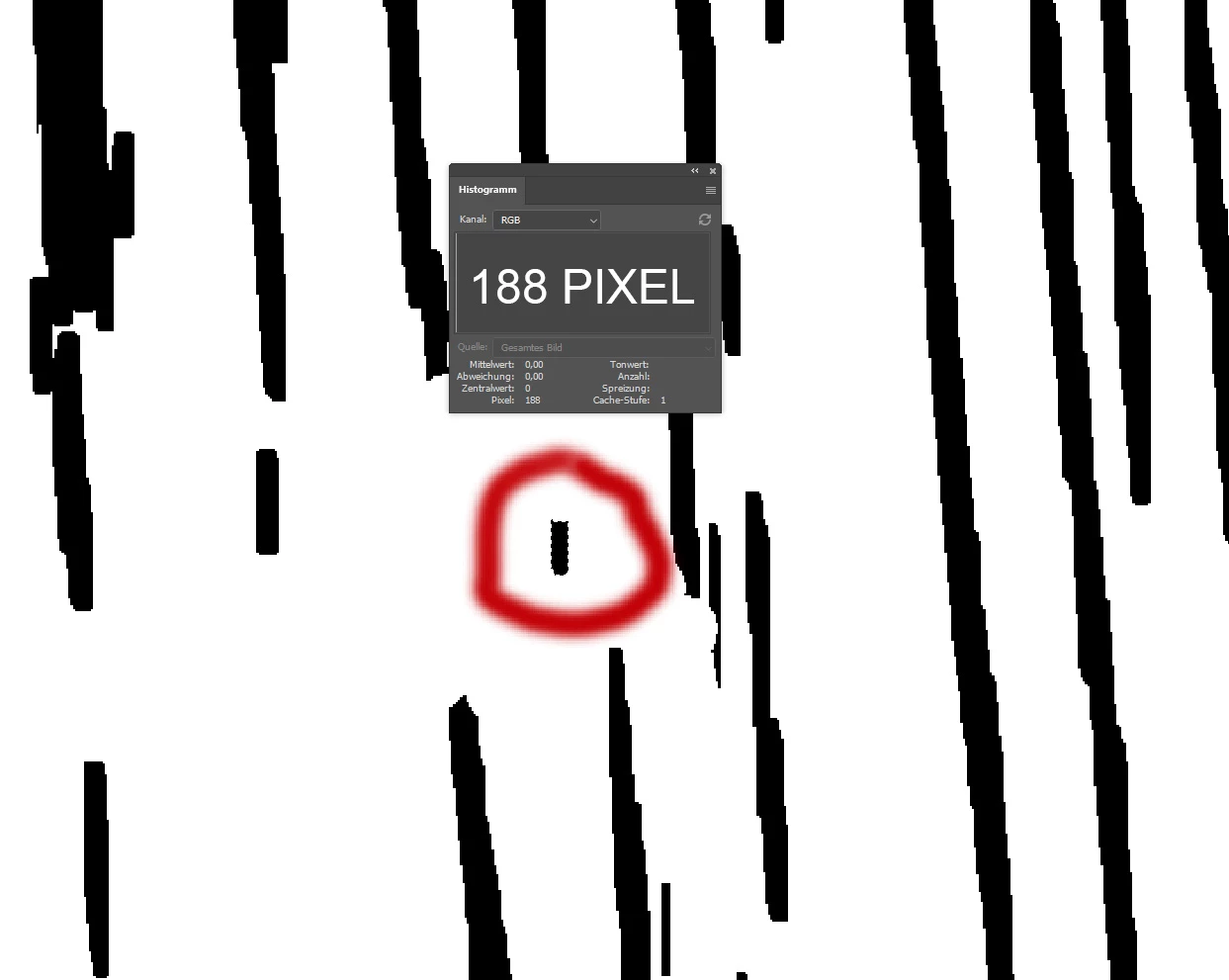
Example: I have a bitmap/black and white document with pure black and white pixel information. Now I can for example select a spot with the magic wand and the histogram and show me the pixel count, see picture. Now the document has all such pixels with this number of 188. Is there a possibility that I can select with a command all pixels that have this number to then delete them with once. So Photoshop should select all areas with 188 black pixels and then delete them or fill them with white so that they disappear in the whole document and the rest should remain. I hope you can follow me.

I would appreciate any help and suggestions, thank you.


Kind regards


Steve


This topic has been closed for replies.

4 replies

c.pfaffenbichler
Community Expert
Community Expert
July 6, 2023

For »Oak-Wood-Example« (2937px x 6782px) I got the running time of a Script that filters for black elements of 188px and below to around 42 minutes. Slight improvements might still be possible … 

I wonder, though, if you don’t lose a bit much of the structure at that cut-off? (In the screenshot the »filtering« layer is at a reduced opacity.) 

c.pfaffenbichler
Community Expert
Community Expert
April 30, 2023

I tried with a 200px x 200px image and with a »mixed bag« approach (Paths and Color Sampler) one can select all groupings of black-on-white pixels beneath a certain number of pixels (one could also adjust to groupings matching a certain number) even with a Script. 

But speed and aesthetics are an issue. 

Participating Frequently
May 4, 2023

Hey, sorry I'm just getting in touch. Currently much to do. That looks but already not so bad and thank you. How does that work what you have created there? I could send you a smaller part of a test file, preferably by mail? Thank you.

Kind regards

Participating Frequently
May 4, 2023

I see that I can write to you privately here, I will send them something tomorrow. Thank you.

c.pfaffenbichler
Community Expert
Community Expert
April 27, 2023

I don’t think it is possible to select all distinct areas that cover specific number of pixels with default functionality. 

A Script would likely be pretty slow, a custom Filter might be possible but probably not easy to create. 


What is the ultimate point of the task here? 

Are you sure that the pixel number is a meaningful distinction? Because 188 pixels could be arranged in a huge number of different shapes and some might have different significance (depending on what this is about, naturally). 

Participating Frequently
April 27, 2023

Unfortunately, I cannot describe the task exactly. Imagine a wooden structure that is rebuilt from a black and white file. There are of course a lot of information that are not all needed and these I retouch manually out like such small pixel numbers and there is the consideration whether with the help of a plugin something like this would be possible. There is an alternative software for these tasks, which can also how this works I can unfortunately not say.

Thanks anyway.

greetings

Steve

c.pfaffenbichler
Community Expert
Community Expert
April 28, 2023

Can you provide an image for testing? 

Trevor.Dennis
Community Expert
Community Expert
April 27, 2023

It's already built in to Photoshop.  Open the Measurement panel, and you'll get a ton of info about the selected area

Participating Frequently
April 27, 2023

I don't think that's what I'm talking about or looking for. I want Photoshop to mark all black objects in my document that have, for example, a number of 188pixels and then delete them or fill them with white. Thanks anyway.