

sarkara1
Known Participant
April 5, 2020
Answered

Plus Sign Follows Clone Stamp Tool

  • April 5, 2020
  • 2 replies
  • 5785 views

PS CC 21.1.1, macOS Catalina 10.15.4. Using the Clone Stamp tool, I see a plus sign following the cursor that makes it difficult to see the area I'm working om. I expect the plus sign to show up while sampling, but not afterwards. See screenshot below:
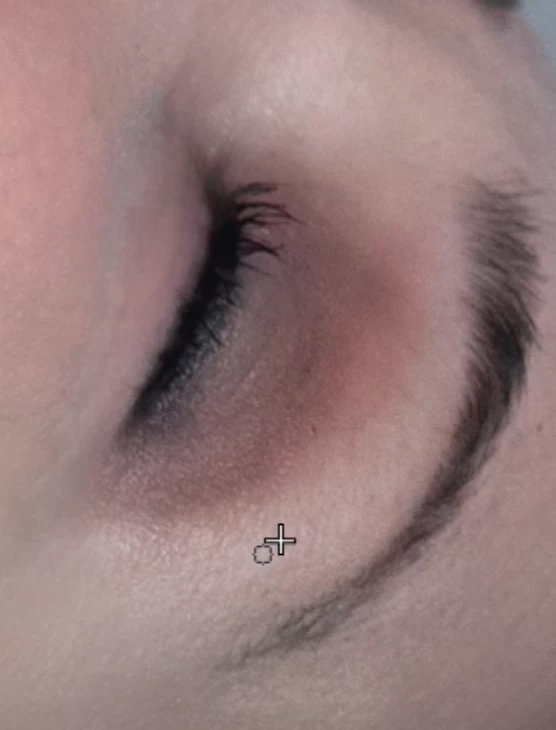
 

Clone Stamp Settings are:
Custom brush, size 20 px, hardness 0%. Mode: Normal, Opacity: 100%, Flow: 80%, Aligned: Checked, Sample: Current Layer

Video: https://www.dropbox.com/s/9kwq06qocpyzxiw/Clone%20Stamp%20480p.mov?dl=0


This topic has been closed for replies.
Correct answer gener7

The crosshair shows where the sample point is. As you move your brush to clone, it follows your brush. If it's too close, sample (alt-click) then move your brush far enough from where you sampled, so the sample point won't get in the way when you begin cloning.

2 replies

gener7
Community Expert
Community Expert
April 5, 2020

.

gener7
Community Expert
Community Expert
July 19, 2022

Caps Lock toggles the crosshairs on/off for the painting tools. Did you check?


If this still persists, you may need to reset Preferences


*sabra
Participating Frequently
July 22, 2022

Hi,

The cap lock did not make a difference.

I'll try resetting the prefs - thanks for the suggestion.

barbara_a7746676
Community Expert
Community Expert
April 5, 2020

Try the keyboard shortcut Command-H. That should hide the crosshair. You can use that keyboard shortcut to toggle it on and off.

sarkara1
sarkara1Author
Known Participant
April 5, 2020

What is the crosshair supposed to do when I'm working (not sampling)? I'm guessing if it's there, someone had a use for it in their mind.

gener7
Community Expert
gener7Community ExpertCorrect answer
Community Expert
April 5, 2020

The crosshair shows where the sample point is. As you move your brush to clone, it follows your brush. If it's too close, sample (alt-click) then move your brush far enough from where you sampled, so the sample point won't get in the way when you begin cloning.