
Ken Nielsen
Legend
September 7, 2022
Answered

PNG files suddenly not visible in Photoshop (macOS)

  • September 7, 2022
  • 3 replies
  • 796 views

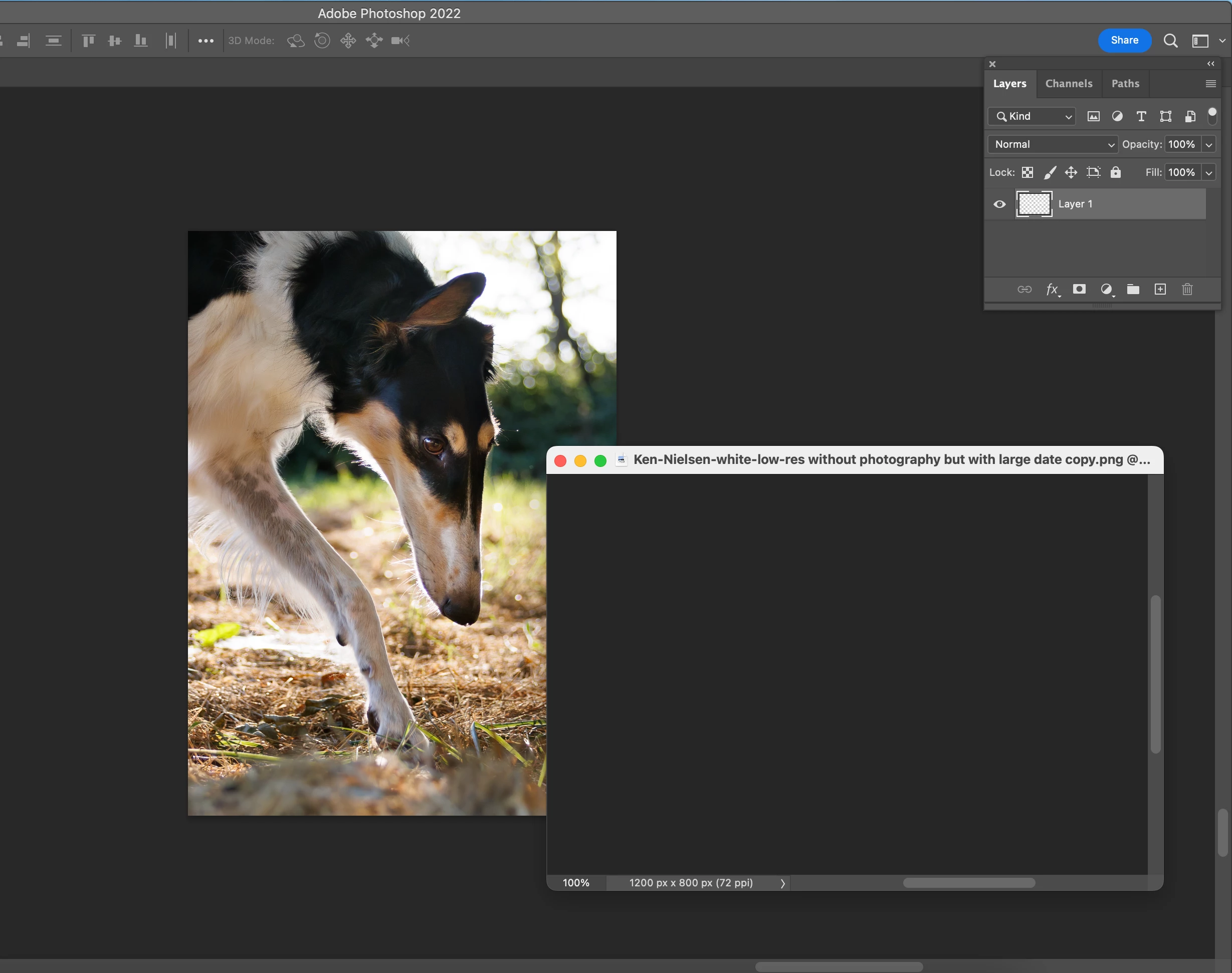
.png files are very useful to me having visible layer with transparent background and have worked beautifully for years, but now, suddenly, without apparent reason, the contents of the file are not visible and also not visible when I try to bring the layer over to a file I am working on. My first thought is I must have hit some keystroke that makes a layer not visible but that makes no sense to me. I need help on this as this is very important to my workflow and is now not working. See example screen shot showing .png open and in front of an image I was working on - showing window with nothing to see but I know there is a visible layer, or at least was visible just yesterday.


TIA,

Ken
 

{Title edited by Moderator}

This topic has been closed for replies.
Correct answer Ken Nielsen

I made them myself. They are photo signatures, white type on a transparent layer. I was able to fix by shutting down the computer and then restarting everything and lo and behold... the .png files became visible again. Some glich with the system or something I don't know, but now it is fixed. Thank You c.pfaffenbichler.


3 replies

gener7
Community Expert
Community Expert
September 10, 2022

Lately the Text Tool has been causing the document screen to go blank while the Layer thumbnail appears normal. "Disable Native Canvas" was the problem. This might be worth a look as well.

https://community.adobe.com/t5/photoshop-ecosystem-discussions/black-screen-when-editing-text/td-p/13169530


c.pfaffenbichler
Community Expert
Community Expert
September 8, 2022

Can you provide one of the pngs? 

Where did the pngs originate from exactly and how were they created? 

Ken Nielsen
Ken NielsenAuthorCorrect answer
Legend
September 10, 2022

I made them myself. They are photo signatures, white type on a transparent layer. I was able to fix by shutting down the computer and then restarting everything and lo and behold... the .png files became visible again. Some glich with the system or something I don't know, but now it is fixed. Thank You c.pfaffenbichler.


Ranjisha Sengupta
Legend
September 8, 2022

Hi Ken, thanks for reaching out. 

Has the file the correct extension (.png)? Have you tried to open other png files? Also, Have you tried to place that file in other apps like InDesign/ Illustrator/ Photo Viewer? Which version of Photoshop and macOS are you using?

Go to Photoshop's Preferences > Performance, uncheck Use Graphics Processor, and restart Photoshop. 


Let us know how it goes.


Thanks,

Ranjisha