MahaB82A
July 31, 2023
Question

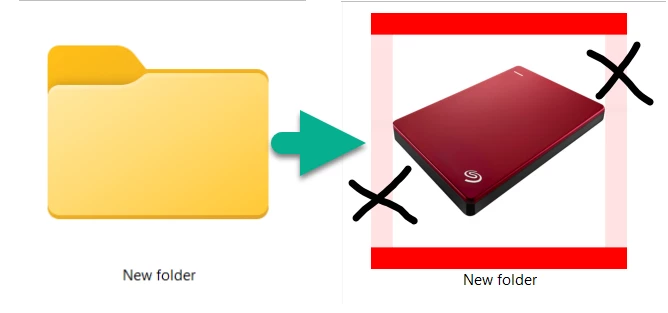
PNG icon placed on new folder

  • July 31, 2023
  • 1 reply
  • 216 views

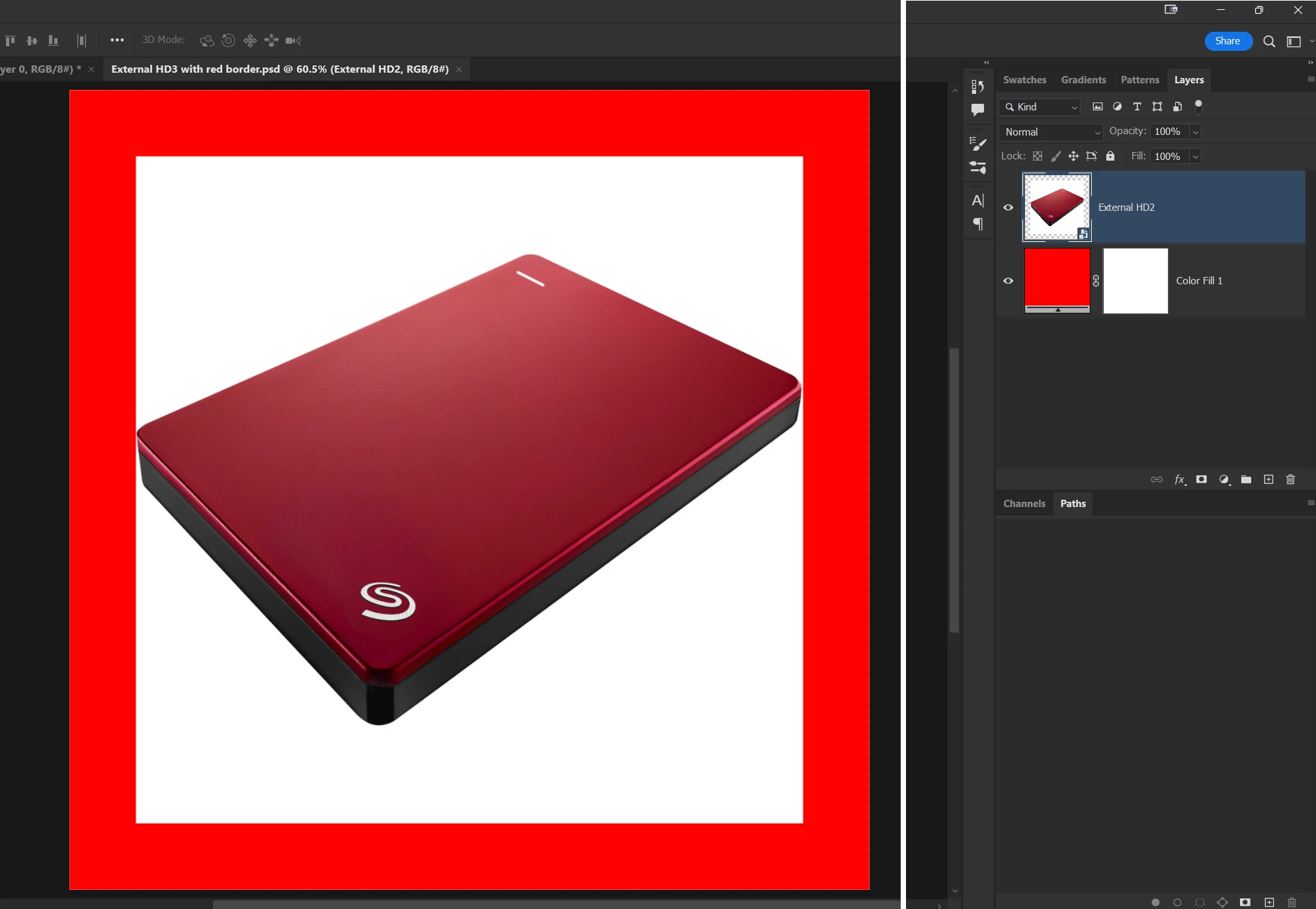
I created a PNG icon to place on a new folder. The PNG icon is red color HD encosed with a red color boder. This is shown in the screen shot. When it was placed on new folder left & righ side of boder is came as a light color. How to fix it? Ps file download link as follows.

https://easyupload.io/sohmz4


PNG icon for new folder


This topic has been closed for replies.

1 reply

NB, colourmanagement
Community Expert
Community Expert
July 31, 2023

Hi @MahaB82A  das the file has layers, be sure to duplicate (save the original) then flatten before saving as a PNG. 

any better?


What happens if you rotate then save - are the same two edges still at fault?

please report back


I hope this helps
neil barstow, colourmanagement net - adobe forum volunteer - co-author: 'getting colour right'
google me "neil barstow colourmanagement" for lots of free articles on colour management

MahaB82A
MahaB82AAuthor
July 31, 2023

I do it in a different way. It is okay now. A red squre PNG icon was downloaded & HD icon was Place Imbeded on red squre PNG icon & adjusted size according to requirement.