
Participant
November 2, 2018
Answered

Polygonal lasso tool selection lines aren't straight
  • November 2, 2018
  • 1 reply
  • 2058 views

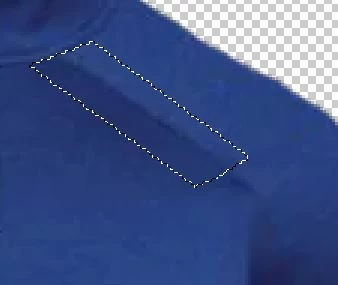
I'm using PS CC 2019, and the polygonal lasso tool recently started acting strange.  When I make a selection the lines aren't straight (see screenshot).  I reset the tool, closed PS and restarted the computer, but that hasn't resolved the issue  Any suggestions?
    This topic has been closed for replies.
    Correct answer Muqqarib Hassan

    Hi,

    Mostly it is happened when you zoom in alot on the image and then made selection. If you zoom it out and then make selection it will give you the Straight lines

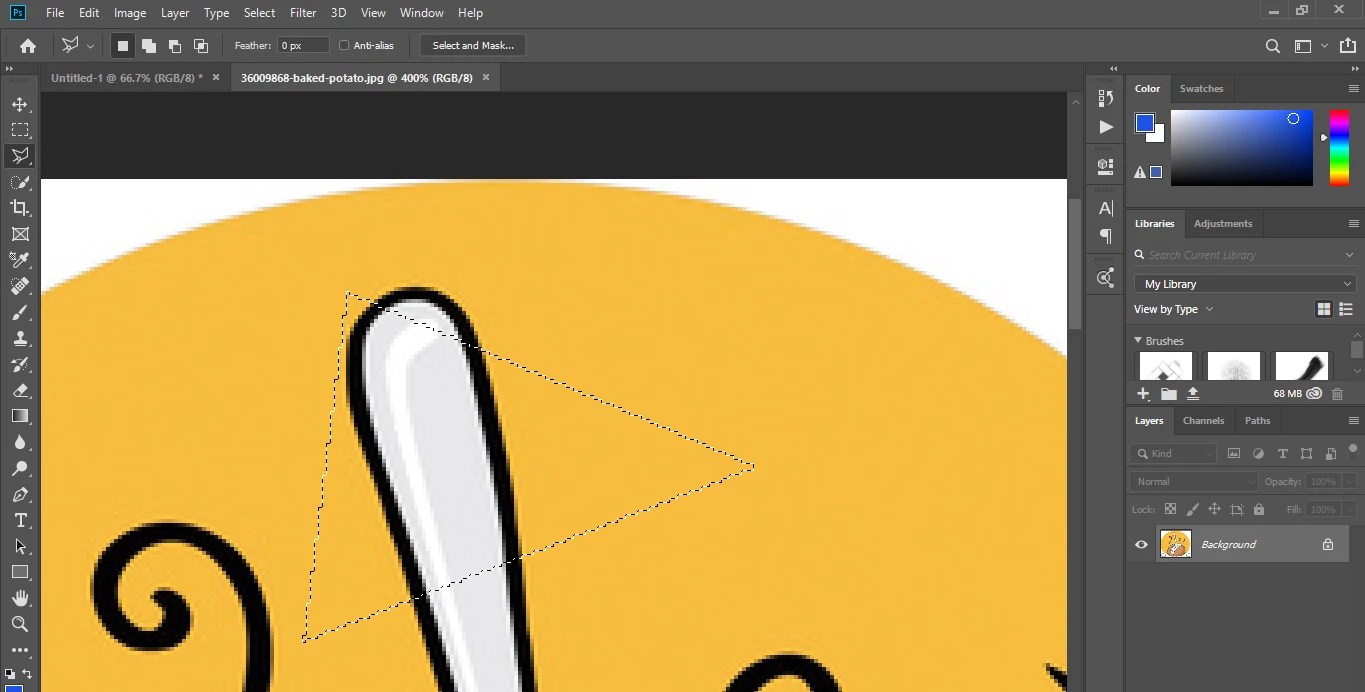
    Check this out. I have this image with low Quality and I zoom In 400% when i try to make selection on it by using polygonal tool it didn't give me straight lines.

    1 reply

    Muqqarib Hassan
    Inspiring
    November 2, 2018

    Hi, I think it depend on the Quality of your image on which you are doing selection. If you use Polygonal tool on a document that you created . For E.g Create a new doc by pressing Crtl+N and then make a selection with this tool Hope so it will give you straight lines.

    and make sure you have feather value set to 0

    Check this out.

    Muqqarib Hassan
    Muqqarib HassanCorrect answer
    Inspiring
    November 2, 2018

    Hi,

    Mostly it is happened when you zoom in alot on the image and then made selection. If you zoom it out and then make selection it will give you the Straight lines

    Check this out. I have this image with low Quality and I zoom In 400% when i try to make selection on it by using polygonal tool it didn't give me straight lines.

    todd968Author
    Participant
    November 2, 2018

    Thanks for the help!  I am working with a low-res image.