
Participant
March 8, 2017
Answered

POOR IMAGE QUALITY WHEN RESIZING? Help!

  • March 8, 2017
  • 2 replies
  • 1724 views

I recently got a new laptop and purchased Adobe Creative Cloud 2017 to use. I then experienced an issue (as explained below) so I downloaded CS6 using my subscription instead.

What happens is, when I go to edit any photo (this example is 2000 x 3000 px):
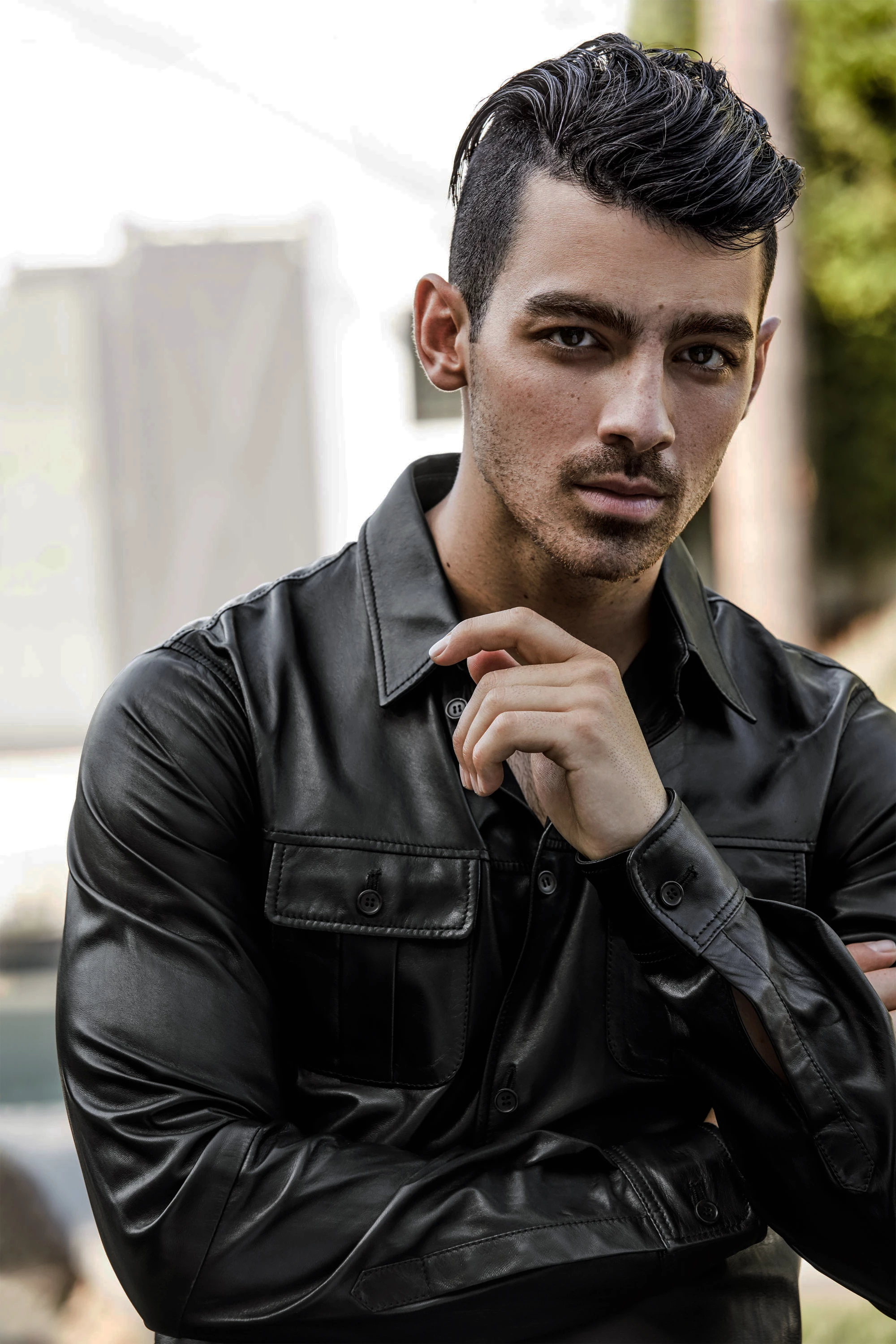
And then go to resize it using either the cropping or resize tool (this one is 540 x 780 px), it comes out with incredibly poor quality (as you can see)

And these are my usual optimization settings:
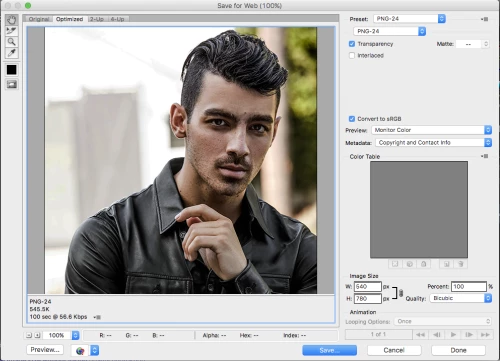
I’ve tried everything and asked everyone– between copying and pasting it to a canvas, changing my optimization settings, smart sharpen settings, using different versions of photoshop, etc. and nothing works. It’s incredibly frustrating! So if anyone can help me out, I would sincerely appreciate it! Thank you!
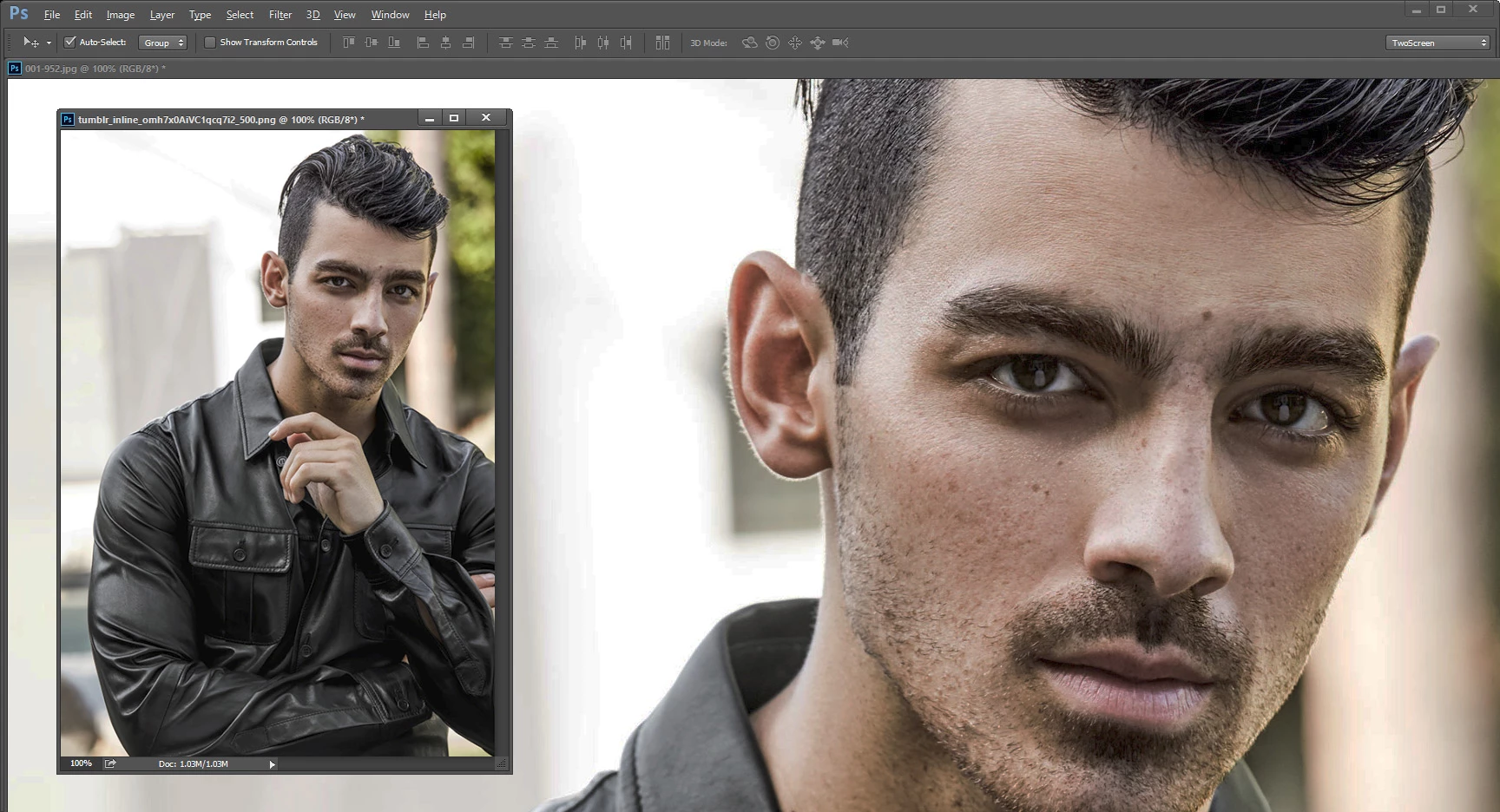
This topic has been closed for replies.
Correct answer JJMack

You Did post a 2000x3000px image

Your save for web capture shows you resized the image to 640x780px. The png you posted is 500x722px.

Its the $6,000,000  Why doe your 6,000,000 pixel image have more detain then your 361,000 pixel image. It easy to see the difference I think that may be quite normal to lose some detail. when you reduce the number of pixels.

2 replies

davescm
Community Expert
Community Expert
March 8, 2017

I dropped both of these into Photoshop and viewed each at 100% zoom. That is the only zoom level where you are looking at the actual image 1 image pixel per screen pixel. I don't see anything there that I would not expect with a reduction in pixel size.

You could experiment with different resampling algorithms by using Image Size before Save for Web.

As a side note - the original larger image has some nasty artifacts (look at the background). They look like heavy processing in 8 bit and then the jpeg compression on top.

Dave

missk721Author
Participant
March 9, 2017

Ok, so I suppose it partially has to do with the image itself then... thank you!

JJMack
Community Expert
JJMackCommunity ExpertCorrect answer
Community Expert
March 8, 2017

You Did post a 2000x3000px image

Your save for web capture shows you resized the image to 640x780px. The png you posted is 500x722px.

Its the $6,000,000  Why doe your 6,000,000 pixel image have more detain then your 361,000 pixel image. It easy to see the difference I think that may be quite normal to lose some detail. when you reduce the number of pixels.

JJMack
missk721Author
Participant
March 9, 2017

You're right, the image I posted was 500 x 722 px rather than the one I had specified. I sent a version to a friend for their opinion on it and when I uploaded it through a website send to them, the image size was reduced by the web. However, I did think there was still a difference given the 540 px image I had planned on posting.

I guess I'm just thrown off because I'm used to CS5, which I had on my old computer and each image I edit now appears to be in worse quality than what I was accustomed to. It might even be my computer screen itself. Thanks!