

Answered
Pop-up task bars for Deselect & Generative Fill not appearing - Possible Solution (worked for me)
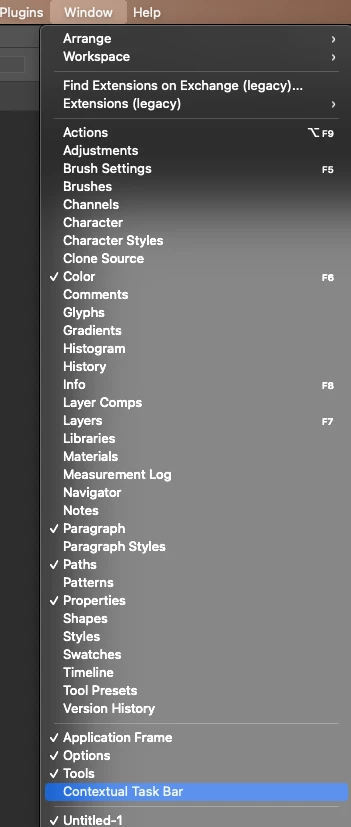
Pop-ups werent appearing with 'Deselect' and 'Generative Fill' options when I was using any/all selection tools. SOLUTION: I went to the bar at the top (File, Edit, View, History, Bookmarks etc) and clicked on 'Window' where a drop down menu appears. Down near the bottom of the list I made sure 'Contextual Task Bar' was selected (a tick should appear to the left of it when it's engaged). Since then I have my pop-up task bar back every time.
 AdChoices