Exit
  • Global community
    • Language:
      • Deutsch
      • English
      • Español
      • Français
      • Português
  • 日本語コミュニティ
  • 한국 커뮤니티
0

Preferences old stamp algorithm

Community Beginner ,
Nov 30, 2018 Nov 30, 2018

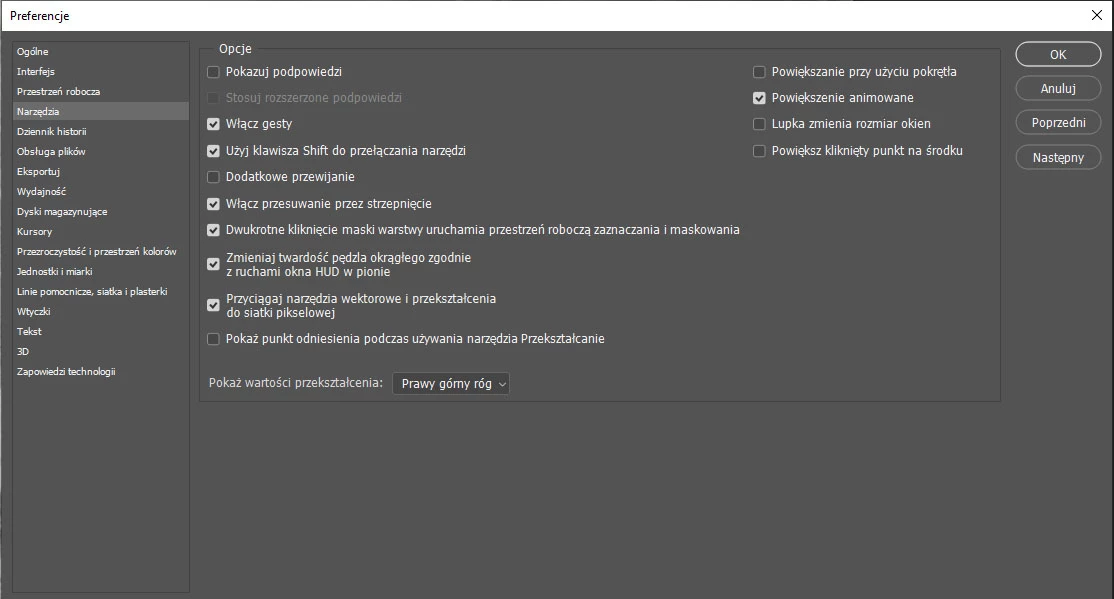
Hi i use Polish version of Photoshop.

In lastest version i can't find this:
Preferencje > Narzędzia > Użyj starszego algorytmu korekcji pędzla korygującego
.

(preference > tools > use older algorithm stamp)
screen.jpg

Where is it now?

408
Translate
Report
Community guidelines
Be kind and respectful, give credit to the original source of content, and search for duplicates before posting. Learn more
community guidelines

correct answers 1 Correct answer

Community Expert , Nov 30, 2018 Nov 30, 2018

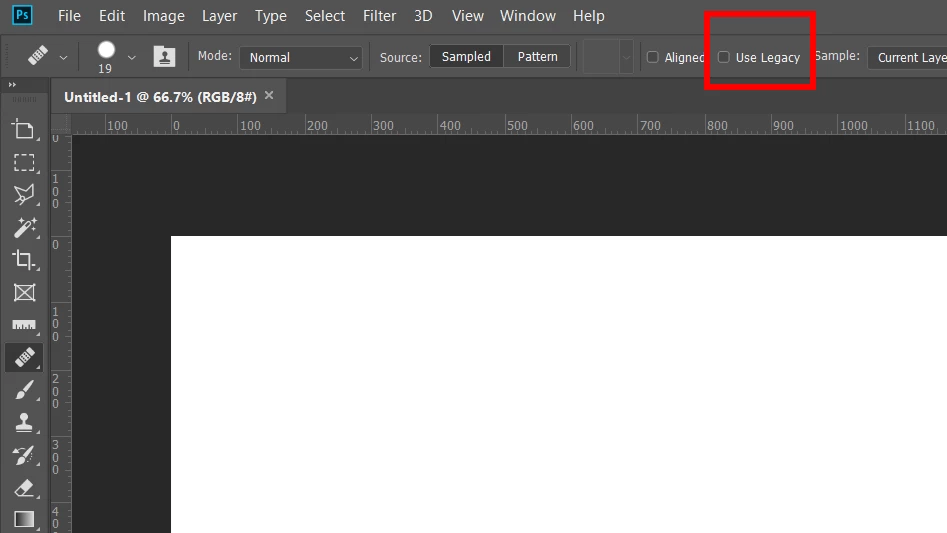
It's been moved to the main tool bar:

Translate
Adobe
Guest
Nov 30, 2018 Nov 30, 2018

Hi

That option is still available in CC2018, seems to have been removed from CC2019

Translate
Report
Community guidelines
Be kind and respectful, give credit to the original source of content, and search for duplicates before posting. Learn more
community guidelines
Guide ,
Nov 30, 2018 Nov 30, 2018

Unfortunately, I don't have the Polish version but in the US English version you have the option to use the legacy brush settings here: Screen Shot 2018-11-30 at 9.47.41 AM.png

Hopefully, this will help!


ICC programmer and developer, Photographer, artist and color management expert, Print standards and process expert.
Translate
Report
Community guidelines
Be kind and respectful, give credit to the original source of content, and search for duplicates before posting. Learn more
community guidelines
Community Expert ,
Nov 30, 2018 Nov 30, 2018

It's been moved to the main tool bar:

Translate
Report
Community guidelines
Be kind and respectful, give credit to the original source of content, and search for duplicates before posting. Learn more
community guidelines
Community Beginner ,
Nov 30, 2018 Nov 30, 2018
LATEST

Thanks Chuck!

Translate
Report
Community guidelines
Be kind and respectful, give credit to the original source of content, and search for duplicates before posting. Learn more
community guidelines