

JaclynMediaResults
Participant
August 3, 2017
Answered

Pressing "D" on shape layer makes numerous Set Shape Layer Fill states

  • August 3, 2017
  • 1 reply
  • 454 views

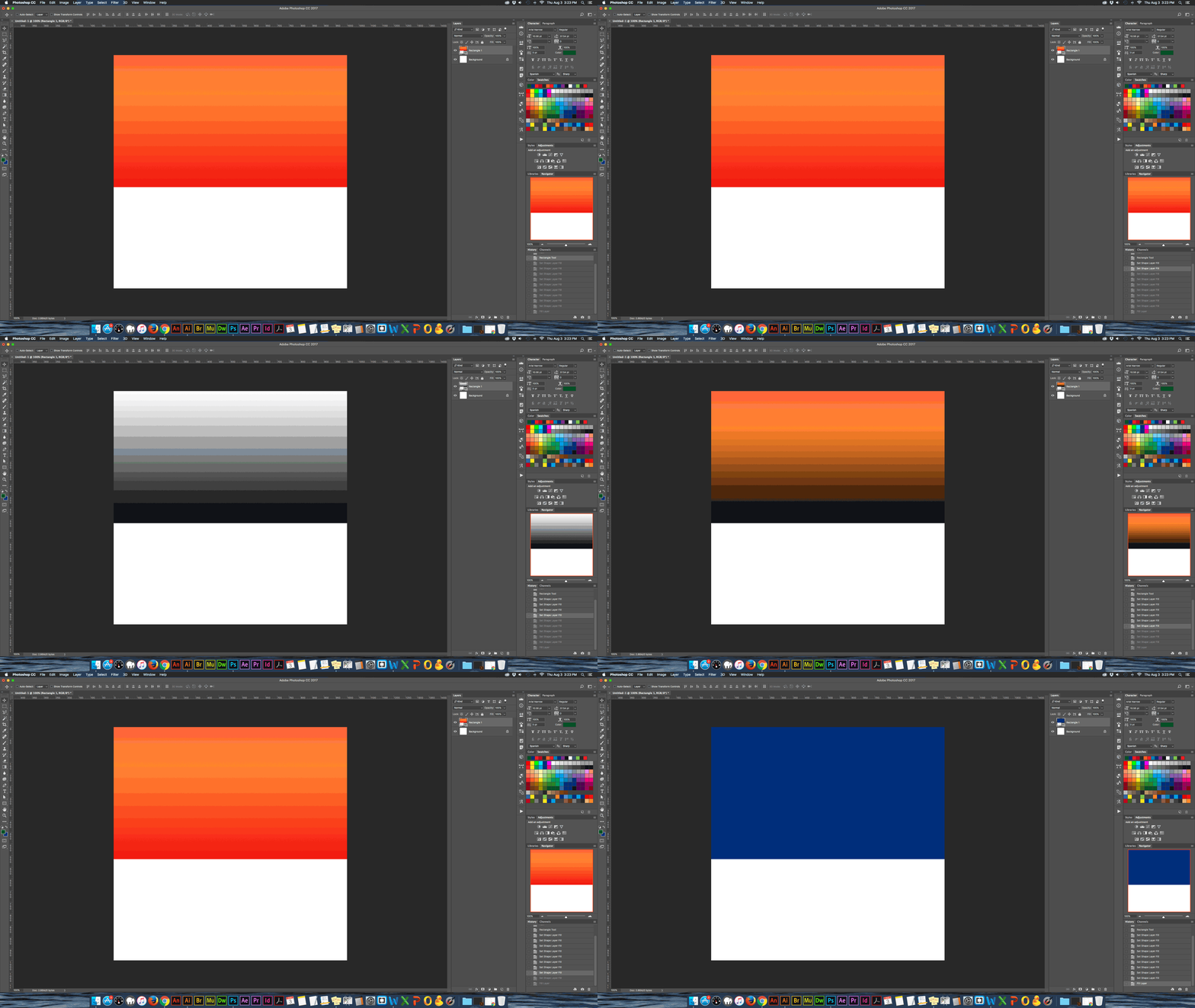
If I have a shape layer selected and press the D key to switch to the default black/white color swatches, Photoshop creates multiple history states of Set Shape Layer Fill that cycle through various black and white gradients. The gif below shows the various states—this time it was 9 states, but I have seen more or less, seemingly randomly. It has done this as long as I can remember—at least since CC was implemented. Not a huge issue, but it is kind of annoying if I'm trying to work quickly. Is this a bug, or something that can be changed in settings?

The first frame is the gradient I started out with from the last shape I had made (orange to yellow), followed by Ps's random black/white gradients. The last frame (blue) is the color I manually filled.
This topic has been closed for replies.
Correct answer Jeff Arola

Yes i was finally able to reproduce that in photoshop cc 2017.1.1.

Maybe it's a mac only thing, but i'd never seen that happen before you posted about it.

You could report it over here and see what adobe has to say about it.

https://feedback.photoshop.com/photoshop_family

1 reply

Jeff Arola
Community Expert
Community Expert
August 3, 2017

I can't seem to replicate that with photoshop cc 2017.1.1 on mac os x 10.11.6

Could you give us more info on how to reproduce that?

JaclynMediaResults
Participant
August 3, 2017

I'm using the same version of Ps and Mac OS X 10.11.4.

Here is what I do when this happens:

- Draw a rectangle shape with the fill color set to any gradient

- Keep the layer selected

- Press D (assuming the swatches are not already set to default black/white)

It then cycles through several Set Shape Layer Fill states.

I'm not really sure if there is any more information I can provide.

JaclynMediaResults
Participant
August 3, 2017

Yes i was finally able to reproduce that in photoshop cc 2017.1.1.

Maybe it's a mac only thing, but i'd never seen that happen before you posted about it.

You could report it over here and see what adobe has to say about it.

https://feedback.photoshop.com/photoshop_family


Thanks, I just posted it over there.