

Print Settings Missing Media Paper Types (resulting in poor prints)
- December 6, 2024
- 2 replies
- 2535 views
Hi there,
I'm having this issue on both Photoshop 2024 v.25.12.0 and Photoshop 2025 v.26.1.0
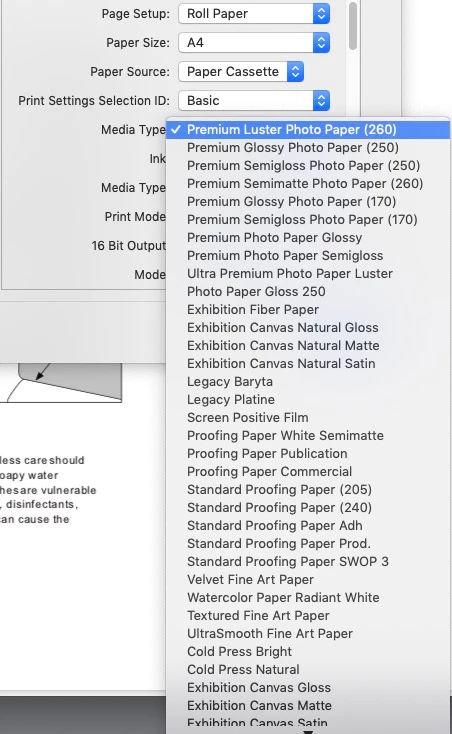
See attached image. Previously in the Print Settings dialogue, there was an option for media type that had multiple paper type options (e.g. fine art dense, matte photo paper, platinum, etc.). And now there's only the options for paper type to select auto select, photo, or plain paper. I still have my ICC profiles. So I can select Photoshop Manages Colors and then select my profile. But because I can't select the media type specifically the prints are coming out all wrong. Is this a horrible managed PS update? Or is something wrong with my set up?
What I've tried so far:
Updated to the most current versions of PS
Deleted the printer (Canon Pro-1000) as well as all the files under /library
Checked that I am on the latest printer firmware (it is current)
Updated/reinstalled the printer driver
Reinstalled the printer
I've been struggling with a strong magenta cast on my printed images (these are images that I print regularly and am using the same file that worked before). I contacted Canon thinking it was a printer issue, but we ruled that out. When I printed through their Print Studio Pro program there was no color cast or any other issues. So this is a PS specific issue. And I believe it's because there's no option to select the proper media type. I've even tried selecting auto select and printing on Canon photo paper. Every single print is color cast.
Pleeeaaaase tell me there's a fix and this isn't just a garbage PS update that makes it unusable for printing. 😞
 AdChoices