


Question
Print settings preview page size wrong
When I need to print to PDF (I know I can also save to PDF but I often need a much smaller file), I enter the dimensions of the file into Acrobat as exactly what they image size is. But Photoshop often changes the dimensions by a small amount for no apparent reason.
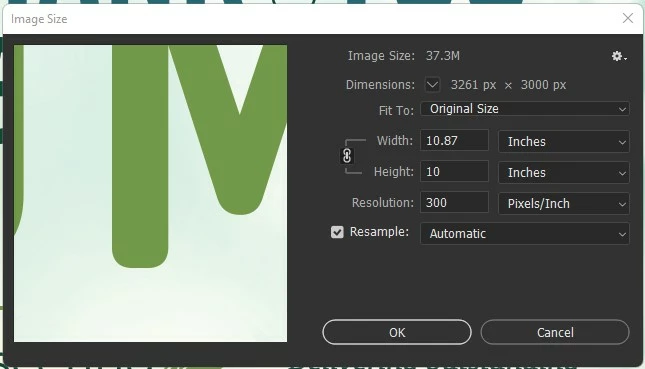
For example. I have an ad that is 10.87 inches wide by 10 inches tall.
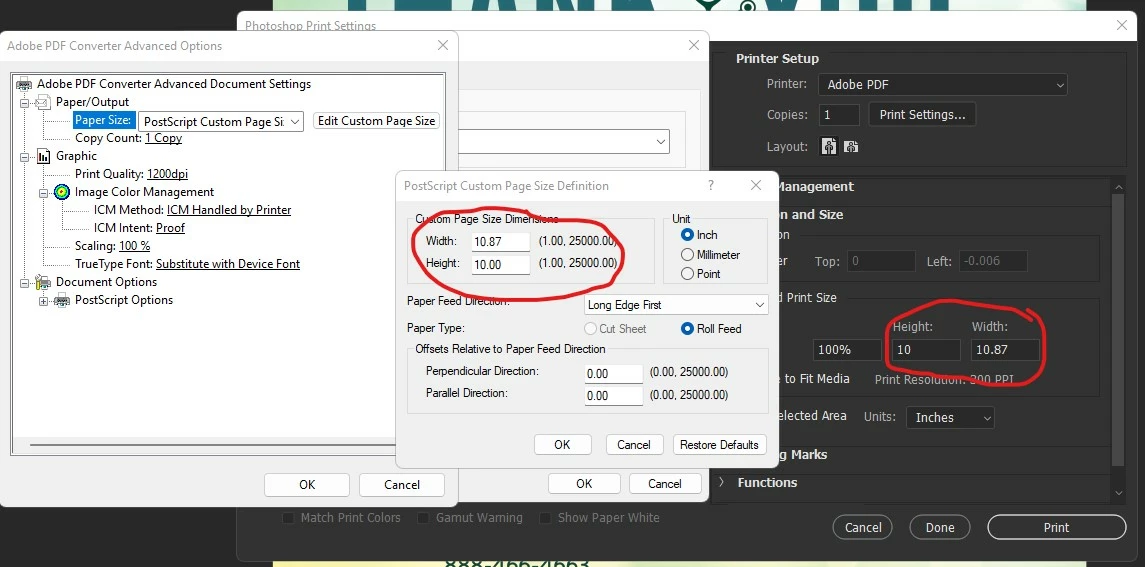
In the Acrobat PDF settings, I set a custom page size to 10.87 x 10. But in the preview window in Photoshop, it shows 10.861 x 10. I cannot get it to be 10.87 no matter what even though the correct dimensions show up in all dialog boxes. Then when I hit print, I get the pop up that "The image is larger than the paper's printable area; some clipping will occur."
See screenshots attached.

 AdChoices