
Inspiring
January 11, 2018
Resuelto

Printing Artboards/Labels

  • January 11, 2018
  • 2 respuestas
  • 3294 visualizaciones

I've begun using Artboards to handle electronic billboard creation. The billboard company gives us their specs for various sizes and we'll create one PS document with multiple Artboards - one for each electronic billboard.

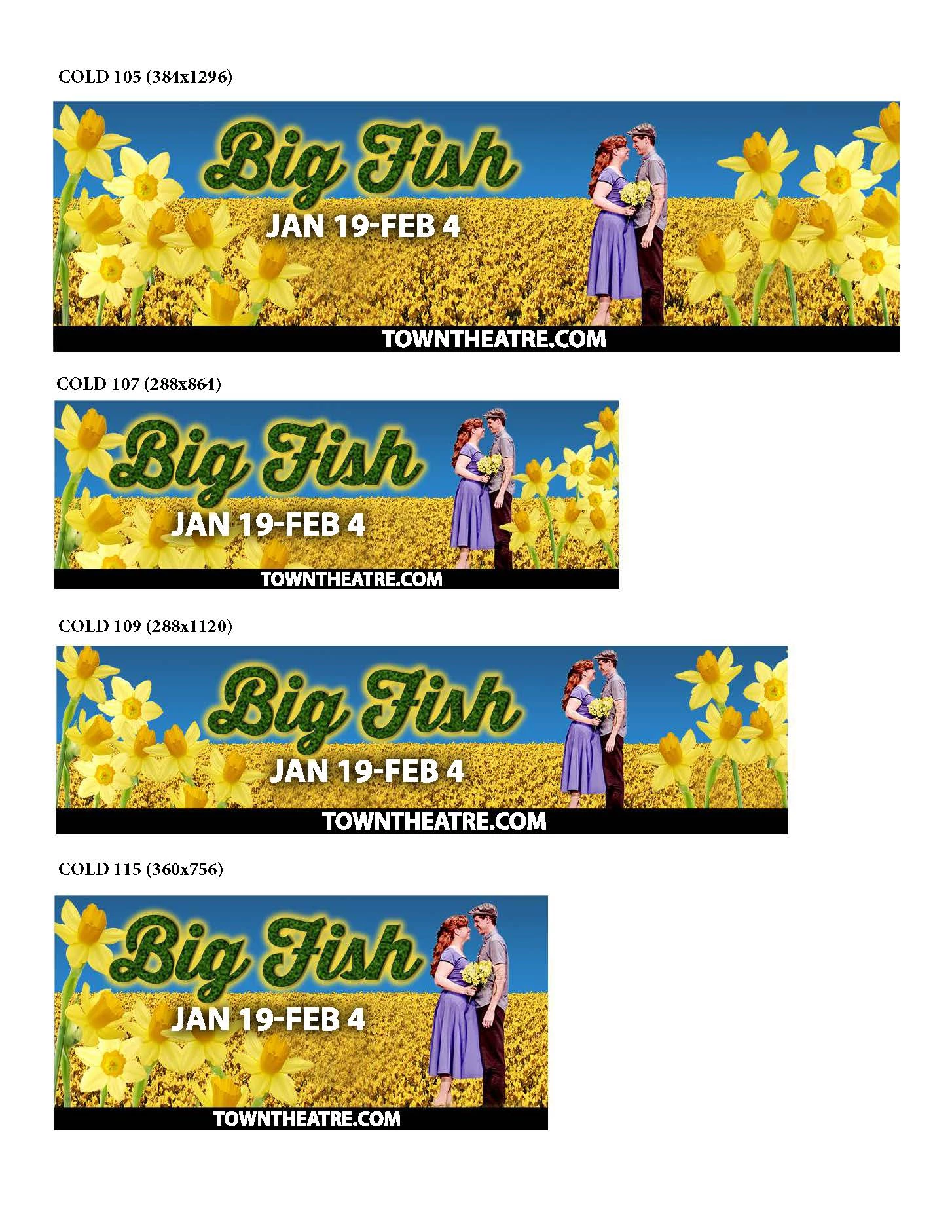
I'd like to print all artboards on a single piece of paper which is easy enough - File Print. However, I'd like to print the Artboard (group) name as well  to identify each one printed on the page.

Is there a way to do this?
Este tema ha sido cerrado para respuestas.
Mejor respuesta de ClaytonKing

I successfully exported the artboards to separate images for my client. My goal is to create a single printed copy of all artboards like the attached (which is an exported PDF and annotated). I can do it this way each time, but was looking for a time saving workflow for the process.

2 respuestas

jolaflor
Participant
December 13, 2018

This is an old post, but for what it's worth...

To quickly get an overview visual of my multiple artboards, I change my document background to white (control or right click the canvas (not the artboard) choose custom colour, white) and simply take a selected screen grab of all the layouts.

Sahil.Chawla
Adobe Employee
Adobe Employee
January 11, 2018

Hi Claytonpking,

Could you try exporting them out then try to print?

You can check this article for more information: https://helpx.adobe.com/photoshop/using/export-artboards-layers.html

Export layers and artboards in Photoshop

Regards,

Sahil

ClaytonKingAutorRespuesta
Inspiring
January 12, 2018

I successfully exported the artboards to separate images for my client. My goal is to create a single printed copy of all artboards like the attached (which is an exported PDF and annotated). I can do it this way each time, but was looking for a time saving workflow for the process.