
Participant
December 17, 2022
Answered

Problem of transparency in a gif with Photoshop

  • December 17, 2022
  • 4 replies
  • 6156 views

Hello!

I wanted to delete the background of a gif, to make it transparent, so I opened the gif on photoshop, deleted the background on all the layers, and exported it as a new gif...

But in the new gif I can see all the layers layering, instead of appearing one after another as it does perfectly in the preview of my window Timeline...

See? Not what I wanted 😅


So I guess I'm making a mistake when I export, but I can't find which one. If anyone could help I'd be very thankful!


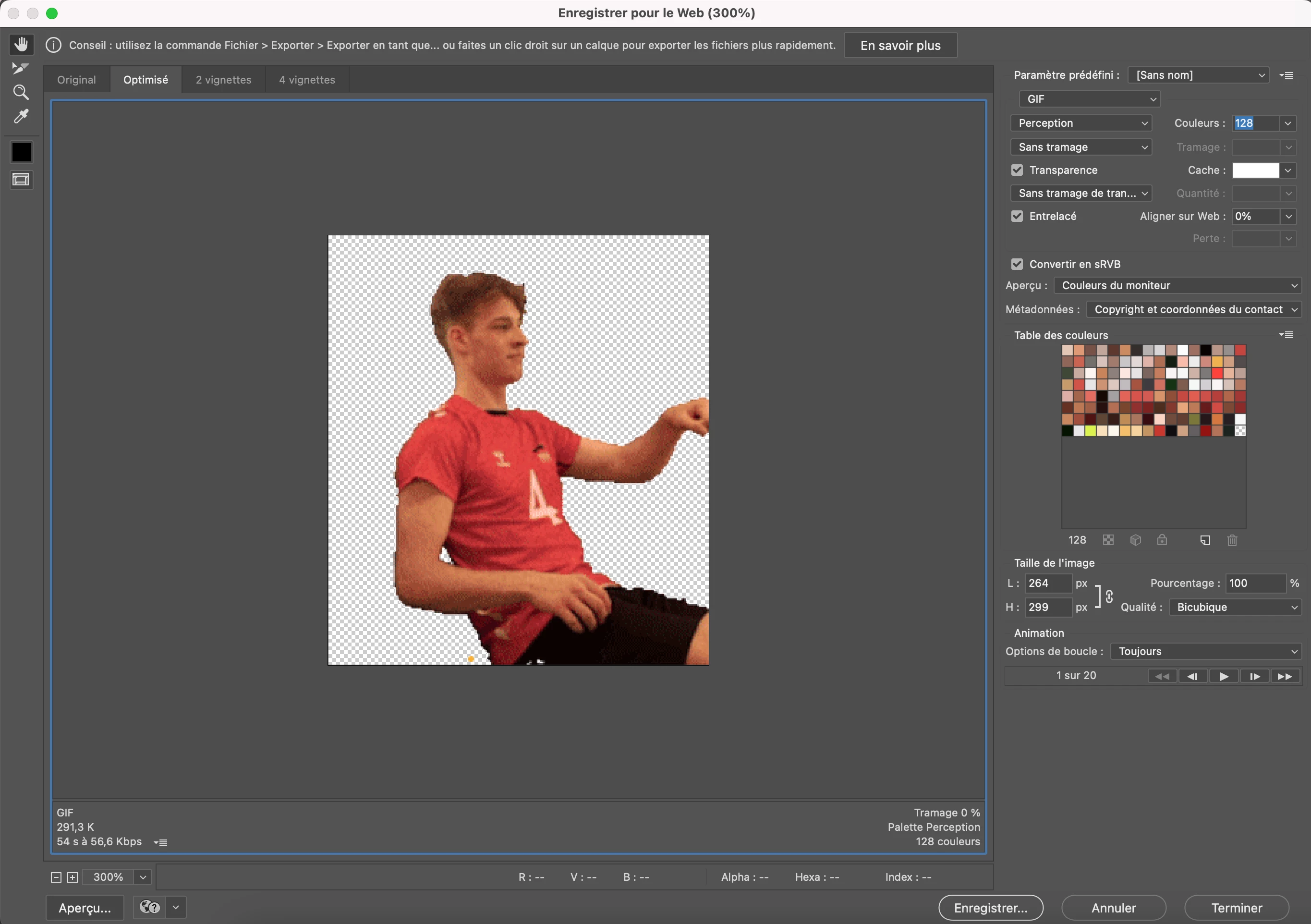
my export window:
 

(sorry if I made some english mistakes, I'm french ;))

😘
Correct answer Remilie

@Trevor.Dennis and @J E L , many thanks for your time and your help!

@J E L I did do it, but it wasn't enough.

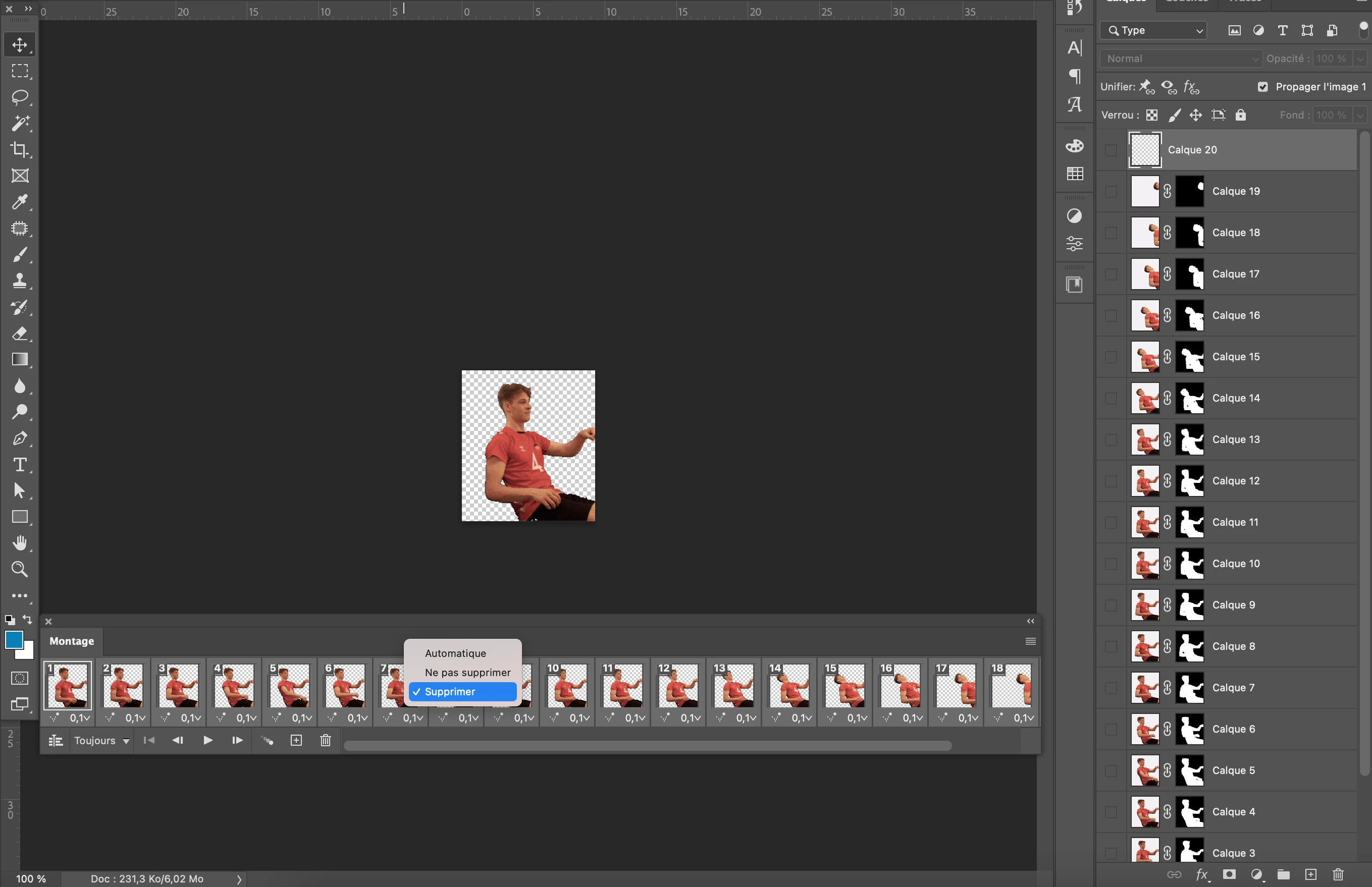
I've finally found it, it was in the timeline, I had to select all the frames, right click and set Dispose option, like this :

and voilà ! Problem solved 🥳🥳🥳


Thank you all! 😘


4 replies

RemilieAuthorCorrect answer
Participant
December 18, 2022

@Trevor.Dennis and @J E L , many thanks for your time and your help!

@J E L I did do it, but it wasn't enough.

I've finally found it, it was in the timeline, I had to select all the frames, right click and set Dispose option, like this :

and voilà ! Problem solved 🥳🥳🥳


Thank you all! 😘


jane-e
Community Expert
Community Expert
December 18, 2022

@Remilie wrote:

(sorry if I made some english mistakes, I'm french ;))


You can write in French. The forum has a translate button at the bottom of each message 😊


Jane


RemilieAuthor
Participant
December 18, 2022

Oh, I didn't see it, thanks! 😘

J E L
Community Expert
Community Expert
December 17, 2022

@Remilie In your timeline panel settings, make sure “New Layers Visible in All Frames” is not checked.


Trevor.Dennis
Community Expert
Community Expert
December 17, 2022

You can't fix the new GIF as the problem is now in thew layers as you can see from the thumbnail.

Your layers should have just one frame per layer, so what might work is deleting all but the first frame in the Timeline.  Then use Make frames from layers.  The bottom line here is that GIF will export just how it plays in the timeline, so you can see if it is right before exporting.


If this does not work, can you show us a screen shot of your entire workspace with timeline and layers panel visible.