
Participating Frequently
January 25, 2023
Question

problem saving and exporting

  • January 25, 2023
  • 2 replies
  • 1468 views


for all imagery to be used online, I'm using "export as" rather than the legacy "save for the web" rather because the" save for the web" produces soft images compared to "export as".


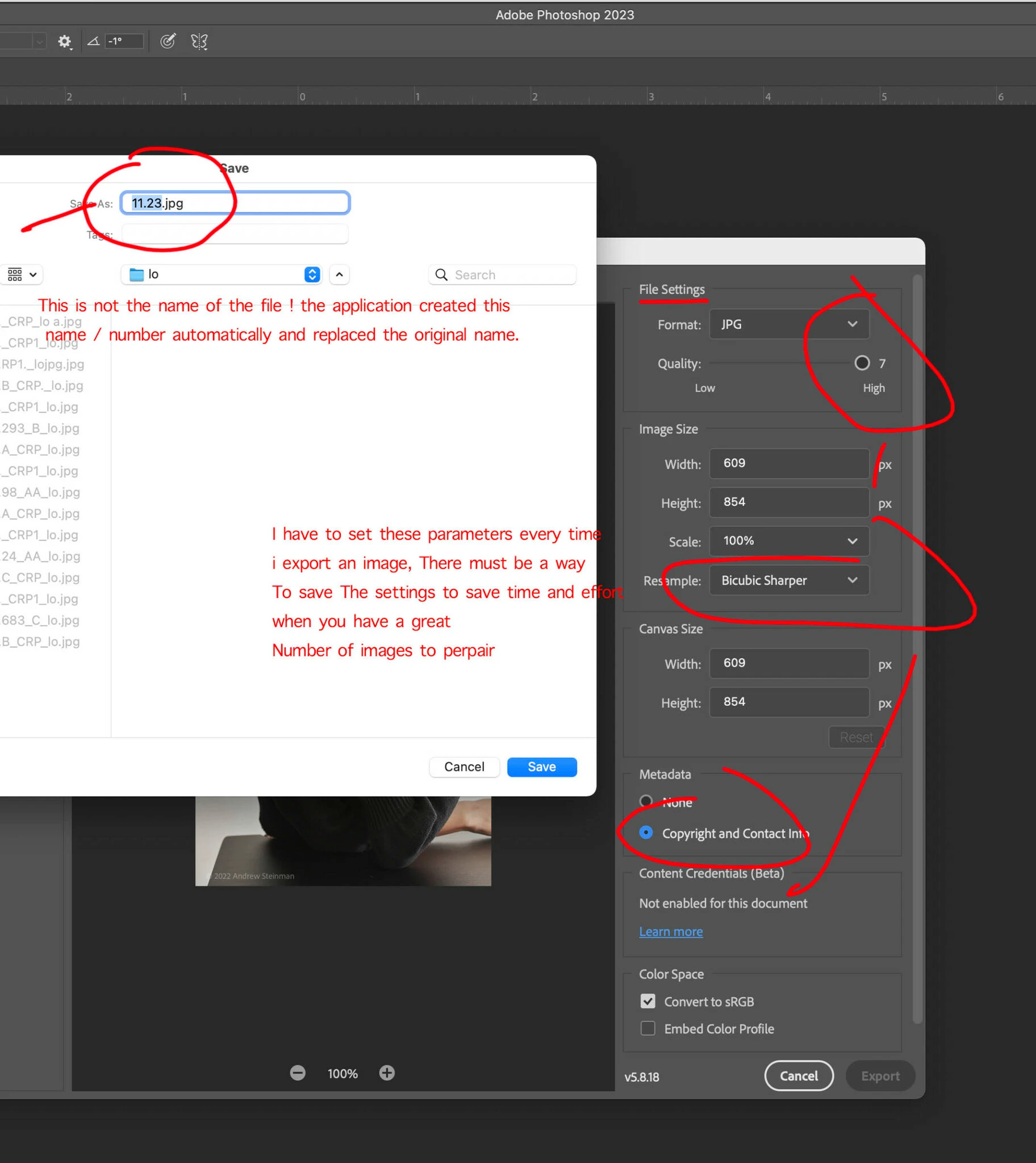
When saving Photoshop changes the name to some numerical value. That it's not helpful.


Secondly every time in the process of using "export as" I have to adjust the settings - surely there's a way to save that to save time and labor.


Thirdly try to set up an action to use "export as" and that does not seem possible?


This topic has been closed for replies.

2 replies

c.pfaffenbichler
Community Expert
Community Expert
January 25, 2023
taking about being paid are you with adobe ?

Neither @kglad nor I are marked as Adobe employees because we are not Adobe employees. 


As for the nameing in »Export As«: Could you please post a complete screenshot?

This one does not show the actual name of the active image or the target-folder-path. 


As for automating: »Export As« is not Scriptable (as far as I know), but which of its features cannot be replicated with »Save A Copy« or »Save for Web« (if necessary on image duplicates) and thus Scripted? 

And are you familiar with File > Generate > Image Assets? 

Participating Frequently
January 25, 2023

ahh I found this , working w art board and image asset , https://pixelbakery.com/recipes/generate-assets-in-photoshop

very interesting work flow

... are the images save and optimized for web uses ? ie srgb color space and managed file size?

D Fosse
Community Expert
Community Expert
January 26, 2023

FWIW, I find your starting assumption to be interesting. I am a product photographer and have tested various methods of saving finished files out and Save for Web doesn't product soft images, whatever that means. Just saying.


Yeah, that struck me too, but I never got around to filing an official protest 😉


Different resampling algorithms will produce different results, but in both you can choose resampling method. Here's both (100% crops), using standard Bicubic. See any difference? I'm not telling which is which 😉

In any case, resizing during export is quick-and-dirty. The optimal way is to resize first with the chosen resampling method, then sharpen for final output size. Then you can export - and then, what comes in is what comes out, whatever output module you use.

kglad
Community Expert
Community Expert
January 25, 2023

these are user-to-user forums. i'm not an adobe employee and neither is anyone else that's posted in this thread, so far.  


i'm going to branch and move your last post to the photoshop forum where photoshop experts can offer help, and i'm going to edit your post to maximize the chance of getting help.  (and yes, you were successful in attaching your screenshot.)

Participating Frequently
January 25, 2023

is this "the Photoshop forum? With expert support/help? Thank you for getting me in the right place oh my gosh after more than 30 years of using this application things are getting very tricky.